
How to Redirect Etsy Traffic to Shopify Without Losing SEO Rankings
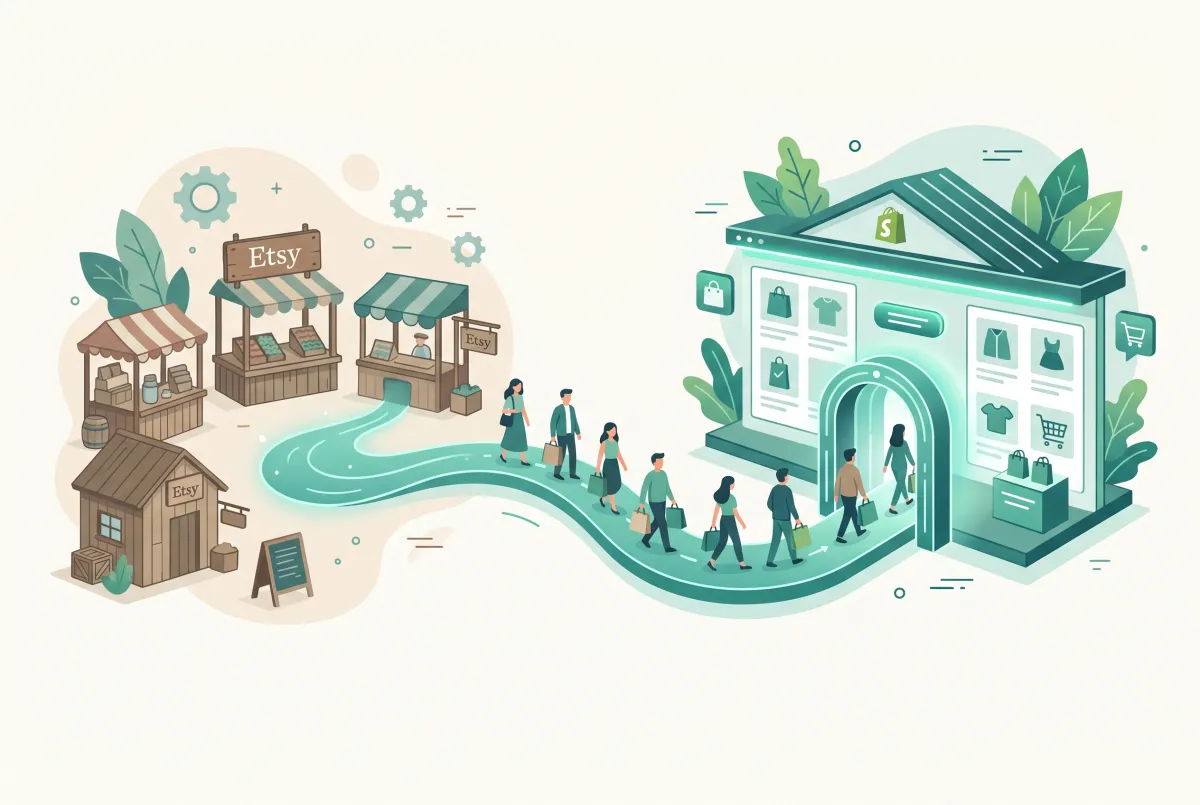
Why Can't You Just 301 Redirect Your Etsy Listings to Shopify?
You can't 301 redirect Etsy listings because you don't own the URLs. Etsy controls every listing page, and the platform gives sellers no tool to point an old listing URL at your new Shopify product. When you close the shop, those pages go dark and return errors. That's the core problem anyone trying to redirect Etsy traffic to Shopify has to solve first.
This is the single most misunderstood part of moving off Etsy. Half the migration advice online tells you to "set up 301 redirects on Etsy," which is nonsense. Etsy does not support 301 redirects from individual listing URLs, so any Google ranking signal a listing built lives and dies with that listing page.
Here's the hot take that saves you weeks of wasted effort. "Preserving your Etsy SEO" is a myth peddled by a lot of migration guides. Your Etsy search ranking dies the day you close the shop, and no clever trick changes that.
The real game isn't preservation. It's triage. Keep the shop open just long enough to redirect the humans through banners, listing calls to action, and email capture. Then hunt down and repoint every external backlink that Google has actually indexed.
Chasing an "SEO transfer" that doesn't exist only delays the Shopify SEO work that will actually pay off. If you want the full product-transfer walkthrough alongside this, start with our companion guide on how to move your products and keep your listings.
The good news? Real 301 redirects do work beautifully, just on the Shopify side. Google has confirmed that a well-implemented 301 redirect can pass close to the full PageRank value of the original page to its destination, provided the new page is a genuine topical match for the old one. So once traffic reaches your own domain, matching each old product to the right new Shopify URL lets you move that traffic around without bleeding equity.
How Long Should You Keep Your Etsy Shop Open Before You Close It?
Keep your Etsy shop open for at least 30 days after your Shopify store goes live. That overlap window is your only chance to redirect real humans before Etsy pulls your listing pages offline for good.
Don't rush the shutdown to save on fees, tempting as that is. Etsy's economics are getting worse, not better. The marketplace take rate climbed to 24.9% in Q3 2025, up 220 basis points year over year, and mandatory fees typically eat 11 to 15% of each sale before offsite ad charges. Paying one more month of that is still cheaper than losing your buyers.
Use the 30-day overlap as an active redirect campaign, not a passive waiting period. Here's the tactical playbook.
- Shop announcement and banner. Add a shop announcement telling buyers you're moving, with your new Shopify URL front and center. Update your shop icon or banner text where Etsy allows it, and pin the announcement to the top of your shop so it's the first thing returning visitors see.
- Listing description CTAs. Add a line to the top of every active listing pointing shoppers to the same product on your store. These are the humans clicking through from Google right now, and a plain-text link is enough since Etsy strips most formatting anyway.
- Favoriters email capture. Message the people who favorited your items or shop. They're your warmest audience, and Etsy won't hand them over once you close, so this list is a one-time opportunity.
- Social and Pinterest bio updates. Change every bio link, pinned post, and profile URL from your Etsy shop to your Shopify domain. Pinterest especially drives long-tail traffic for years, since pins keep resurfacing in search long after you post them.
Why 30 days? It gives Google time to crawl your live Shopify pages, gives your email and social nudges time to land, and captures the repeat buyers who only shop occasionally. If your catalog is large or your traffic is seasonal, stretch it to 60. The overlap costs you a little in fees and buys you a lot in recovered customers.
How Do You Redirect Etsy Traffic to Shopify During the Transition?
To redirect Etsy traffic to Shopify, you split the work in two: 301 redirects for anything on your own domain, and manual human-redirection for everything on Etsy's domain. Only the Shopify side gets true redirects. The Etsy side is banners, CTAs, and outreach.
Start by getting your products onto Shopify cleanly, because you can't redirect anyone to pages that don't exist yet. Bulk-import your catalog, then map out the new URL structure before you flip anything live.
The pain point most sellers hit here is data entry. Copying dozens or hundreds of listings by hand, one field at a time, is soul-crushing and error-prone. Tools like Migratify: Copy Products + AI pull product titles, prices, images, and variants from Etsy into Shopify from a listing URL, and its Magic Edit feature can rewrite titles and descriptions with AI as they come across. That last part matters for the duplicate-content problem covered below.
If you'd rather compare your options before committing, we tested and ranked the best Shopify migration apps for exactly this kind of bulk import and redirect mapping. Once products are in, set up your Shopify-side redirects under Online Store, then Navigation, then URL Redirects.
Shopify gives you serious headroom here. Standard plans support up to 100,000 URL redirects, and Shopify Plus supports up to 20 million, so you'll never run out of room mapping old internal URLs to new ones. Use these for any links you controlled that used to point into Etsy, plus any temporary Shopify URLs you change during setup.
Then rebuild your category structure. Etsy shop sections don't transfer, so recreate each one as a Shopify collection with its own clean, keyword-targeted URL. Well-built collections become ranking assets Etsy never let you own, and our guide to Shopify collection page SEO walks through structuring those URLs so they actually rank.
Prefer to hand the whole move to a specialist? Here's how to choose the right migration service without overpaying.
How Do You Reclaim Backlinks That Still Point to Your Old Etsy Listings?
You reclaim backlinks by finding every external site that links to your Etsy pages and asking each one to repoint the link to your Shopify URL. This is where the real, recoverable SEO value lives, and almost nobody does it properly.
Backlinks are different from Etsy's internal ranking. A blogger's roundup, a press mention, or a Pinterest pin that links to your Etsy shop is equity you can genuinely move, because that link sits on a domain you can email. When it gets repointed to Shopify, a 301 isn't even involved. The link just starts pointing at your store directly.
Build your list from several sources.
- Google Search Console. If you ever verified your Etsy shop, check the Links report. Otherwise, this is your primary tool for your own domain once Shopify is live.
- Ahrefs or Semrush backlink reports. Run your Etsy shop and listing URLs through a backlink checker to see every referring domain, including free versions of these tools that cap results but still surface the biggest sources. This surfaces links you forgot existed.
- Press mentions and blogger roundups. Search your brand name and product names in Google to find gift guides, features, and "best of Etsy" articles linking to you.
- Pinterest and social. Find pins and posts driving clicks, and either edit them (if they're yours) or request updates.
Then run outreach. Keep it short and human: thank them for the link, explain you've moved to your own store, and give the exact new URL to swap in. A simple template works well: "Hi [name], thanks for including [product] in your roundup. I've moved my shop from Etsy to my own store, and the listing you linked to is no longer live. Would you mind swapping the link to [new URL]? Happy to send a fresh product photo if that helps." Most site owners happily update a link when you make it a one-step ask.
Prioritize by authority and by referral traffic, since a single high-traffic gift guide can outweigh fifty forgotten forum posts. Work through your list in order and track which sites respond, so you're not re-emailing the same contact twice.
One realistic caveat. Marketplace listings rarely earn strong backlinks in the first place, so your recoverable pool may be small, sometimes just a handful of links even for an established shop. That's fine. Reclaiming five genuine links beats obsessing over ranking signals that were never transferable, and it frees you to build fresh links straight to your Shopify domain.
How Do You Avoid Duplicate Content While Running Etsy and Shopify at the Same Time?
You avoid duplicate content by rewriting your Shopify product titles, descriptions, and image alt text instead of copying them from Etsy. During the overlap window, identical content on both platforms makes Google unsure which page deserves to rank, so you end up competing against yourself.
This is a real risk, not a theoretical one. If your Etsy listing and your Shopify product page share the exact same title and description word for word, Google sees two near-identical pages. Etsy's domain is far more authoritative than a brand-new Shopify store, so guess which one wins during the weeks that matter most.
Rewrite everything for Shopify from the start. Fresh descriptions serve double duty: they dodge the duplicate-content trap and they read better than Etsy's cramped format ever allowed. Our guide on writing product descriptions that rank and convert shows how to structure them around real search terms instead of Etsy's tag-stuffing habits.
Images deserve the same treatment. If you pull product photos straight from Etsy, at least rewrite the file names and alt text so they aren't identical strings sitting on two live domains. It's a small step, but it removes one more signal that could confuse a crawler comparing the two pages during the overlap window.
A canonical tag can help during the transition, but be careful which direction you point it. Shopify lets you set a custom canonical URL per product in its theme templates, so in theory you could point a Shopify product at itself to reinforce that it's the authoritative version. The catch is Etsy won't let you add custom canonical tags to its listings, so you can't force Google to defer to your new page from the Etsy side. That limitation is exactly why rewriting is your practical defense rather than technical tagging. For self-inflicted duplicates on the Shopify side, our walkthrough on finding and fixing Shopify duplicate content covers the canonical settings you actually do control.
Do not let Migratify's AI import be your final copy either. Use it to get products in fast, then edit for uniqueness before you publish. Automated content is a starting draft, never the finished page.
How Do You Know Your Redirect Strategy Is Actually Working After Launch?
You know it's working when your branded search traffic holds steady and your non-branded traffic climbs month over month in Google Search Console. Those two numbers, tracked separately, tell the whole story of an Etsy-to-Shopify move.
Split your queries into branded and non-branded from day one. Branded searches (your shop or product name) should recover fast, because those are the loyal buyers you redirected through banners and email. Non-branded searches (generic product terms) will start near zero, since Etsy carried that ranking, not you. Watching non-branded queries grow is how you confirm you're building real Shopify SEO rather than just coasting on brand recognition.
Set realistic expectations against platform benchmarks. Shopify's own migration data shows most stores see organic revenue declines of 10% or less, with recovery typically within one to six months. An Etsy move can feel steeper at first because listing rankings vanish outright instead of transferring, so judge yourself on the recovery curve, not the first-week dip.
Watch these signals through the first two quarters.
- Branded impressions and clicks. Should stabilize within weeks. If they don't, your human-redirect efforts (email, banners, social) need more push.
- Non-branded query count. New keywords appearing in Search Console means your product and collection pages are getting indexed and ranked.
- Indexed page count. Confirm Google is crawling your Shopify catalog. Submit your sitemap and check coverage.
- Referral traffic from reclaimed links. As repointed backlinks go live, you'll see direct referral clicks from those domains.
The context matters more than the raw drop. You're not preserving an old ranking, you're building a new one on ground you finally own. Keep optimizing each product page against our Shopify product page SEO checklist, and within a couple of quarters your store should be pulling non-branded traffic Etsy would have taxed at nearly 25% forever. With Etsy's active sellers down 10.9% year over year to 5.5 million and active buyers off 5% to 86.6 million in Q3 2025, betting on your own domain looks smarter every quarter.
Related Articles
Etsy to Shopify Migration in 2026: How to Move Your Products Without Losing Listings
Plan an Etsy to Shopify migration in 2026: move products with CSV or Store Migration, protect SEO, and rebuild reviews without the usual day-one panic.
How to Export Your Etsy Customer List to Shopify (Step-by-Step)
Etsy won't export buyer emails to anyone. Learn how to export your Etsy customer list to Shopify the compliant way, plus 4 legal methods to rebuild it.
Migration traffic drops start with missed URLs. Learn how to set up 301 redirects after a Shopify migration, from redirect mapping to bulk CSV uploads.
How to Prevent SEO Traffic Loss Migrating to Shopify
Moving to Shopify? Learn how to prevent SEO traffic loss migrating to Shopify with a 301 redirect, sitemap, and Search Console checklist that protects rankings.
How to Migrate to Shopify: The Complete Step-by-Step Guide for Online Stores
Planning to migrate to Shopify? Avoid data loss, broken SEO rankings, and costly downtime with this complete step-by-step migration guide for merchants.
How to Migrate Product Reviews from Etsy to Shopify Without Losing Star Ratings
Star ratings vanish in most Etsy imports. Learn how to migrate product reviews from Etsy to Shopify with ratings, photos and rich snippets fully intact.