
Shopify Store Migration Apps Compared in 2026: Free App vs LitExtension, Cart2Cart, Matrixify, Migratify

A Shopify store migration app moves store data into Shopify so you are not copying products, customers, and orders by hand. US retail ecommerce reached about $1.2 trillion in 2025, according to Shopify citing Census Bureau data, which is why so many catalogs are moving right now, and why the App Store is full of tools that all sound like they move "everything."
They do not. Shopify's own free Store Migration app moves products and customers only. LitExtension and Cart2Cart can move orders and SEO objects, but redirects often sit behind paid add-ons. Matrixify gives you spreadsheet control. Migratify is a catalog importer, not a full-store replatform. This page compares those options by the job you need done, then gives a decision framework. For the free app's skip list alone, see our sister guide on what the Shopify Store Migration app does not move.
What is a Shopify store migration app and which job do you need done?
A Shopify store migration app is software that transfers ecommerce data into a Shopify store. The useful question is not "which brand is best," it is which job you are hiring the tool for.
Most merchants need one of four jobs:
- Free products + customers: Shopify's first-party Store Migration app for eight listed sources.
- Catalog / URL import: pull product titles, images, variants, and prices from public listings (Migratify's lane).
- Full-entity cloud migration: products, customers, orders, and often blogs/SEO via LitExtension or Cart2Cart.
- Spreadsheet control: export, clean, and import through Excel or CSV with Matrixify.
Shopify's built-in CSV import still exists, but it is a file upload, not a guided store migration. It will not invent order history, 301 redirects, or reviews for you. If your store has more than a few dozen SKUs and any organic traffic worth protecting, pick a job first, then pick a tool.
Coming from a marketplace or a specific cart changes the job again. For Etsy listings, start with our Etsy to Shopify migration guide. For WooCommerce catalogs, use the WooCommerce to Shopify product transfer guide.
What does Shopify's free Store Migration app actually move?
Shopify's free Store Migration app imports product and customer data only. It does not import orders, collections, navigation, SEO data, blogs, pages, reviews, or apps, per Shopify's July 2026 Store Migration guide.
On the product side, Shopify lists titles, descriptions, variants, standard and compare-at prices, inventory levels, images, SKUs, and barcodes. On the customer side: names, emails, phones, and billing or shipping addresses. You can upload a CSV or, on supported sources, connect the account for a guided transfer.
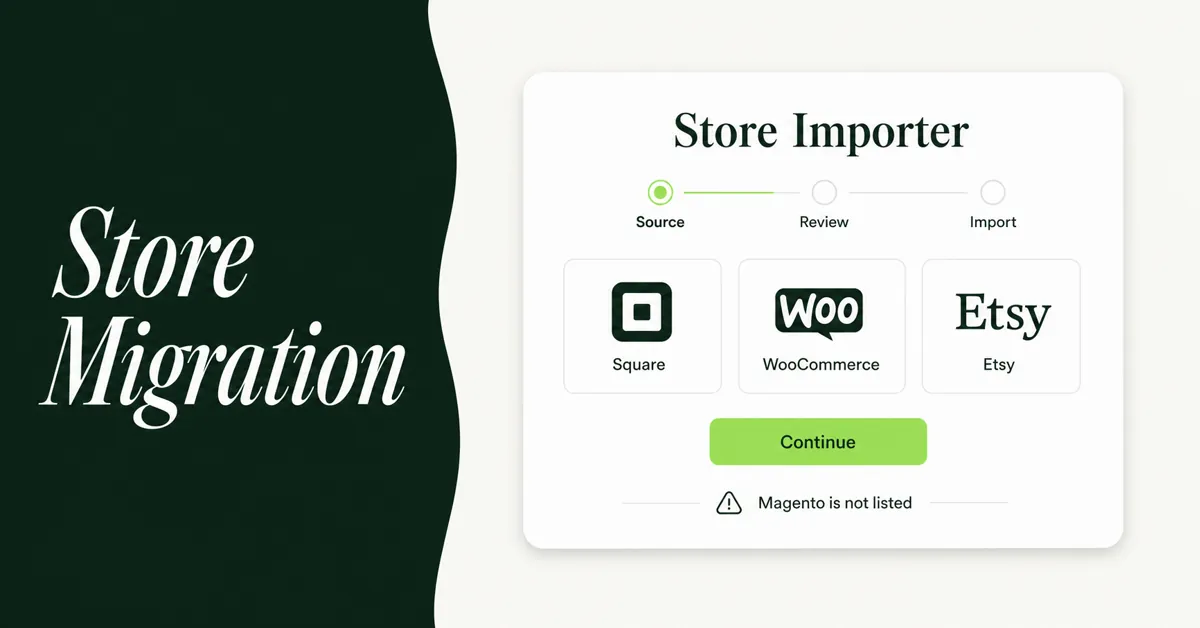
Supported sources on the App Store listing are Square, WooCommerce, Etsy, Wix, Amazon, eBay, Clover, and Lightspeed R/X (Vend). Magento, BigCommerce, PrestaShop, and custom sites are not on that list.
Other limits Shopify calls out in the same guide: the app sets a product's price to the highest price it finds and does not import inventory by location. Customer passwords never transfer on any path. Treat this app as a free catalog-and-address-book importer with a store-sized name. That honesty is why our limitations page exists separately from this comparison.
How do LitExtension, Cart2Cart, Matrixify, and Migratify compare?
These four tools cover different jobs. LitExtension and Cart2Cart are cloud migrators for full entity sets. Matrixify is a spreadsheet engine. Migratify is a product importer. None of them should be crowned "best overall," because the best pick depends on what you need moved.
Shopify Store Migration (free, first-party)
Best when you only need products and customers from one of the eight listed sources, and you will rebuild collections, redirects, and the theme yourself. It is free, fast for simple catalogs, and the wrong first click when order history or SEO redirects are the point of the move. App Store rating sits around 3.1 from merchant reviews that often cite partial imports, so always spot-check images, variants, and customer rows.
LitExtension
LitExtension is a Built for Shopify cloud migrator that moves products, customers, orders, collections, metafields, reviews, and more from carts like WooCommerce, Magento, BigCommerce, and PrestaShop. The App Store listing notes a free demo (about 20 products, orders, and customers) and pricing based on entities migrated. Automated migration starts from about $59 on LitExtension's pricing page.
Where LitExtension fits: mid-size or complex stores that need order history and can pay once. Watch the add-ons. LitExtension's own FAQ says automated plans charge extra for options such as SEO URL migration and 301 redirects, while the All-in-One service bundles those options. If organic URLs matter, price the redirect option before you compare quotes.
Cart2Cart
Cart2Cart is another automated cloud migrator with a Shopify App Store listing that is free to install, then billed by store size, entities, and selected options. It migrates products, customers, orders, categories, and images, with SEO URL migration and 301 redirects offered as additional options. Cart2Cart's own Shopify docs recommend selecting both "Migrate SEO URLs" and "Create 301 redirects" when rankings matter, and its billing FAQ treats those as separately priced add-ons (one remigration example quotes SEO URL migration at $59 on top of the base fee).
Where Cart2Cart fits: non-technical stores that want a wizard-driven move and a simple catalog. Run the free demo, then open the estimator with redirects and SEO URLs checked so the quote matches the job.
Matrixify (formerly Excelify)
Matrixify imports and exports through Excel, CSV, and Google Sheets. It can touch products, customers, orders, pages, blog posts, redirects, metafields, and metaobjects when you map the columns yourself. Plans on the Matrixify pricing page and App Store are Demo (free, about 10 records per file), Basic at $20 per 30 days, Big at $50, and Enterprise at $200, with limits counted per job, not as a monthly quota.
Where Matrixify fits: messy catalogs, agency workflows, and merchants who want a paper trail before anything hits Shopify. It is overkill for 80 clean products and underkill if you refuse to open a spreadsheet.
Migratify
Migratify is a Built for Shopify product importer. Paste a public product URL (or use the Chrome extension on captcha-protected sites) to pull titles, descriptions, images, variants, prices, SKUs, tags, vendor, and product type. Official docs are clear: Migratify does not import customers, orders, or reviews. Collections are not imported either, though you can send imports into an existing manual collection.
Plans from Migratify's pricing docs: Free (up to 5 products total, 5 Magic Edit credits), Standard at $14/month (unlimited product imports, 25 Magic Edit credits), Plus at $29/month (5,000 Magic Edit credits). Magic Edit rewrites titles, descriptions, and tags during import. Use Migratify when the job is catalog speed, not a full replatform.
One practical way to read the field: free Store Migration and Migratify optimize for speed on products. LitExtension and Cart2Cart optimize for breadth across entities. Matrixify optimizes for control. If two tools claim the same job, prefer the one whose demo preserves your worst variants and whose quote already includes redirects.
How should you choose a Shopify store migration app by job?
Choose by the entities you must move, then by source platform and how much spreadsheet work you will accept. Ratings are secondary.
You only need products and customers from WooCommerce, Etsy, Wix, Square, Amazon, eBay, Clover, or Lightspeed: start with Shopify's free Store Migration app. Budget separate work for redirects, collections, reviews, and orders.
You need order history, blogs, or a managed SEO URL pass from Magento, BigCommerce, PrestaShop, or a large Woo store: price LitExtension or Cart2Cart with 301 redirects and SEO URL options included in the quote. If the leftover pile includes subscriptions, gift cards, or a custom checkout, that is usually a migration service conversation, not another app install.
Your data is messy, or you need metafields, redirects, and a visible audit trail: Matrixify. Clean in the sheet, then import.
You are selectively copying product listings from public URLs (or platforms the free app does not list): Migratify. Do not also run Store Migration against the same catalog unless you enjoy deleting duplicate SKUs.
Print the punch list in our Shopify migration checklist before you pay anyone. The app is a slice of the project, not the project.
Hot take: stop shopping for the "best" Shopify store migration app. Shop for the job. Merchants who buy a full-entity migrator for a products-only move overpay. Merchants who stop at Shopify's free app when they need order history and 301s underpay on day one and overpay in lost organic traffic later. Match the tool to the entities, then argue about brands.
How much do Shopify store migration apps cost once you add SEO?
Sticker prices lie until you add redirects and SEO URLs. Price the full job, not the install button.
- Shopify Store Migration: free. Your cost is time for collections, redirects, reviews, and theme work.
- LitExtension: automated from about $59, then scales with entities. SEO URL migration and 301 redirects are extra on automated plans unless you buy All-in-One.
- Cart2Cart: free to install; migration fees by volume and options. SEO URLs and 301 redirects are paid add-ons. Use the estimator with those boxes checked.
- Matrixify: Demo free; paid plans $20, $50, or $200 per 30 days while you work. Cancel when the import is done.
- Migratify: Free for 5 products; $14 or $29 per month for unlimited product imports plus Magic Edit credits.
For a rough mid-size example (about 1,000 products, hundreds of customers and orders), expect LitExtension or Cart2Cart in the low hundreds once SEO add-ons are on, Matrixify at one month of Basic or Big if you move fast, and Migratify at a single Standard or Plus month if you only need the catalog. Always run the free demo before you pay.
What can go wrong during a Shopify migration, and how do these apps help?
The failure modes are predictable: missing redirects, partial product data, password resets that surprise customers, and order history that never arrives. Apps reduce some of that risk. They do not remove the post-migration checklist.
Broken SEO: Shopify URLs use /products/ and /collections/. Old WooCommerce or Magento paths 404 without a redirect map. LitExtension and Cart2Cart can generate redirects as paid options. Matrixify can import redirect rows. Migratify and the free Store Migration app do not own this job. Use our guide to setting up 301 redirects after a Shopify migration.
Variant and image gaps: multi-option products and image fetches fail often on free CSV paths. Demo-migrate your ten worst products first. Shopify still caps products at three options even after raising the variant limit to 2,048.
Customer passwords: no migration app can move them. Plan activation emails.
Orders skipped: the free Store Migration app and Migratify do not move orders. If warranty history or support lookups matter, you need LitExtension, Cart2Cart, Matrixify, an API job, or a partner.
Realistic timelines still beat marketing copy. Pair this comparison with our Shopify migration timeline so you do not schedule a "weekend cutover" for a 10,000-SKU Magento store.
What should you do after the migration is complete?
Verify within 48 hours of go-live. The data landing in Shopify is the midpoint, not the finish line.
- Test your highest-traffic old URLs and confirm 301s land on the right products and collections.
- Submit the Shopify sitemap in Google Search Console and watch Coverage for 404 spikes.
- Spot-check 20 products across categories for prices, variants, images, and metafields.
- Confirm reviews attached to the correct handles if you imported them separately.
- Place a real test order through checkout, shipping, tax, and payment.
- Send customer account invites in batches, not one 40,000-email blast.
- Clean duplicate tags and vendors with a bulk editor once the catalog is stable.
DemandSage's 2026 BuiltWith-based count puts roughly 6.875 million websites actively running on Shopify. You are not early to the platform. You are late if you treat the migration app as the whole project.
If both stores are already on Shopify and you need a full clone (theme, customers, settings), follow how to duplicate a Shopify store rather than shopping for a cross-platform migrator.
Bottom line: pick the Shopify store migration app that matches the entities you must move, run the demo, price the SEO add-ons before you compare quotes, and spend your real energy on redirects, passwords, and QA. That is how a comparison page earns its keep instead of crowning a fake winner.

Migratify: Copy Products + AI
SponsoredProduct import made easier! Effortlessly migrate products from 100+ platforms.
Related Articles
Shopify Store Migration App: What It Does Not Move in 2026
The Shopify Store Migration app imports products and customers only. See what it does not move in 2026, plus how to run the official importer correctly.

Shopify Migration Checklist: Everything to Move Before You Switch Platforms
Use this complete Shopify migration checklist to move products, customers, orders, SEO data, and apps without losing sales when you switch platforms today.
Shopify Migration Service: How to Choose the Right One (And Avoid Costly Mistakes)
A Shopify migration service can save your store or sink it. Learn about real costs, SEO risks, hidden fees, and exactly how to pick the right partner.

WooCommerce to Shopify Migration: Step-by-Step Product Transfer Guide
Planning a WooCommerce to Shopify migration? This step-by-step guide covers product transfer, CSV cleanup, SEO protection, and avoiding data loss.
Etsy to Shopify Migration in 2026: How to Move Your Products Without Losing Listings
Plan an Etsy to Shopify migration in 2026: move products with CSV or Store Migration, protect SEO, and rebuild reviews without the usual day-one panic.

Shopify Migration Timeline: How Long Does It Actually Take (And How to Speed It Up)
Wondering how long a move takes? See a realistic Shopify migration timeline by store size, the biggest causes of delay, and how to launch weeks faster.