
Shopify Migration Service: How to Choose the Right One (And Avoid Costly Mistakes)
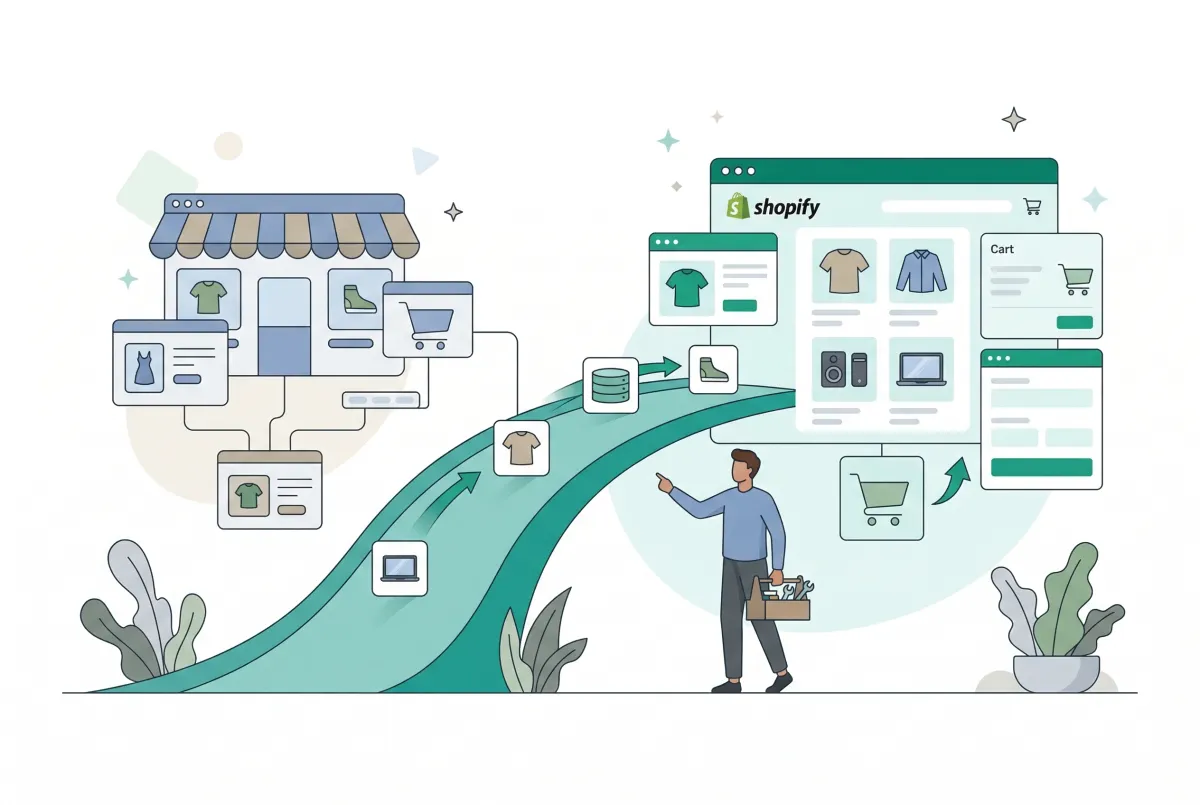
Picking the wrong Shopify migration service doesn't just waste money. It can tank your search rankings, corrupt product data, and leave you rebuilding what should have transferred cleanly. Shopify dominates incoming ecommerce migrations, consistently ranking as the most popular destination platform according to Statista's platform migration tracking. That volume means the market is flooded with migration providers, and sorting the competent ones from the dangerous ones takes more effort than most merchants expect.
This guide breaks down what a Shopify migration service actually does, what it costs, where SEO risk hides, and how to vet providers before you hand over your store's future.
What Does a Shopify Migration Service Actually Do?
A Shopify migration service moves your store's data, design, and functionality from one ecommerce platform to Shopify. That includes products, customers, orders, blog posts, and (if you're lucky) your URL structure. The scope varies wildly depending on who you hire.
At the basic level, migration means extracting data from your current platform, reformatting it to match Shopify's structure, and importing it. Products need their titles, descriptions, images, variants, and metafields mapped correctly. Customer passwords can't transfer directly between platforms due to different hashing algorithms, and order history needs to come over intact so your support team isn't flying blind.
Beyond data transfer, a good service also handles theme setup or customization, app configuration, payment gateway integration, and redirect mapping. If you're coming from a platform like WooCommerce, which accounts for 41% of stores switching to Shopify (roughly 9,056 stores in the last 90 days alone), you'll also need someone who understands the structural differences between an open-source PHP store and a hosted SaaS platform.
For a deeper look at the full process, check out our complete step-by-step guide to migrating to Shopify.
Should You Use a Migration App, Hire an Agency, or Do It Yourself?
It depends on your store's complexity, your technical comfort, and how much you value your time. A store with 50 simple products and no blog can self-migrate in a weekend. But a store with 10,000 SKUs, custom fields, and five years of order history? That needs professional help.
DIY Migration
You export CSVs from your current platform, reformat them, and import into Shopify manually. This works for tiny catalogs with simple product structures.
It falls apart fast when you have product variants, metafields, or customer data that doesn't map cleanly. Budget: free (plus your time). Risk: high if you don't understand Shopify's import format.
Migration Apps
Tools like Migratify support product imports from over 100 source platforms, letting you paste a URL or use a browser extension to pull products directly. Standard plans start at $14/month for unlimited product migrations, with the $29/month Plus plan adding 5,000 AI magic edit credits per month for bulk title, description, and tag improvements. Apps are ideal for product-focused migrations where you need speed and don't have deeply custom data structures.
For WooCommerce stores specifically, we've written a detailed WooCommerce to Shopify product transfer guide that walks through the process.
Agency or Freelancer
You hire a team to handle everything: data migration, theme build, SEO redirects, QA testing, and launch support. This is the right call for stores with complex catalogs, heavy customization, or significant organic traffic they can't afford to lose. Budget: $1,000 to $30,000+, depending on scope.
The Escalation Path Most People Miss
Many merchants start with DIY, hit a wall (usually around data formatting or redirect mapping), and then scramble to hire an agency mid-migration. This is the worst outcome.
You've already made structural decisions that the agency now has to work around. If you suspect you'll need help eventually, get a quote before you start. A 30-minute consultation can save you from a half-finished migration that costs twice as much to fix.
How Much Does a Shopify Migration Service Cost, and What Drives the Price Up?
Most Shopify migration services charge between $1,000 and $10,000 for a standard store, with enterprise migrations running $15,000 to $50,000 or more. The price depends on four variables: data volume, source platform complexity, customization requirements, and SEO scope.
Data volume is straightforward: moving 500 products costs less than moving 50,000. But the source platform matters just as much.
Migrating from BigCommerce or Squarespace is relatively predictable because their data exports are clean. Migrating from a heavily customized Magento or WooCommerce installation with dozens of plugins is a different story entirely.
Here's a rough complexity breakdown by source platform:
- Squarespace or Wix: Lower complexity. Clean exports, fewer custom fields. Expect the lower end of pricing.
- BigCommerce: Moderate complexity. Good export tools, but product option structures differ significantly from Shopify.
- WooCommerce: Variable complexity. A vanilla WooCommerce install is manageable. One with 30 plugins, custom post types, and ACF fields is a nightmare.
- Magento / Adobe Commerce: High complexity. Deep customization, complex catalog rules, and enterprise data structures that don't map to Shopify without significant rework.
- Custom platforms: Highest complexity. No standard export format. Everything is bespoke.
The other big cost driver is SEO work. A proper redirect map, pre-migration traffic baseline, and post-launch monitoring add 20-40% to the project cost. Most agencies quote without this work unless you specifically ask for it.
What Data Gets Migrated (And What Gets Left Behind)?
The core data that transfers in most migrations includes products (titles, descriptions, images, prices, variants), customers (names, emails, addresses), and order history. Beyond that, things get complicated fast.
Here's what commonly gets left behind or requires extra work:
- Customer passwords: These can't transfer between platforms due to different hashing algorithms. Every customer will need to reset their password. Plan a communication strategy for this.
- Product reviews: Most migration services don't touch reviews because they're stored in third-party apps. You'll need to export them separately and reimport them. Our guide on importing product reviews to Shopify covers this in detail.
- Custom fields and metafields: If your current platform uses custom product attributes (like material, care instructions, or compatibility data), these need manual mapping to Shopify metafields. Many migration tools skip this entirely.
- Blog content and pages: Some services migrate blog posts, but formatting often breaks. Images embedded in blog content may need re-uploading.
- Discount codes and gift cards: Active discount codes rarely transfer. Gift card balances require manual recreation in most cases.
- Product options beyond Shopify's limits: Shopify allows 3 options and 2,000 variants per product. If your source platform has more option types, you'll need an app like Optionize Product Options to handle unlimited product options on Shopify.
Before signing a migration contract, request a complete data audit. Ask the provider to list exactly what transfers, what needs manual work, and what won't make it at all. If they can't give you that list, they haven't actually assessed your store.
How Do You Protect Your SEO Rankings During a Shopify Migration?
You protect rankings by building a redirect map before you touch anything else, then monitoring traffic for at least 90 days after launch. Even well-managed migrations typically see a 10-30% initial dip in organic traffic during the first month, with recovery happening within one to three months if redirects and technical SEO are handled correctly. Poorly managed migrations can cause drops of 30% or more that take six months or longer to recover from.
Here's my hot take: most merchants hiring a Shopify migration service are paying for data transfer when what they actually need is an SEO handoff. And most agencies quietly skip that part because it's hard to scope. If your migration quote doesn't include a full URL redirect map, a pre-launch traffic baseline, and a 90-day monitoring commitment, you're not buying a migration service. You're buying a very expensive CSV import.
Pre-Migration SEO Baseline Process
Before your migration begins, complete these steps:
- Crawl your current site using Screaming Frog or Sitebulb. Export every URL, its status code, title tag, meta description, and canonical tag.
- Pull your Google Search Console data for the last 12 months. Export queries, pages, clicks, and impressions. This is your baseline.
- Document your top 50 landing pages by organic traffic. These are the pages that absolutely cannot break during migration.
- Map every old URL to its new Shopify URL. Shopify changes URL structures (e.g., /products/ prefix for product pages, /collections/ for categories). Every old URL needs a 301 redirect to its new location.
- Check your backlink profile. Use Ahrefs or Semrush to identify your most-linked pages. These need perfect redirects because broken backlinks mean lost authority.
For product-level SEO optimization after your migration, our Shopify product page SEO checklist covers everything from title tags to structured data.
What Red Flags Should You Watch for When Hiring a Migration Service?
The biggest red flag is a flat-rate quote with no discovery phase. Any provider who quotes you a fixed price before reviewing your store's data structure, URL count, and customization level is guessing. That means they'll either cut corners or hit you with change orders later.
Watch for these specific warning signs:
- No mention of redirects in the proposal. If SEO isn't part of the scope document, it's not part of the project. Period.
- Vague deliverables. "We'll migrate your data" tells you nothing. You need a line-item list of what transfers: products, customers, orders, blog posts, metafields, redirects, theme setup.
- No staging environment. A reputable service builds your new store on a development or staging site first, lets you review it, and only goes live after approval. Anyone suggesting a direct cutover is gambling with your business.
- No post-launch support window. Things break after launch. Always. A good provider includes 2-4 weeks of post-launch bug fixes in the contract.
- They can't name their Shopify partner status. Shopify has a formal partner directory. Ask if they're listed and check.
- No references or case studies. If they've done this before, they should be able to show you examples of similar migrations they've completed.
A Proposal Vetting Checklist
Before signing, confirm the proposal includes all of these:
- Complete data inventory (what migrates, what doesn't)
- URL redirect map and implementation plan
- Staging/development site for review before launch
- Timeline with milestones and your review windows
- Post-launch support period (minimum 2 weeks)
- SEO monitoring plan for 30-90 days post-launch
- Clear change order process with pricing
- Rollback plan if something goes catastrophically wrong
If any of those items are missing, ask why. If the answer is "we don't do that," find someone who does.
What Hidden Costs Do Shopify Migration Services Not Tell You About?
The migration invoice is just the beginning. Most platform switches do pay off: 42.2% of new enterprise ecommerce launches chose Shopify over the past two years, and over 1,200 brands migrate to the platform annually. But the path to that payoff includes costs that most migration providers conveniently leave out of their proposals.
The biggest surprise for most merchants is ongoing app spend. A typical growing Shopify store spends $150 to $400 per month on third-party apps, and stores migrating from platforms with built-in features (like Magento's native promotions engine or WooCommerce's free plugins) often spend even more replacing that functionality. Over a year, that's $1,800 to $4,800 you probably didn't budget for.
Here are the other hidden costs that catch merchants off guard:
- Theme customization: Your migration service might set up a theme, but making it match your brand standards (custom sections, unique product page layouts, homepage redesign) often costs $2,000 to $10,000 on top of the migration fee.
- Team retraining: Your staff knows your old platform. They don't know Shopify. Budget time and potentially money for training your customer service, fulfillment, and marketing teams.
- Post-migration data cleanup: Product descriptions that looked fine on your old platform may have broken formatting, missing images, or incorrect variant structures on Shopify. Cleaning this up can take weeks. Our guide on Shopify bulk product editing can help speed up this process significantly.
- SEO recovery period: Even with perfect redirects, expect a temporary traffic dip. That means reduced revenue for 1-3 months. Factor this into your cash flow planning.
- Payment gateway fees: Shopify charges additional transaction fees (0.6%-2%) if you don't use Shopify Payments. If your current processor doesn't integrate with Shopify Payments, you're either switching processors or paying extra on every sale.
- Content recreation: Landing pages, custom forms, and interactive elements from your old platform rarely survive migration. Rebuilding them on Shopify takes design and development time.
The merchants who get the most value from their migration are the ones who treat it as a strategic investment, not just a platform swap. Budget for the full picture: migration, apps, customization, SEO, and training. Then hold your migration service accountable for delivering on every line item they promised.

Migratify: Copy Products + AI
SponsoredProduct import made easier! Effortlessly migrate products from 100+ platforms.
Related Articles

How to Migrate to Shopify: The Complete Step-by-Step Guide for Online Stores
Planning to migrate to Shopify? Avoid data loss, broken SEO rankings, and costly downtime with this complete step-by-step migration guide for merchants.

Shopify Store Migration Apps Compared in 2026: Free App vs LitExtension, Cart2Cart, Matrixify, Migratify
Shopify store migration apps compared in 2026: free Store Migration vs LitExtension, Cart2Cart, Matrixify, and Migratify. Pick by what each actually moves.

Shopify Migration Timeline: How Long Does It Actually Take (And How to Speed It Up)
Wondering how long a move takes? See a realistic Shopify migration timeline by store size, the biggest causes of delay, and how to launch weeks faster.

Shopify Migration Checklist: Everything to Move Before You Switch Platforms
Use this complete Shopify migration checklist to move products, customers, orders, SEO data, and apps without losing sales when you switch platforms today.

Magento to Shopify Migration: The Complete Step-by-Step Guide for 2026
A Magento to Shopify migration for 2026: compare tools, map configurables to variants, import reviews via CSV, reset passwords, and upload 301 redirects.
Shopify Store Migration App: What It Does Not Move in 2026
The Shopify Store Migration app imports products and customers only. See what it does not move in 2026, plus how to run the official importer correctly.