
Etsy to Shopify Migration in 2026: How to Move Your Products Without Losing Listings
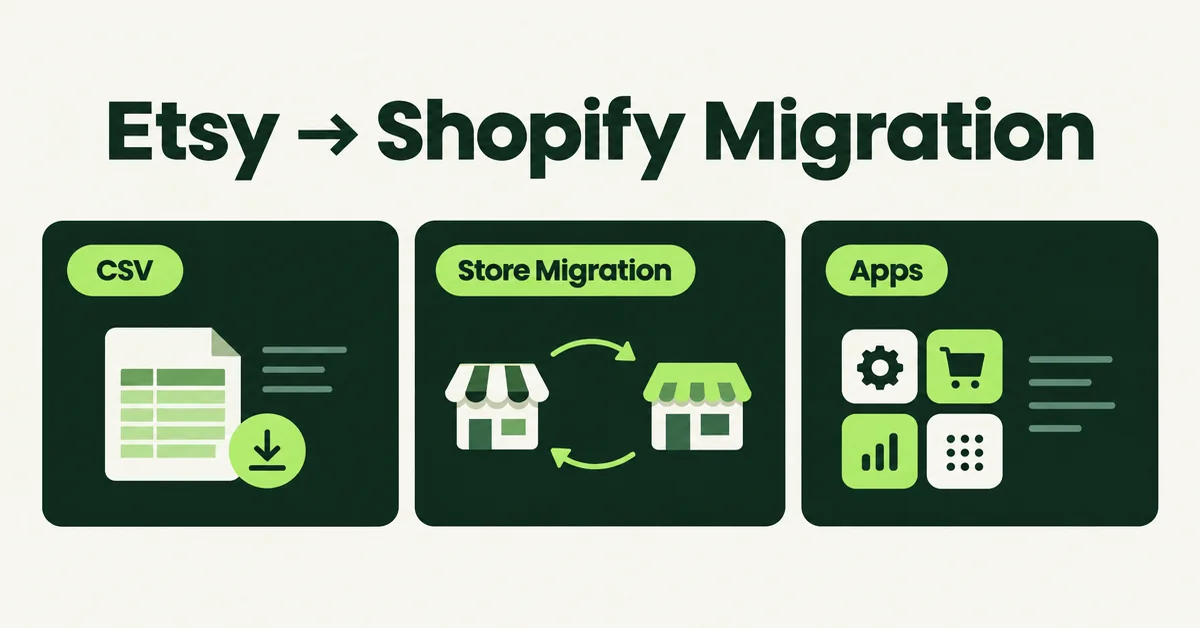
An Etsy to Shopify migration in 2026 is still the path most growing sellers take when marketplace fees, limited branding, and shrinking buyer counts start to hurt margins. You can move listings with Shopify's free Store Migration app, a CSV export, or a URL importer, then rebuild SEO and reviews on a store you own.
Etsy lost about 1.4 million active sellers in 2024, falling from roughly 7 million to 5.6 million by year end. Active buyers also slipped, from 92 million to about 89.6 million around the same period. If you are planning the move now, you are not early. You are joining a crowd that already left.
This guide covers what actually transfers, the three practical import methods, how to protect search visibility, and how to rebuild social proof without closing Etsy on day one. For a platform-agnostic checklist, see our complete Shopify migration guide. For the fee and traffic tradeoff before you commit, read Etsy vs Shopify in 2026.
Why Are Sellers Still Doing an Etsy to Shopify Migration in 2026?
Sellers migrate because per-sale fees stack up fast on Etsy while Shopify gives you a fixed plan, owned customer data, and a branded checkout. The math has not flipped in Shopify's favor for every tiny shop, but it does for most catalogs that already sell every week.
On Etsy, you pay a $0.20 listing fee each time a listing is published or renewed, plus a 6.5% transaction fee on the item, shipping, and gift wrap. Payment processing is charged on top of the transaction fee and varies by country (commonly cited US rates are about 3% + $0.25). Offsite Ads charge 15% of the attributed order when your shop has stayed under $10,000 in any consecutive 365-day period, or 12% once you cross that threshold (and participation becomes required for the life of the shop).
On a $20 sale, listing + transaction + US processing alone can land near $2.35 before Offsite Ads. The same $20 sale on Shopify Basic with Shopify Payments costs about $0.88 in processing (2.9% + $0.30). Shopify Basic is $39 USD per month billed monthly, or $29 per month billed yearly. There is no per-listing fee and no forced Offsite Ads surcharge.
Hot take: if your break-even math only works when Etsy "sends you traffic for free," you are already paying for that traffic in fees. Treat Etsy as a paid channel during transition, not as a forever headquarters.
What Can You Transfer from Etsy to Shopify (and What Stays Behind)?
You can move product titles, descriptions, images, prices, variants, SKUs, tags, and (with the right export) customer and order history for your records. You cannot move Etsy search rank, Favorites, shop followers, ads history, or DMs. Reviews need a separate import path.
Here is the honest transfer map most migration pages soften:
What usually transfers
- Product titles and descriptions
- Images (via CSV image URLs, Store Migration, or a URL importer)
- Prices, compare-at prices, and inventory quantities
- Variants and options (Shopify caps products at 3 option names and 100 variants)
- SKUs, tags, vendor, and product type when the source provides them
- Customer emails and order CSVs for your own records
What does not transfer
- Star ratings and review threads as native Etsy data
- Etsy Favorites and shop followers
- Etsy search ranking and listing quality score
- Etsy Ads history and Offsite Ads attribution
- Direct messages and custom order conversations
- Coupon codes and sale configurations
Shopify's own Migrate from Etsy help page also notes that prices by location are not supported on import (the highest price is used) and that products with more than three options will not bring every option across. If your Etsy personalization fields exceed three options, plan for metafields or a product options app such as Optionize. Our walkthrough on adding custom product options covers that edge case.
For customers specifically, use a dedicated export rather than assuming they ride along with products. See how to export your Etsy customer list to Shopify. Read Etsy's terms before you email past buyers off-platform. Some uses of marketplace-sourced emails are restricted.
How Do You Run an Etsy to Shopify Migration Step by Step?
Export your currently-for-sale listings from Etsy, import them with Store Migration or a reformatted CSV, verify every product, then keep Etsy open while you rebuild SEO and reviews on Shopify. Most catalogs under a few hundred SKUs finish the product move in one afternoon.
1. Set up Shopify before you touch the CSV
- Create the store and pick a plan (or finish the trial if you will import with apps that require a paid Shopify plan).
- Choose a theme and confirm Shopify Payments or your gateway works on a test order.
- Add your custom domain early so product URLs are stable before you promote them.
2. Export listings from Etsy
- Open Shop Manager.
- Go to Settings, then Options.
- Open the Download Data tab.
- Download the currently-for-sale listings CSV (often named something like
EtsyListingsDownload.csv).
That file is the source of truth for titles, descriptions, prices, tags, and quantity. Images may need a second pass depending on the import tool.
3. Import into Shopify
Pick one of the three methods in the next section. After import:
- Spot-check images, variant prices, and inventory on at least 10 products
- Fix any listing that used more than three option names
- Rewrite titles and meta descriptions for Google (Etsy tag-stuffing does not travel well)
- Submit your sitemap in Google Search Console
4. Run both shops in parallel
Update your Etsy shop announcement and listing descriptions with a clear link to your new store. Do not delete live Etsy listings on day one. Etsy does not offer 301 redirects from listing URLs to your Shopify domain.
Which Migration Method Should You Use: CSV, Store Migration App, or a Third-Party Importer?
Use Shopify's free Store Migration app when you want a first-party CSV path with a guided report. Use manual Products → Import when you need full control of every column. Use a third-party URL importer when you want to paste Etsy listing links and skip spreadsheet remapping.
Method A: Shopify Store Migration app (free)
Shopify Store Migration is Shopify's own importer. It supports Etsy among other sources. Shopify's help flow for Etsy is: install the app from the setup guide, export your Etsy listings CSV, upload that CSV into the app without hand-editing columns first, then review the import report for failed rows.
- Best for: sellers who want a free, official path and a clear success/failure report
- Watch for: complex variants, missing images on some marketplaces, and the three-option Shopify limit
- Cost: free app; you still need a Shopify plan
After the report finishes, open every failed row before you publish. Re-export only the problem listings from Etsy if image URLs or variant rows broke, then re-run a small batch. Do not publish hundreds of draft products with blank images and fix them live later.
Method B: Manual CSV via Products → Import (free, more editing)
Download Shopify's product CSV template from Shopify Help, remap Etsy columns yourself, then upload under Products → Import. Critical mappings:
- Title → Title
- Description → Body (HTML)
- Price → Variant Price
- Quantity → Variant Inventory Qty
- Tags → Tags
- Image URLs → Image Src
- SKU → Variant SKU
This is still fine under about 50 simple products. Past that, remapping variants by hand is where most sellers burn a weekend. If you want a deeper CSV checklist, use how to import products to Shopify from a CSV.
Method C: Third-party URL importer (Migratify and similar)
Migratify auto-detects Etsy product URLs. Paste one or more listing links, preview, set import options, and start migration. Per Migratify's docs, each import can bring title, description, images, variants, price, compare-at price, SKU, barcode, tags (up to 30), vendor, and product type. Amazon and Etsy imports cap at 100 variants. Videos on the source page are not imported. Free plan allows up to 5 products total; Standard is $14/month with unlimited imports.
- Best for: 50 to several hundred listings when you would rather paste URLs than remap CSVs
- Not for: customers, orders, or reviews (Migratify is products only)
Method D: Done-for-you service
Agencies make sense above roughly 500 SKUs, heavy personalization, or when you need theme work in the same project. Get a paid test import of a sample collection before you hand over the full catalog.
One 2026 caution: Shopify Marketplace Connect has been deprecating new Etsy connections. Do not plan your entire migration around syncing inventory back to Etsy through Marketplace Connect. Keep Etsy open with manual or third-party sync if you still need both channels.
How Do You Protect SEO When Moving from Etsy to Shopify?
You protect SEO by treating Shopify as a new Google property, not as a continuation of Etsy search rank. Keep Etsy listings live while you build Shopify titles, metas, clean URLs, and backlinks from scratch.
Etsy ranking is a marketplace algorithm (listing quality, tags, recency, shop history). Shopify ranking is Google ranking. Closing Etsy the day you launch Shopify deletes the only URLs that already have external links, and Etsy will not 301 those listing pages to your domain.
Do this instead:
- Keep Etsy open at least 30 days after Shopify launch (longer if it still pays for itself)
- Point shop announcements and listing descriptions to your Shopify domain
- Rewrite every product title for Google, not Etsy tag stuffing
- Add unique meta descriptions and image alt text
- Use clean handles like
/products/handmade-ceramic-mug - Submit the sitemap in Search Console and fix crawl errors early
For the traffic handoff details, follow how to redirect Etsy traffic to Shopify. For on-page product work, use our Shopify product page SEO checklist.
Also audit collections before you spend on ads. Group migrated products into clear collections, write a unique collection description, and avoid dumping every SKU into one "All products" page that competes with itself. If you later clean duplicates or broken variants, follow how to clean up product data after a Shopify migration.
What Should You Do After Migration to Rebuild Traffic and Reviews?
After products are live, your first jobs are reviews, email, and paid or organic traffic to the new domain. A store with zero reviews converts worse than the same catalog with even 10 to 15 honest ones.
Week 1: Parallel shops
Leave Etsy open. Add a short announcement: your own store is live, with faster shipping notes or exclusives if true. Link it from every high-traffic listing description.
Week 2: Close the reviews gap
Etsy reviews do not move as native Etsy data. Options that work in practice:
- Import reviews from Etsy listing URLs with a review importer such as Wise Reviews (Etsy is a supported marketplace URL source; Free holds up to 100 reviews at a time and includes a lifetime 300 marketplace URL/extension import allowance)
- Ask past buyers who already loved the product to leave a fresh review after a Shopify order
- Display a short testimonials page while star widgets fill in
Step-by-step review paths live in migrate Etsy reviews to Shopify and the Wise Reviews video walkthrough.
Week 3: Own the relationship
Turn on abandoned checkout recovery, a welcome series, and post-purchase review requests. Update Instagram, Pinterest, and any Linktree-style links to the Shopify domain. If you run Google or Meta ads, create new campaigns on the Shopify product URLs instead of hoping Etsy listing links keep converting once fees rise.
Ship a simple homepage story: who makes the products, what changed for buyers on your own store (shipping speed, bundles, wholesale, custom options), and where to find support. Marketplace buyers who land cold need a reason to trust a brand-new domain.
Week 4: Decide what Etsy is for
If Shopify traffic and conversion are rising, set slow Etsy listings to sold out instead of deleting them, or keep Etsy as a secondary channel with honest fee math. Deleting URLs that still get Google impressions is how sellers erase residual demand for free.
The migration is not painless. The sellers who win are the ones who move products carefully, leave Etsy open long enough to hand off attention, and treat reviews and Google SEO as day-one work, not a month-two cleanup.

Migratify: Copy Products + AI
SponsoredProduct import made easier! Effortlessly migrate products from 100+ platforms.
Related Articles

Etsy vs Shopify in 2026: Fees, Traffic, and When to Move
Compare Etsy vs Shopify in 2026: current fees, who actually sends you traffic, and when handmade sellers should stay on Etsy, add Shopify, or fully move.

How to Redirect Etsy Traffic to Shopify Without Losing SEO Rankings
Moving off Etsy? Learn how to redirect Etsy traffic to Shopify without losing your SEO rankings using 301 redirects, backlink recovery, and smart timing.
How to Export Your Etsy Customer List to Shopify (Step-by-Step)
Etsy won't export buyer emails to anyone. Learn how to export your Etsy customer list to Shopify the compliant way, plus 4 legal methods to rebuild it.
How to Migrate Product Reviews from Etsy to Shopify Without Losing Star Ratings
Star ratings vanish in most Etsy imports. Learn how to migrate product reviews from Etsy to Shopify with ratings, photos and rich snippets fully intact.

Starting a new Shopify store with zero reviews? Here's how to import Etsy reviews to Shopify in minutes with WiseReviews: stars, dates, and all intact.

How to Migrate to Shopify: The Complete Step-by-Step Guide for Online Stores
Planning to migrate to Shopify? Avoid data loss, broken SEO rankings, and costly downtime with this complete step-by-step migration guide for merchants.