

Your Shopify product descriptions are doing two jobs at once, and most merchants are failing at both. They need to rank in Google so shoppers find your products. They also need to convince those shoppers to click "Add to Cart."
According to Salsify's consumer research, 71% of shoppers have returned a product because it didn't match the online listing. If your Shopify product descriptions read like they were copied from a manufacturer's spec sheet, you're leaving money on the table. The good news? You don't need to be a professional copywriter to fix this.
You need a repeatable process that covers keyword research, persuasive structure, and a format that works on mobile screens. This guide breaks down exactly how to write product descriptions that earn Google traffic and turn browsers into buyers.
Why Do Shopify Product Descriptions Matter for Both SEO and Sales?
Product descriptions directly influence where you rank in search results and whether visitors convert into customers. The gap between position one and position two in Google is staggering: Shopify's own data shows the average click-through rate for a position-one result is 45.44%, while position two drops to just 17%. That single ranking difference can double or triple your organic traffic overnight.
But ranking is only half the battle. Poor descriptions actively cost you money through returns. A separate Akeneo study confirmed that 40% of consumers returned online purchases specifically due to inaccurate product content.
Think about what that means for your bottom line. Returns eat into profit margins, increase shipping costs, and damage customer trust. A well-written description doesn't just sell the product; it sets accurate expectations that reduce "this isn't what I ordered" emails.
Here's the part most merchants miss: Google evaluates your product pages based on how users interact with them. If shoppers land on your page and bounce because the description is vague or unhelpful, that signals low quality to search engines. Baymard Institute research found that 10% of ecommerce sites have product descriptions that are outright insufficient for users' needs. Don't be in that 10%.
How Do You Research the Right Keywords for a Shopify Product Description?
Start with long-tail keywords, not broad category terms. Long-tail keywords (three or more words) represent 91.8% of all search queries according to Backlinko's analysis of 306 million keywords. They also convert dramatically better, with rates up to 36% compared to just 2.35% for generic short-tail terms.
Here's a practical example. "Running shoes" is a short-tail keyword you'll never rank for against Nike and Adidas. But "waterproof trail running shoes for wide feet"? That's a long-tail keyword with unmistakable purchase intent. Someone searching that phrase already has their wallet out.
Where to Find Product Keywords
- Google's autocomplete: Type your product name into Google and note the suggestions. These reflect real search behavior.
- Shopify search analytics: Check your store's internal search data. Customers are telling you exactly what words they use.
- "People also ask" boxes: These questions reveal the language your customers use, which rarely matches industry jargon.
- Competitor product pages: Look at what's ranking on page one. Read their titles, descriptions, and URLs for keyword patterns.
- Amazon search bar: Amazon's autocomplete is arguably the best product keyword tool available, and it's free.
Place your primary keyword in the product title and the first sentence of your description. Use variations naturally throughout the rest. If your keyword is "organic cotton baby blanket," your description might also mention "natural cotton swaddle," "chemical-free baby bedding," and "soft organic blanket for newborns." Google understands synonyms, so you don't need to repeat the exact phrase six times.
Schema Markup: The Step Most Merchants Skip
Adding Product schema markup to your pages tells Google exactly what your product is, what it costs, and whether it's in stock. This structured data powers the rich results you see in Google Shopping and search (star ratings, prices, availability badges).
Most Shopify themes include basic schema, but it's worth checking yours. Go to Google's Rich Results Test, paste a product URL, and see what Google actually reads. If your schema is incomplete, you're invisible in rich results while competitors aren't.
What Is the Best Structure and Length for a Shopify Product Description?
The ideal Shopify product description is 150 to 300 words, structured with scannable formatting that puts the most important information first. Shoppers don't read product pages top to bottom. They scan. Your job is to make scanning easy and rewarding.
Use this structure as your starting template:
- Opening hook (1-2 sentences): State what the product does and who it's for. Lead with the primary benefit, not the product name.
- Bullet points (3-5): Cover key features translated into benefits. "Made from 18/10 stainless steel" becomes "Built from 18/10 stainless steel that won't rust, stain, or retain odors."
- Short paragraph (2-3 sentences): Address the main objection or concern. If it's a higher-priced item, explain why it's worth it. If sizing is tricky, clarify it here.
- Specifications: Dimensions, materials, weight, compatibility. Keep these factual and scannable.
Mobile matters more than you probably realize. Over 70% of Shopify traffic comes from mobile devices. Your beautifully crafted 500-word description becomes a wall of text on a phone screen.
Keep paragraphs to two sentences max on product pages. Use bullet points aggressively. Test every description on your own phone before publishing.
If your store has products with multiple variants (different sizes, colors, or configurations), make sure each variation has specific details in the description. Generic copy that covers "all versions" leaves shoppers guessing. If you're managing custom product options on your Shopify store, your descriptions need to address what changes between variants and what stays the same.
How Do You Write Copy That Converts: Benefits, Tone, and Persuasion Triggers?
Benefits outsell features every time. A feature is what your product is or has. A benefit is what your product does for the customer.
Research from ConvertCart shows that 53% of US online shoppers abandon purchases when they can't find quick answers to their questions. Your description needs to answer "why should I care?" before the shopper has to ask it.
The same research found something remarkable: product storytelling can increase perceived value by up to 2,706%. That's not a typo. When you wrap your product in a narrative (who made it, why it exists, what problem it solves, who it's perfect for) people assign it dramatically more value than a dry list of specifications.
The FAB Framework
Use Feature, Advantage, Benefit for every key selling point:
- Feature: "Triple-insulated stainless steel walls"
- Advantage: "Keeps drinks cold for 24 hours or hot for 12"
- Benefit: "Your morning coffee stays hot through your entire commute, no microwave needed"
Most merchants stop at the feature. Good copywriters get to the advantage. Great ones reach the benefit, which connects to a real moment in the customer's life.
Tone and Voice
Write like you're explaining the product to a friend who asked "is this actually worth buying?" Be honest about what the product does well. Be specific about who it's for.
And yes, it's okay to acknowledge who it's not for. "This backpack isn't designed for ultralight thru-hiking" builds more trust than pretending it's perfect for everything. Avoid superlatives you can't back up. "Best," "revolutionary," and "world-class" are meaningless without proof.
Instead, use specific details. "Used by 4,000+ customers" is more persuasive than "our most popular product."
Social Proof in Descriptions
Weave customer feedback directly into your copy. A sentence like "Customers consistently mention the surprisingly lightweight feel" does more than any feature list. If you're not already collecting reviews systematically, product reviews can significantly increase your Shopify conversion rates and give you the exact language your customers use to describe your products.
What Are the Most Common Product Description Mistakes Shopify Merchants Make?
The biggest mistake is using manufacturer descriptions verbatim. Hundreds of other stores selling the same product have the exact same text. Google sees this as duplicate content and has no reason to rank your version over anyone else's.
Here's my honest take on the second most common mistake: most Shopify merchants obsess over making their descriptions "SEO-optimized" and end up writing for an algorithm that hasn't rewarded keyword stuffing in over a decade.
The actual problem is simpler and more embarrassing. Their descriptions are boring, vague, and could apply to any product in their category. Write a description compelling enough that a customer would screenshot it to send to a friend. That's what earns rankings, reduces returns, and drives sales. The keyword goes in the title and the first paragraph. Everything after that is salesmanship.
Other common mistakes include:
- Ignoring mobile formatting: Descriptions that look great on desktop become unreadable on phones. Always preview on mobile.
- Skipping the "who is this for" angle: Shoppers need to see themselves using the product. Tell them who it's made for.
- Writing the same tone for every product: A luxury candle and a heavy-duty drill bit shouldn't sound the same. Match your tone to the buyer.
- Forgetting to address objections: Every product has a "but what about..." question. Answer it proactively.
- No clear call to action: Even a simple "Available in 6 colors" or "Order by Friday for weekend delivery" gives shoppers a reason to act now.
How Do You Scale Product Description Writing Across a Large Catalog?
Templates and batch workflows are the answer for stores with hundreds or thousands of products. Writing unique descriptions one at a time isn't realistic when you're managing a catalog of 500+ SKUs. You need a system that balances quality with speed.
Start by grouping your products into categories that share similar selling points. Create a description template for each category with placeholder sections: opening hook, three benefit bullets, objection handler, and specs. Your writers (or you) fill in the specifics for each product while maintaining consistent structure.
Bulk Editing Workflows
Once you've written descriptions at scale, you need efficient tools to push them to your store. Shopify's built-in bulk editor handles basic updates, but it breaks down fast with large catalogs.
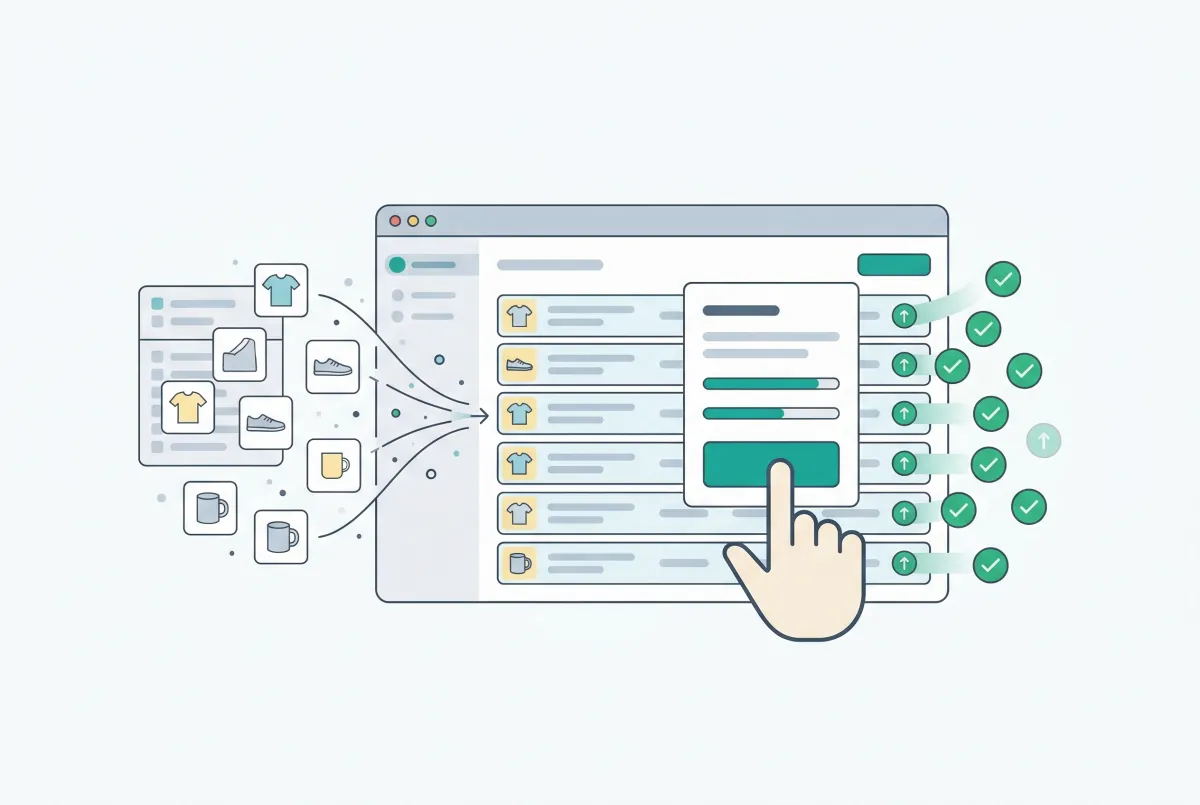
Tools like Edify let you edit product descriptions, titles, and SEO fields across thousands of products in a single task, with preview and undo functionality so you don't accidentally overwrite good copy. For a deeper look at bulk editing workflows, check out our guide on Shopify bulk product editing to update your catalog faster.
Using AI as a Starting Point
AI writing tools can generate first drafts of product descriptions, but they shouldn't write the final version. Use AI to create a rough draft based on your product specs and template, then edit heavily for brand voice, accuracy, and the specific benefits that matter to your customers.
The biggest risk with AI-generated descriptions is that they sound generic and interchangeable. If your description could apply to any similar product from any store, it's not done yet.
A practical approach: use AI to generate drafts for your lowest-traffic products first. Manually write descriptions for your top 20% of products (the ones driving most of your revenue). This way you're investing your best copywriting effort where it matters most while still improving your catalog's baseline quality.
How Do You Measure Whether Your Shopify Product Descriptions Are Actually Working?
Track three metrics for every product page: organic traffic, conversion rate, and return rate. These three numbers together tell you if your descriptions are attracting the right visitors, convincing them to buy, and setting accurate expectations.
In Google Search Console, monitor impressions and clicks for your product pages. If impressions are high but clicks are low, your title and meta description need work (they're your search result "ad copy"). If clicks are decent but conversions are low, the on-page description isn't persuading visitors.
A/B Testing Your Descriptions
Most merchants never test their product descriptions. They write one version and forget it exists. That's a missed opportunity.
Here's a simple testing process you can run without fancy tools:
- Pick a high-traffic product page with a below-average conversion rate.
- Rewrite the description using a different angle (benefit-first vs. story-first, or short bullets vs. detailed paragraphs).
- Run the new version for two weeks and compare conversion rates to the previous two-week period.
- Keep the winner. Test again with a new variation.
If you want more rigorous data, Shopify Plus merchants can use the built-in A/B testing features or third-party tools like Google Optimize alternatives. The key is making description optimization an ongoing process, not a one-time project.
Signals That Your Descriptions Need Rewriting
- High bounce rate on product pages: Visitors aren't finding what they expected.
- Above-average return rate for specific products: The description is setting wrong expectations.
- Customer service questions about basic product details: The description is missing critical information.
- "Not as described" in reviews: This is the clearest sign your copy needs a rewrite.
- Declining organic rankings: Competitors may have published better content for the same keywords.
Product descriptions aren't a "set and forget" element of your store. Review your top 20 product pages quarterly. Update them with new customer feedback, better keywords, and improved formatting. The stores that treat descriptions as living content consistently outperform those that write them once and never look back.
Related Articles
Most Shopify product pages are missing at least three core SEO elements. This 2026 checklist covers title tags, schema markup, images, and more.
Most Shopify merchants overlook Shopify collection page SEO. This guide shows you how to optimize category pages and capture high-intent search traffic.
Learn how to find and fix the most common Shopify duplicate content problems, from collection URLs to tag pages, variants, and pagination. Rank higher.
How Product Reviews Boost Your Shopify SEO Rankings (And Why Most Merchants Ignore It)
Product reviews do more than build trust. They actively improve Shopify SEO rankings. Learn how UGC, rich snippets, and keywords drive organic traffic.

How Product Reviews Increase Shopify Conversion Rates (And How to Get More of Them)
Product reviews can lift Shopify conversion rates by up to 380%. Learn how reviews, photos, and UGC turn browsers into buyers, with data to back it up.
Shopify Bulk Product Editing: The Complete Guide to Updating Your Catalog Fast
Master Shopify bulk product editing with the native editor, CSV imports, and third-party apps. Update prices, tags, and descriptions across your catalog fast.