
How to Get Discovered by OpenAI Dots with Shopify (Agentic Storefronts Guide for 2026)
If you need to know how to get discovered by OpenAI Dots with Shopify, start in Sales channels, then Agentic, and treat ChatGPT Catalog discovery as the OpenAI rail you already control. OpenAI Dots are always-on personal agents launched at DevDay on 29 September 2026. They run on a cloud computer with a browser, connect to thousands of apps, and can complete purchases with buyer approval. Shopify merchants do not install a Dots app. You make Catalog data clear, keep ChatGPT access on if you sell to US buyers, and make sure your Liquid or Hydrogen storefront is ready for browser agents that shop through WebMCP.
This is a merchant-facing sales-channel guide, not a back-office coworker setup. You are not putting OpenAI inside Shopify admin, and you are not replacing Sidekick. You are preparing product data and checkout for shopper agents in the OpenAI stack the same way you prepare for Meta Muse on Agentic Storefronts.
What is OpenAI Dots, and how does it connect to Shopify?
OpenAI Dots are always-on AI assistants powered by GPT-6 Astra. Coverage from TechCrunch and The Verge describes Dots as bubbly, customizable agents that work in the background, message you with updates, and use their own cloud computer with a browser plus more than 4,000 supported apps.
At launch, Dots roll out to ChatGPT Pro, Business Premium, and Enterprise users in eligible markets. Conversations with a Dot do not count toward normal ChatGPT usage limits. OpenAI also previewed specialist Dots for role-based work inside companies, and messaging through Slack and Microsoft Teams, with text message support coming later.
For Shopify, there are two practical paths, and you should keep them separate:
- ChatGPT discovery. Shopify's agentic storefronts already list ChatGPT as an AI channel. Eligible products reach ChatGPT through Shopify Catalog. Buyers finish on your online store checkout inside a ChatGPT in-app browser or a new tab on web. There is no ChatGPT direct checkout toggle.
- Browser agent shopping. On 28 September 2026, one day before Dots launched, Shopify shipped WebMCP support for checkout. Browser agents that support WebMCP can search your storefront, manage the cart, and call
get_checkout,update_checkout, andcomplete_checkoutafter the buyer authorizes the order. Liquid storefronts get these tools without merchant configuration.
Dots sit closer to Meta Muse than to Grok Bot. Muse is the shopper's agent on Meta surfaces. Dots are the shopper's (and worker's) always-on agent in the OpenAI stack. Your job is Catalog quality, policies, ChatGPT channel settings, and a storefront that agents can shop without scraping HTML. For the Meta parallel, see how to sell on Meta Muse with Shopify. For the wider agent category, see AI agents for Shopify and smart automation.
How do you get products into ChatGPT Catalog so OpenAI Dots can discover them?
You usually do not install a special OpenAI or Dots app. Eligible products are shared with ChatGPT through Shopify Catalog, and Shopify's Selling on ChatGPT help page says you do not need extra steps for Catalog discovery.
Open Sales channels > Agentic and confirm ChatGPT is listed. Leave Catalog access on unless you have a reason to stop sharing. Shopify's managing docs say Agentic is active by default for eligible stores, and "Allow Shopify to manage for me" can auto-enroll new channels. Turn that off only when you want per-channel control.
Eligibility for selling on ChatGPT, per Shopify Help:
- You must sell to customers in the United States. Your store can be based outside the United States.
- Products must be eligible for Shopify Catalog.
- You must agree to the Shopify Agentic Storefronts Supplemental Terms of Service.
- Terms of service, Privacy policy, and Return and refund policy must be completed under Settings > Policies.
- Products that fall under OpenAI's prohibited commerce categories will not appear in ChatGPT discovery results.
Steps to review ChatGPT Catalog access:
- From Shopify admin, go to Sales channels > Agentic.
- Deactivate Allow Shopify to manage for me if you need manual control.
- Click ChatGPT.
- Activate or deactivate Shopify Catalog access.
- Click Save.
If you remove Catalog access for ChatGPT, Shopify warns that products might still appear through web crawling and indexing, and that filtering Catalog share can take up to 7 days. Removing ChatGPT Catalog access does not stop Catalog on other platforms such as Shop.
Also keep Markets settings honest. If you list the United States as a place you sell, shipping rates, duties messaging, and currency must match what a ChatGPT or Dots shopper would see at your checkout. A Catalog hit that fails at shipping is worse than not being recommended.
If you are still launching the shop, finish core setup first with a focused sprint such as how to set up a Shopify store in a day using AI, then come back to Agentic.
How is ChatGPT checkout different from Meta Muse direct checkout?
ChatGPT is a discovery-focused referrer. Shoppers find your products in conversation, then complete purchase on your online store checkout. Shopify documents that path clearly: in-app browser on mobile ChatGPT, or a new tab on ChatGPT web. Your branding, payment methods, discounts, and most checkout customizations stay on your store.
That is different from Meta Muse when Meta direct checkout is on. On Meta, eligible US, Canada, and Mexico buyers can finish inside Meta's Shopify-powered checkout without loading your theme. On ChatGPT, the theme and checkout you already run are the conversion surface.
Why this matters for OpenAI Dots merchants:
- There is no ChatGPT direct checkout toggle to flip. Catalog access is the control.
- Browser pixels and theme scripts can still fire when checkout loads on your domain, unlike Meta surface direct checkouts where Shopify warns many client-side pixels do not run.
- OpenAI ended the early Instant Checkout experiment as the primary Shopify path. On 24 March 2026, OpenAI said merchants should use their own checkout experiences while ChatGPT focuses on discovery, with Shopify Catalog already feeding millions of merchants.
Shopify's own agentic commerce overview reports that in Q1 2026, AI-driven traffic to Shopify stores grew 8 times year over year, and orders from AI-powered searches increased nearly 13 times. New buyers through AI channels ordered at nearly twice the rate of other channels, according to Shopify's June 2026 guide.
Dots are not a Shopify App Store install. Catalog gets you found in ChatGPT. Your own checkout finishes the buy. WebMCP is the silent storefront layer for browser agents that arrive with the shopper.
What should you do about Shopify WebMCP and browser Dots?
WebMCP is Shopify's browser-side tool layer for agents. Shopify provides storefront tools on every Liquid storefront, and on Hydrogen in developer preview, with no install step. Agents that support WebMCP can call structured tools instead of clicking HTML built for humans.
Storefront tools include search_catalog, browse_store, get_product, show_variant, cart tools such as get_cart and update_cart, plus proceed_to_checkout. Checkout tools added on 28 September 2026 let agents read and update checkout and submit after buyer confirmation. Shopify's changelog is explicit: no new merchant API and no configuration required.
What this means in practice:
- Keep product titles, variants, inventory, and policies accurate. Agents that call WebMCP still surface wrong stock if admin is wrong.
- Do not break standard cart actions in the theme. WebMCP cart tools reuse the same storefront actions shoppers use.
- Expect buyer handoff for Shop Pay login, 3D Secure, and blocking UI extensions. Agents are not supposed to bypass those steps.
- Treat WebMCP as readiness for browser-based agents, including buyers who bring a Dot (or another agent) into a Chromium session. Shopify notes agent support for WebMCP is still limited to Chromium-based browsers.
You do not need a separate "enable Dots" switch for WebMCP. You need a healthy catalog and a normal Liquid checkout. If you run a heavily customized headless stack without the Hydrogen WebMCP proxy path, talk to your developer about Storefront MCP and checkout handoff before you promise agent-ready shopping.
How do you make product data ready for Shopify Catalog and Dots?
Catalog is the structured product layer agents search. Shopify's Catalog overview says agents need clear titles, descriptions, categories, variants, images, price, and availability, not only marketing copy a person can skim.
When ChatGPT or a Dots-assisted shopper looks for Shopify products, Catalog is the preferred structured feed. The same Catalog already feeds other AI channels. You do not build a Dots-only feed. You make one Catalog-ready catalog.
Do this on hero SKUs first:
- Write titles a buyer would say out loud. Avoid keyword stuffing.
- Put color, material, size, fit, and use-case facts in options or category metafields, not only in a paragraph.
- Choose the most accurate product category so Shopify can structure attributes.
- Keep variants clean with clear option names.
- Keep price and inventory current. Stale stock is a failed agent handoff.
- Put legal disclosures in the first 6,000 characters of the description, as Shopify notes for ChatGPT.
If title, description, or category live in metafields or metaobjects, use Shopify Catalog Mapping under Sales channels > Agentic, then Sources. Preview a few hero products before you Save. Mapping is an input to Catalog, not a ranking guarantee.
Do not build an OpenAI-only content team. The same structured facts help ChatGPT, Copilot, Shop, Meta, and browser agents. Treat Dots as one more reader that arrived on 29 September 2026, not a new feed format.
Strong product pages still help storefront SEO and agent matching. Use our Shopify product page SEO checklist and product descriptions that rank and convert as the bar Catalog copy has to clear. Catalog inclusion does not guarantee a ChatGPT or Dots recommendation. Each agent ranks results. Clear data is the lever you control.
What happens to OpenAI and ChatGPT orders in Shopify admin?
Orders that start in ChatGPT and finish on your online store still land in Shopify admin like other sales-channel or referrer-attributed orders. You remain the merchant of record. You manage fulfillment, returns, and customer service.
Shopify's agentic storefronts overview is explicit: you retain full ownership of the customer relationship and post-purchase experience, with channel or referrer attribution so you know where the order started.
Operational checklist after go-live:
- Filter or segment orders by ChatGPT / Agentic attribution in admin reporting.
- Expect your normal checkout analytics to matter more than on Meta direct checkout, because the buyer is on your storefront checkout.
- Match return and refund policy text to what shoppers saw. Incomplete policies are an eligibility issue.
- Watch OpenAI commerce policy exclusions and B2B-only products. Those SKUs will not behave like simple Catalog products.
Post-purchase still needs clear answers when shoppers message your store. That is storefront support, not Dots. For chat automation on your site, see AI chatbot for Shopify support and sales. Keep Dots and your store chatbot as different jobs.
How is OpenAI Dots different from Meta Muse, Grok Bot, and storefront chatbots?
OpenAI Dots are consumer and workplace always-on agents. Meta Muse is a consumer shopping agent on Meta surfaces. Grok Bot and similar tools are back-office coworkers. Storefront chatbots answer visitors on your site. Mixing those four is how merchants waste a week.
- OpenAI Dots: the shopper's (or team's) always-on agent discovers products through ChatGPT Catalog paths and may also shop storefronts with a browser. You prepare Catalog, policies, ChatGPT Agentic settings, and WebMCP-ready storefronts.
- Meta Muse: Catalog discovery plus optional Meta direct checkout for eligible US, Canada, and Mexico buyers. See the Muse storefront guide linked above.
- Grok Bot: a named back-office teammate for research, copy, CSVs, and scoped Admin API work. See how to use Grok Bot with Shopify for store ops.
- Storefront AI chat: lives on your theme, answers product and shipping questions on your domain. It does not replace Catalog syndication to ChatGPT.
Keep Grok Bot for ops work that never touches Dots shopping. Grok Bot does not put products into ChatGPT. Catalog and Agentic do.
Practical week-one plan:
- Confirm you sell to US markets you care about for ChatGPT discovery.
- Complete policies and accept Agentic terms.
- Open Agentic, verify ChatGPT Catalog access, and decide whether any SKUs should be hidden from AI channels.
- Preview Catalog Mapping on 10 hero products. Fix options and metafields where color or size only lives in prose.
- Spot-check Liquid cart and checkout on a Chromium browser so WebMCP tools have a normal session to act on.
- Fulfill ChatGPT-attributed orders like any other channel. Do not wait for OpenAI to invent a new support stack.
Official sources to keep open while you work: Shopify's agentic storefronts overview, Selling on ChatGPT, the WebMCP checkout changelog, TechCrunch and The Verge Dots launch coverage, and OpenAI's product discovery post. Recheck Shopify Help after each OpenAI or Agentic update. Controls and market eligibility can change faster than a static blog post.
Get discovered by OpenAI Dots with Shopify by treating Dots as another reader of Catalog plus a possible browser shopper on your storefront. Get the data and policies right once. Every AI channel Shopify turns on reads the same foundation.
Related Articles
How to Sell on Meta Muse with Shopify (Agentic Storefronts Guide for 2026)
How to sell on Meta Muse with Shopify in 2026: Catalog discovery, Meta direct checkout for US/CA/MX buyers, Agentic toggles, policies, and mapping tips.
How to Use Grok Bot with Shopify (Back-Office Guide for 2026)
How to use Grok Bot with Shopify for store ops: research, copy, and CSVs first, then a custom app token. Skip the admin login; use a scoped API token.
AI agents for Shopify are changing how merchants run their stores. Learn what they do, which tools are actually worth it, and how to start automating in 2026.
AI Chatbot for Shopify: How to Automate Customer Support and Increase Sales
Learn how an AI chatbot for Shopify automates customer support, recovers abandoned carts, and boosts sales with 24/7 replies and smart product upsells.
How to Use AI to Run a Shopify Store in 2026 (Copy, Photos, and Admin)
How to use AI to run a Shopify store after launch: write copy, generate product photos, then stop doing titles, tags, CSVs, and email drafts yourself.
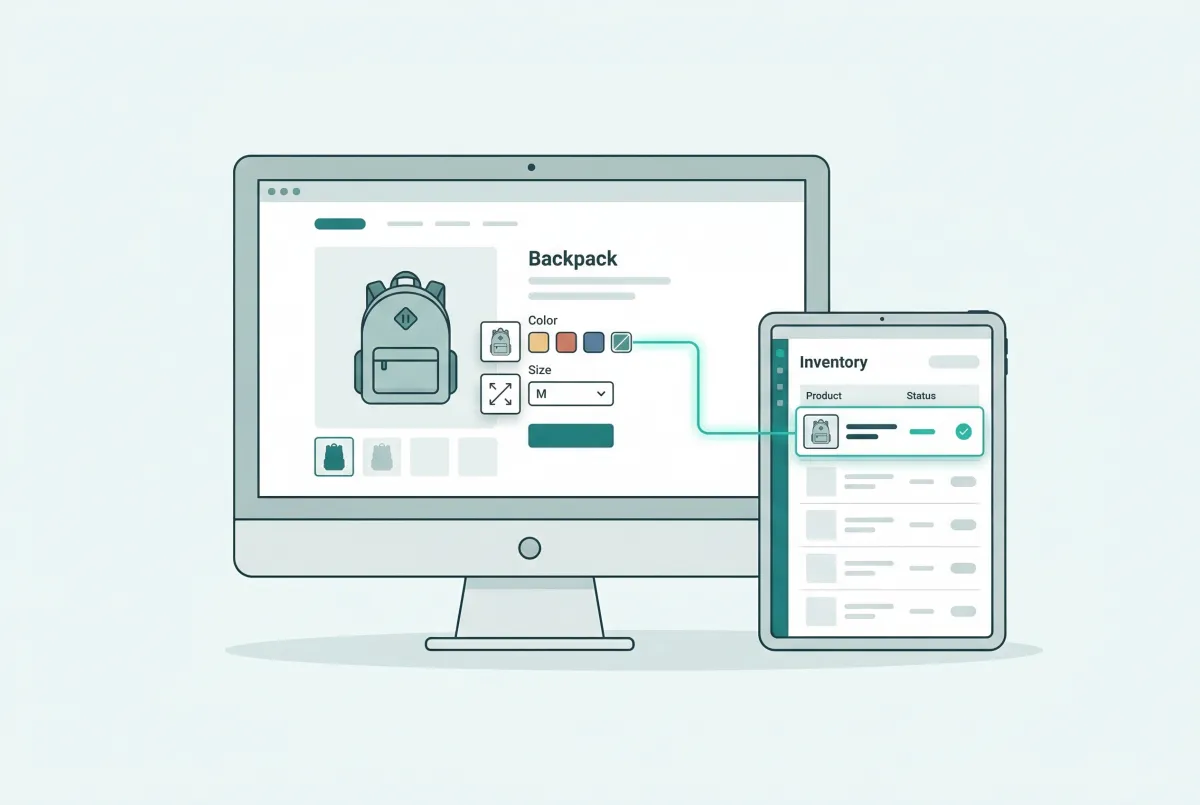
How to Add Custom Product Options to Your Shopify Store (Without Breaking Inventory)
Learn how to add custom product options to your Shopify store using native settings, apps, or line item properties, plus what the 2,048 variant limit means.