
AI Chatbot for Shopify: How to Automate Customer Support and Increase Sales
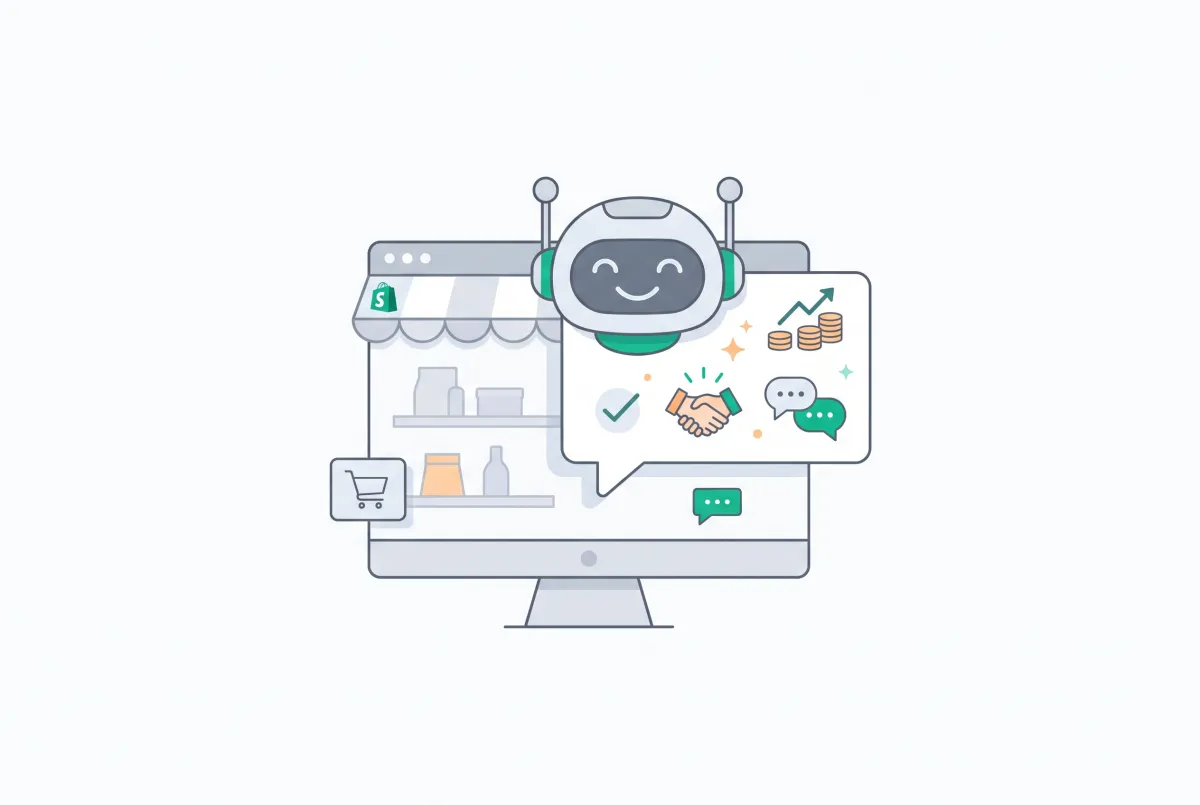
An AI chatbot for Shopify is one of the few tools that pays for itself in two directions at once. It cuts the support tickets clogging your inbox, and it nudges hesitant shoppers toward checkout while you sleep. Most articles about these bots are thinly disguised app ads that rank their own product first.
This one is a strategy guide. You'll learn what to automate, what to keep human, how to train a bot on your own store data, and how to prove it's actually working before you pay for another month.
Support automation is having a moment for a reason. Shopify's own research shows 51% of ecommerce businesses already use AI to personalize the shopping experience, and 83% of growth-focused small and medium businesses have adopted AI tools. If your competitors answer questions in seconds and you answer them in hours, you already know who wins that sale.
What Is an AI Chatbot for Shopify, and How Is It Different from a Basic Live Chat Widget?
An AI chatbot for Shopify is a support tool that understands natural language and generates answers from your store's own data, not a fixed script. A basic live chat widget just routes a message to a human or fires canned replies from a decision tree. The difference is comprehension.
A rules-based widget breaks the moment a shopper phrases a question in a way nobody anticipated. An AI bot reads the intent and responds like it actually read your policies.
Think of the old chat widget as an answering machine. It collects the message and waits for a human. An AI chatbot is closer to a trained junior rep who has memorized your product catalog, shipping rules, and return policy, and never clocks out.
When a shopper asks "does this jacket run small?" the widget stalls. The AI bot checks your product description, sizing notes, and reviews, then answers in a sentence.
This is also where people confuse chatbots with broader automation. A support chatbot is reactive and conversational: it waits for a shopper to ask, then answers and sells in the moment. That's different from the wider category of autonomous systems we cover in our guide to AI agents for Shopify and smart automation, which run background workflows across your whole store. For this article, stay focused on the conversation happening in the chat window, because that's where support cost and sales conversion collide.
Shopify also ships native AI through Shopify Magic and Shopify Inbox, which handle basic conversational replies and content generation. Those tools are a fine starting point, and we walk through them in our guide to setting up a Shopify store in a day using AI. Dedicated chatbot apps go further on training depth, product recommendations, and escalation logic.
How Do AI Chatbots Actually Automate Shopify Customer Support?
AI chatbots automate support by resolving the repetitive questions that make up the bulk of your ticket volume without a human touching them. Order status, shipping times, return windows, sizing, stock, and "do you ship to my country" account for most of what lands in a typical Shopify inbox. A trained bot answers these instantly, any hour, in any language your customers speak.
The speed gain is the headline. AI-enabled support teams have posted dramatic drops in resolution time. Lyft cut its average customer service resolution time by 87% after deploying AI, while tools broadly reduce resolution times by up to 50%.
Bank of America's assistant Erica resolves 98% of customer queries within 44 seconds. Your store is smaller, but the math scales down cleanly: fewer humans on repetitive tickets, faster answers, happier shoppers.
Here's what "automated support" looks like in practice on a Shopify store:
- Order tracking (WISMO): The bot pulls the order status and tracking link so the shopper never emails you asking "where is my order."
- Product questions: It answers sizing, materials, compatibility, and care questions straight from your product descriptions and reviews.
- Policy questions: Returns, exchanges, shipping cutoffs, and warranty terms come from your published policy pages.
- Lead capture: When a human is needed, the bot collects the shopper's name, email, and context so your rep starts with everything they need.
Language coverage deserves a mention too. If you sell internationally, a human team can't realistically staff every timezone or speak every customer's language. An AI bot handles both without a night shift or a translation agency. A shopper in Berlin at midnight gets the same fast, accurate answer as one in Chicago at noon, and that consistency is hard to fake with a small team.
The point of automation is not to remove humans. It's to remove humans from the boring 80% so they can spend real attention on the 20% that needs judgment. That reallocation is where both your support quality and your margins improve. Your best rep should be handling the tricky refund and the VIP customer, not typing the same tracking-link reply forty times a day.
Can an AI Chatbot Really Increase Sales, or Does It Just Deflect Tickets?
It does both, and the sales side is often the bigger prize. A chatbot that answers a pre-purchase objection at the exact moment of doubt is a conversion tool, not just a cost saver. When a shopper hesitates over sizing or shipping speed and gets an instant, confident answer, the sale that would have leaked away closes instead.
The data backs this up. Ringly's research found that chatbot-powered funnels convert 2.4 times more customers than static web forms, and sites using chatbots see a 23% increase in conversion rates. Recommendations move the needle too. Shopify reports that smart, AI-powered product recommendations can triple revenue, more than double conversion rates, and increase order values by roughly 50%, and a bot that suggests the matching accessory or the next size up is doing upsell work your team can't do at 2 a.m.
Cart recovery is the clearest sales case. The global average cart abandonment rate sits at 70.19%, which represents roughly $260 billion in recoverable revenue annually in the US alone. A chatbot catches abandoners in the moment.
When someone lingers at checkout, the bot can surface the sale price or a discount code and close the gap. This is where your compare-at pricing and discount display matters, because a bot that references a clear, credible saving converts better than one waving a vague "we have deals."
Real stores see it. Shopify highlights the headphones brand Heavys, which converted nearly 25% of abandoned carts into sales after launching its AI assistant. That's not ticket deflection. That's revenue that was already walking out the door.
One caveat worth stating plainly: a bot only sells as well as the assets it references. If your product descriptions are thin and you have no reviews, the bot has nothing persuasive to pull from. Fixing those is upstream work, and our guide on how product reviews increase Shopify conversion rates explains why social proof is the objection-killer your bot should lean on hardest.
Which Support Tasks Should You Automate First (and Which Should Stay Human)?
Automate the high-volume, low-judgment questions first, and keep anything emotional or high-stakes with a human. The sorting rule is simple: if a competent new hire could answer it from your policy pages in under a minute, automate it. If it needs empathy, discretion, or a money decision, route it to a person.
Start with these, in this order:
- Order status and tracking: The single most common ticket type. Pure deflection value, zero risk.
- Shipping and delivery questions: Rates, timelines, international availability, cutoff dates.
- Product and sizing questions: Pulled from descriptions and reviews, these also drive conversion.
- Return and exchange policy: Explaining the policy is fine to automate. Processing an emotional return is not.
- Store hours, contact, and basic account help: Trivial to automate, annoying to staff.
Keep these human, at least for now:
- Refund disputes and chargebacks: Money plus emotion. Let the bot gather context, then escalate.
- Angry or distressed customers: A frustrated shopper wants to feel heard, not handled by a script.
- Complex or custom orders: Bulk deals, custom manufacturing, B2B terms. Judgment calls.
- Anything involving a policy exception: The moment a customer asks you to bend a rule, a human decides.
The escalation handoff is the part people botch. Your bot should recognize when it's out of its depth and pass the full conversation to a human without making the customer repeat themselves. A clean handoff feels like one continuous conversation. A bad one makes the shopper re-explain everything and start hating your brand.
Pricing questions sit in an interesting middle zone. A bot can confidently quote a listed price and explain a running promotion. It should not be improvising custom discounts on the fly, because that erodes margin fast. Set the guardrails using the same discipline from our guide to Shopify pricing strategies, so your bot only offers the deals you actually approved.
How Do You Set Up and Train a Chatbot on Your Shopify Store's Own Data?
You train a Shopify chatbot by pointing it at your real store data: products, collections, policy pages, FAQs, and past support conversations. The best apps sync directly with your Shopify catalog, so product details and inventory feed the bot automatically. The goal is a bot that answers from your store, not from generic internet knowledge that might be wrong.
A practical setup sequence looks like this:
- Connect your catalog: Install the app and let it sync products, variants, prices, and collections. This is what lets the bot answer product questions accurately.
- Feed it your policy pages: Point it at shipping, returns, refunds, and FAQ pages so policy answers stay consistent with what's published.
- Import past tickets: If the app supports it, upload historical support conversations. Your real answers are the best training data you have.
- Add custom knowledge: Fill gaps the catalog misses, like fit advice, care instructions, or sourcing details customers keep asking about.
- Set escalation rules: Define which topics trigger a human handoff and where those conversations land.
- Test with your worst questions: Throw the weird, angry, and ambiguous questions at it before launch. Fix the wrong answers now, not in front of a customer.
Training quality depends entirely on source quality. A bot trained on thin, vague product descriptions gives thin, vague answers. Before you launch, make sure the content the bot reads is worth reading, which is exactly why sharp Shopify product descriptions that rank and convert do double duty here. They help SEO, and they give your bot real substance to answer from.
Keep the bot fresh after launch. Products change, prices change, and policies change. A chatbot syncing live with your Shopify catalog avoids the nightmare of quoting a discontinued item or a stale price. If your app requires manual re-training, put a recurring reminder on your calendar so the knowledge base never drifts from reality.
What Should You Look for When Choosing a Shopify AI Chatbot?
Choose a Shopify AI chatbot based on how much of your real ticket volume it can resolve without escalation, not on its app-store star rating. The single most useful thing you can do before shopping is pull your last 90 days of support tickets and categorize them by type. That list tells you exactly what a bot needs to handle to be worth paying for.
Here's the hot take, and it will save you money: most "best Shopify chatbot" round-ups are written by the vendors themselves, which is why every list mysteriously ranks its own tool number one. A chatbot's ROI has nothing to do with star ratings and everything to do with how much of your actual support volume it resolves. If you haven't categorized 90 days of tickets before you start comparing apps, you're not ready to buy one. You're guessing.
Once you have that ticket breakdown, evaluate candidates against real criteria:
- Native Shopify catalog sync: The bot should read your live products, variants, and inventory automatically, so answers stay current.
- Grounded answers: It should answer from your store data, not hallucinate. Look for language like "answers from your products, collections, and pages."
- Product recommendations: A bot that suggests relevant products during a chat earns its keep on the sales side.
- Human handoff and shared inbox: AI and human agents should share one inbox so escalations feel smooth to the customer.
- Lead and email capture: Turning anonymous chats into contacts feeds your marketing.
- Transparent pricing tied to catalog size: Know how many products and sources each plan covers before you commit.
As a concrete example that checks those boxes, RagChat is a Shopify AI chatbot and live chat app built around answering from your real products, collections, and pages. Its free plan gives unlimited AI replies and learns from up to 200 products, paid tiers extend to thousands of products and add discount-sharing, and it runs a combined human and AI inbox so escalations don't drop context. It's one worth shortlisting, but run it against your own ticket categories rather than taking any listing at its word, including this mention.
Whatever you pick, plan for traffic spikes. Support volume balloons during flash sales and BFCM, and that's precisely when a bot earns its highest ROI. If you're prepping for a big season, pair your chatbot rollout with the load work in our guide on building a Shopify store that handles 10x more traffic.
How Do You Measure Whether Your Chatbot Is Actually Working?
Measure your chatbot on three numbers: deflection rate, conversion lift, and average order value lift. Deflection tells you how much support cost it removed, while the two lift numbers tell you how much revenue it added. Track all three, because looking at only one gives you half the story.
Here's how to calculate each one on a Shopify store:
- Deflection rate: Of all chat conversations, what percentage resolved without a human. If the bot handled 700 of 1,000 chats, that's a 70% deflection rate. Higher means more support hours saved.
- Conversion lift: Compare the conversion rate of sessions that used the chatbot against sessions that didn't. Most chat apps report this, and you can cross-check in GA4 by segmenting sessions with a chat event.
- AOV lift: Compare average order value for chat-assisted orders versus the rest. If the bot recommends products well, chat orders should carry a higher AOV.
Use your Shopify admin and GA4 together. Shopify analytics shows overall conversion and AOV trends, while GA4 lets you build an audience of chat-engaged sessions and compare their behavior against everyone else. Set a baseline for the 30 days before launch so you have an honest before-and-after.
Don't ignore the quality signals either. Track escalation rate (how often the bot punts to a human), customer satisfaction on bot conversations, and the rate of "I don't know" responses. A bot with a great deflection rate but a rising escalation rate is quietly frustrating people. The numbers only mean something when you read them together.
Give it a fair evaluation window before you judge it. A chatbot in its first week is still learning your edge cases, and a single bad transcript is not a verdict. Look at the trend across 30 days.
If deflection climbs and escalation falls as you feed it more of your real content, the bot is working and getting better. If both numbers stay flat, your source material is the bottleneck, not the tool. Tie every review back to revenue, because a bot that saves ten support hours a week but tanks conversion isn't a win, and one that lifts AOV while costing a few extra escalations probably is.
Rule of thumb: if your chatbot isn't hitting at least a 50% deflection rate within a month of training, the problem is almost always your source content, not the AI. Fix the descriptions and policies before you blame the bot.
What Are the Risks of AI Chatbots on Shopify (and How Do You Guardrail Them)?
The main risks are wrong pricing quotes, stale inventory answers, and hallucinated policy details, and every one is preventable with guardrails. An AI bot that confidently states a wrong price or promises free returns you don't offer creates a support and trust problem worse than slow replies. The fix is discipline in how you ground and constrain the bot.
These are the failure modes that bite Shopify merchants most:
- Wrong pricing quotes: A bot working from cached data quotes an old price. Guardrail: use live catalog sync, and never let the bot invent discounts outside approved promotions.
- Stale inventory answers: The bot says an item is in stock after it sold out. Guardrail: real-time inventory sync, and a fallback that checks stock at answer time.
- Hallucinated policy details: The bot fabricates a return window or warranty term. Guardrail: restrict policy answers to your published pages and instruct it to escalate anything it can't source.
- Over-promising to close a sale: An eager bot promises next-day delivery you can't honor. Guardrail: constrain shipping claims to your real rules.
- Tone misfires: The bot stays cheerful while a customer is furious. Guardrail: sentiment-based escalation that hands angry conversations to a human fast.
Bake a launch checklist into your rollout. Confirm the bot answers only from grounded store data, test it against your trickiest real questions, set clear escalation triggers, and cap what it can offer without human approval. Then keep watching the transcripts for the first few weeks. Reading real conversations catches problems no test script predicts.
There's a trust dimension too. Shoppers have high standards now: 68% of consumers expect chatbots to deliver the same expertise and quality as a highly skilled human agent. A bot that gets basic facts wrong doesn't just fail a ticket, it damages the brand impression.
Guardrails aren't optional polish. They're the difference between a bot that builds confidence and one that quietly costs you customers.
Deployed well, an AI chatbot for Shopify is one of the highest-leverage tools a small team can add. It clears the repetitive tickets, answers objections at the moment of doubt, and recovers carts that were already gone. Start by categorizing your tickets, train the bot on real store content, measure the three numbers that matter, and guardrail the failure modes. Do that, and you get 24/7 coverage that actually earns its keep.

RagChat: AI Chatbot & Livechat
SponsoredAI chat that answers from your real products. Unlimited AI replies on the free plan.
Related Articles
How to Set Up Live Chat and AI Customer Support for a New Shopify Store (2026 Checklist)
Learn how to set up live chat and AI customer support for a new Shopify store, step by step, with the best AI app to automate support around the clock.

Shoppers with sizing, spec, or fit questions bounce without answers. See how AI product Q&A chat lifts Shopify conversion rates on complex catalogs now.
Most Shopify cart abandonment isn't price shock, it's an unanswered question. See how real-time AI chat answers objections before shoppers leave.

AI chat support for solo Shopify founders handles repetitive questions 24/7, so you can skip hiring, dodge burnout, and keep sounding like yourself daily.
WISMO tickets can eat up to 50% of a growing Shopify store's support inbox. See how AI chat connected to real order data auto-answers them 24/7, for free.
How AI Chat Handles BFCM Traffic Spikes for Shopify Stores Without Hiring Seasonal Staff
BFCM traffic can spike 5-10x overnight. See how AI chat handles Shopify Black Friday and Cyber Monday support without adding any seasonal support staff.