
How to Automate Shopify Store Ops Workflows with OpenAI Dots (2026 Guide)

If you need to know how to automate Shopify store ops workflows with OpenAI Dots, treat Dots as always-on coworkers with their own cloud computer, not as a Sidekick replacement and not as a Catalog sales channel. OpenAI launched Dots at DevDay on 29 September 2026. They run in the background, message you in ChatGPT, Slack, or Microsoft Teams, connect to thousands of apps, and ask for approval on consequential work.
This guide is for merchant ops only. It is not how shoppers discover your products through ChatGPT Catalog. For that discovery path, see how to get discovered by OpenAI Dots with Shopify. It is also not a Grok Bot setup. For a named back-office teammate with a custom app token, see how to use Grok Bot with Shopify for store ops.
What are OpenAI Dots, and what can they automate for a Shopify team?
OpenAI describes Dots as remarkably capable, always-on agents powered by GPT-6 Astra. Each Dot gets its own cloud computer and browser, learns from feedback, and can connect to more than 4,000 apps through ChatGPT's plugin ecosystem. You can message or call a Dot in ChatGPT on desktop, web, and mobile, and you can reach it in Slack and Teams, with texting planned later.
Availability at launch, per OpenAI's Introducing dots post and DevDay coverage from TechCrunch: Pro and Business Premium users in eligible markets, with Enterprise, Edu, and Healthcare able to try a beta when an admin enables it. Your first Dot is included on Pro or Business Premium at no extra subscription charge. Conversations with a Dot do not count toward normal ChatGPT usage limits, while Codex or ChatGPT Work tasks still do.
For Shopify store ops, that maps to four real lanes:
- Conversation plus plugins. Connect the official Shopify plugin in ChatGPT to review inventory, create discount codes, check orders and customers, and pull performance analytics without living in admin all day.
- Always-on project work. Hand a Dot a recurring ops project (weekly stock exceptions, launch copy packs, invoice follow-ups) and let it keep working on its own cloud computer while you do something else.
- Workplace messaging. Ask the Dot in Slack or Teams where the team already coordinates fulfillment, ads, and support.
- Specialist Dots (enterprise preview). OpenAI is piloting role-based specialist Dots with their own identity, credentials, and system access. Early internal tests covered procurement, invoice processing, email marketing, customer support, and commercial contracting.
What Dots are not, for this article: they are not Shopify Sidekick, they are not Magic, they are not Agentic Storefronts Catalog syndication, and they are not a guaranteed "run my entire store unattended" switch. OpenAI is explicit that Dots can still make mistakes, and that sensitive actions stay behind approvals and Custom Rules.
Dots automate store ops work around Shopify. They do not replace Shopify admin, Sidekick, or Catalog discovery. Keep those jobs separate.
How do you set up OpenAI Dots for Shopify store ops without overclaiming?
Start on ChatGPT desktop or a desktop browser. Create your primary Dot, name it for one ops job (for example "Catalog auditor" or "Ops digest"), and connect only the apps that job needs. OpenAI says you choose which apps a Dot can access through existing ChatGPT app controls, and Custom Rules let you allow, require approval for, or block specific actions.
Practical first-week setup for a Shopify merchant on Business Premium or Pro:
- Confirm your plan and region support Dots. Recheck OpenAI's live eligibility notes if you are in the EEA, Switzerland, or the UK on a personal Pro plan.
- Create the Dot in ChatGPT desktop or browser, then verify you can message it from mobile after setup.
- Connect the Shopify plugin and any ops apps you already trust (email, sheets, Slack, accounting). Availability depends on the plugin, your plan, and workspace settings.
- Write Custom Rules before any write. Examples: require approval before price changes, discount codes, product publishes, or customer emails; allow read-only stock and sales digests.
- Run a read-only dry run: inventory by location, last week's sales, or a draft product description. Compare the answer to Shopify admin yourself.
- Only then allow a single, reversible write on a test product or a draft discount, with you watching Activity View.
If you are still launching the shop, finish core store setup first with a focused sprint such as how to set up a Shopify store in a day using AI, then bring Dots into ops. A Dot cannot fix a broken catalog or missing policies.
Keep proactive research in mind. OpenAI says that when you are not actively working with a Dot, background help uses connected apps with tools restricted to read-only, so it cannot send messages, change app content, or control your browser or computer in that mode. Treat write access as explicit, not ambient.
How do you connect Shopify tools so a Dot can help with admin work?
The honest path for most merchants is the Shopify plugin for ChatGPT, not a fantasy of Dots natively rewriting Liquid inside admin. OpenAI's Shopify plugin page describes connecting an existing store to manage inventory across locations, create discount codes, review orders and customer details, and pull analytics. Sample prompts include weekly sales reviews, draft product creation from provided details, and stock gap checks by location.
What that means in practice:
- Authorize the Shopify connection under your ChatGPT app controls with the smallest useful permission set your workspace allows.
- Ask for reads first: "Show inventory for these SKUs by location and flag variants under five units."
- Ask for drafts second: "Create a draft product from these details and flag anything missing before launch."
- Keep publishes, mass price changes, refunds, and theme edits behind human approval or outside the Dot entirely.
Developers and agencies may also wire Shopify through MCP servers or OpenAI's Agents API and Agent Builder for custom order-status or support flows. Shopify's own Agent Builder guide positions that stack as a way to connect tools outside admin, while Sidekick remains the in-admin commerce assistant. Prefer the official plugin for day-to-day merchant ops unless you have an engineer owning MCP credentials.
Do not paste Shopify passwords or 2FA codes into Dot chat. Use the plugin OAuth or workspace connector flow. If your company later pilots specialist Dots, OpenAI says those get their own identity and credentials through IT-managed access, which is a different security model from a personal plugin connect.
For broader AI admin patterns that are not Dots-specific, see how to use AI to run a Shopify store in 2026. That piece covers copy, photos, and admin habits. This one is the OpenAI Dots coworker lane after DevDay.
Which Shopify ops workflows are realistic with Dots in late 2026?
Use Dots where always-on context and multi-app work beat a single admin session. Skip them where Shopify already has a safer native tool, or where a wrong click costs money.
Realistic week-one workflows:
- Inventory exceptions. Daily or weekly location stock digests via the Shopify plugin, then a human reorder decision.
- Sales and order digests. Summaries of recent sales, fulfillment status counts, and anomalies for Slack standup.
- Launch and content packs. OpenAI's own examples include revising launch materials as scope changes and turning transcripts into drafts for approval. Map that to product copy, email drafts, and FAQ packs you still review.
- Support triage drafts. Draft replies from policy docs and order facts. Do not auto-refund. Pair storefront chat automation separately with something built for the theme, such as an AI chatbot for Shopify support and sales.
- Email marketing drafts and list hygiene research. Specialist Dot pilots inside OpenAI included email marketing. Keep sends behind approval and your ESP's own compliance tools.
- Invoice and vendor follow-ups. OpenAI's early tester story and specialist tests include invoice prep and procurement-style work. Useful for brands that buy inventory or run wholesale ops beside Shopify.
Keep these in Shopify admin with a human click:
- Refunds, chargebacks, and "make an exception" discounts
- Theme Liquid, checkout settings, and code you cannot read line by line
- Bulk deletes, mass unpublish, and live price rewrites across a whole vendor
- Staff invites, 2FA, bank details, and payouts
- Pasting full customer address dumps into a chat every teammate can reach
That boundary matches how OpenAI describes action review: auto-review checks actions that could affect accounts or share information, Custom Rules decide what proceeds, and some sensitive tasks always stay with you. Dots can still make mistakes, so review consequential work.
How should you govern approvals, privacy, and team access?
Always-on agents change the blast radius of a bad prompt. OpenAI's Dots safety notes matter as much as the feature list. Each Dot works on its own cloud computer. Your laptop stays separate unless you choose to connect it. For signing into supported websites, Dots can use saved passwords without exposing them to the model. You still own the Custom Rules that decide when the Dot acts alone and when it asks.
Governance checklist for a Shopify ops Dot:
- Start with Business or Enterprise workspace settings if multiple staff will message the same Dot through Slack or Teams. OpenAI documents admin controls for Enterprise access, Slack and Teams connections, local computer access, and Custom Rules.
- Keep Business, Enterprise, and Edu content out of model training by default, which OpenAI states for those workspaces. Still treat customer PII as something you minimize in chat.
- Use Activity View to inspect background work. Redirect or stop the Dot when a task drifts.
- Prefer read-only digests as scheduled habits. Promote writes only after two clean dry runs on disposable data.
- Document who may approve price, discount, and support exceptions. A Dot is not a policy owner.
Specialist Dots, still in focused enterprise pilots at launch, raise the bar further. OpenAI says companies set each specialist Dot up with its own identity, credentials, and access to the systems it needs, and that Microsoft Agent 365 integration is in progress for governance. Do not pretend a personal Pro Dot is that enterprise control plane. If you need role-based credentials for procurement or finance beside Shopify, talk to OpenAI about the pilot path rather than stuffing secrets into a personal plugin.
One more ops honesty check: Shopify AI traffic is rising on the discovery side, but that does not mean Dots auto-run your admin. Shopify's June 2026 agentic commerce guide reported AI-driven traffic to Shopify stores grew 8 times year over year in Q1 2026, with orders from AI-powered searches up nearly 13 times. Those are shopper-channel numbers. Your ops Dot still needs scoped tools, human review, and a clear job description.
How is this different from Catalog discovery, Grok Bot, Muse, and Sidekick?
Mixing discovery and ops is how merchants waste a week. Keep the lanes separate.
- OpenAI Dots for store ops (this article): always-on coworker in ChatGPT, Slack, or Teams. Uses plugins, cloud computer, and approvals to help run the business. Title promise is workflow automation around Shopify, not native admin takeover.
- OpenAI Dots / ChatGPT discovery: shoppers find products through Shopify Catalog and finish on your checkout. You prepare Agentic toggles and Catalog data. See get discovered by OpenAI Dots with Shopify.
- Meta Muse: consumer shopping agent on Meta surfaces with optional Meta direct checkout. See how to sell on Meta Muse with Shopify.
- Grok Bot: named xAI teammate on a persistent cloud computer, typically connected to Shopify through a custom app Admin API token because browser admin login is blocked. See Grok Bot with Shopify for store ops.
- Shopify Sidekick / Magic: in-admin helpers tied to the staff session you already opened. They live inside Shopify. Dots live in the OpenAI stack and reach Shopify through connectors.
- Storefront chatbots: answer shoppers on your theme. They do not replace a Dot watching Slack, and they do not replace Catalog syndication.
For the wider agent category beyond any one vendor, see AI agents for Shopify and smart automation. Use that overview when you are choosing categories. Use this article when the question is specifically OpenAI Dots for ops after 29 September 2026.
Practical week-one plan:
- Decide which jobs stay in Sidekick, which stay in Grok Bot or another API coworker, and which belong to a Dot with plugins.
- Connect Shopify read access and one communication surface (Slack or Teams).
- Ship one read-only digest routine you actually open every morning.
- Add one draft workflow (copy, email, or support reply) with mandatory approval.
- Leave Catalog / Agentic discovery work on the discovery guide, not in this ops Dot's job description.
- Revisit specialist Dots only if you are on Enterprise and IT is ready to provision identity and credentials.
Official sources to keep open while you work: OpenAI's Introducing dots post, the DevDay 2026 recap, the Shopify plugin for ChatGPT page, and TechCrunch's launch coverage. Recheck eligibility, plugin permissions, and enterprise pilot status after each OpenAI update. Controls move faster than a static blog post.
Automate Shopify store ops workflows with OpenAI Dots by treating the Dot as a coworker with a computer, plugins, and rules, not as a silent Sidekick clone and not as a marketplace listing. Keep discovery on Catalog. Keep irreversible admin clicks with a human.
Related Articles

How to Get Discovered by OpenAI Dots with Shopify (Agentic Storefronts Guide for 2026)
How to get discovered by OpenAI Dots with Shopify in 2026: ChatGPT Catalog discovery, WebMCP browser checkout, Agentic toggles, and Catalog mapping tips.
How to Use Grok Bot with Shopify (Back-Office Guide for 2026)
How to use Grok Bot with Shopify for store ops: research, copy, and CSVs first, then a custom app token. Skip the admin login; use a scoped API token.
How to Sell on Meta Muse with Shopify (Agentic Storefronts Guide for 2026)
How to sell on Meta Muse with Shopify in 2026: Catalog discovery, Meta direct checkout for US/CA/MX buyers, Agentic toggles, policies, and mapping tips.
How to Use AI to Run a Shopify Store in 2026 (Copy, Photos, and Admin)
How to use AI to run a Shopify store after launch: write copy, generate product photos, then stop doing titles, tags, CSVs, and email drafts yourself.
AI agents for Shopify are changing how merchants run their stores. Learn what they do, which tools are actually worth it, and how to start automating in 2026.
How to Use Jev AI with Shopify (Back-Office Guide for 2026)
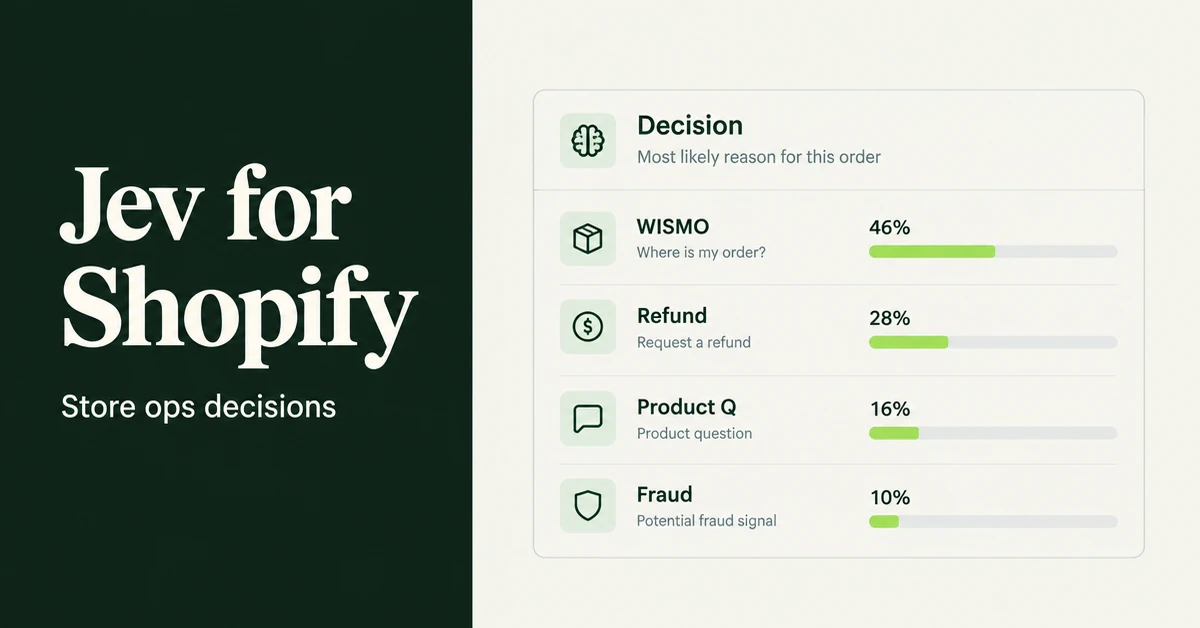
How to use Jev AI with Shopify for store ops: route tickets, triage refunds, score review quality, and guardrail LLM agents with calibrated probabilities.