
BigCommerce to Shopify Migration: The Complete Step-by-Step Guide

A BigCommerce to Shopify migration is mostly a data problem wearing a platform-change costume. Your products, customers, and URLs have to land somewhere specific, and the parts that quietly refuse to move are the parts that cost you money. This guide walks the whole route: why merchants are switching this year, what transfers and what doesn't, how to export cleanly, how BigCommerce options map to Shopify variants, how to build a redirect map that holds your rankings, and what the whole thing realistically costs.
Why Are Merchants Migrating From BigCommerce to Shopify in 2026?
The biggest reason is money, and it has a specific date attached: June 1, 2026. That's when BigCommerce's new plan structure introduced the Open Payment Provider Fee, which charges 2% of eligible order GMV on Core, 1% on Growth, and 0.6% on Scale for any order processed through a payment provider that isn't on BigCommerce's embedded list.
For roughly a decade, "no transaction fees" was the single strongest argument for choosing BigCommerce over Shopify. That argument is now dead for a large slice of merchants.
Here's my honest read on it. If you're paying that fee today, staying put isn't saving you anything. You're handing a different platform the same tax you moved to BigCommerce to avoid, and you're doing it while getting a smaller app ecosystem and a tighter variant ceiling in return. The economic case for moving right now is stronger than the SEO case for sitting still, which is the opposite of what was true two years ago.
The market data points the same direction. BigCommerce holds roughly 3% of the US ecommerce platform market with about 37,140 live stores as of May 2026, an 8% year-over-year decline. Shopify sits at about 29% of the US ecommerce software market.
Market share matters more than it sounds. It decides which apps get built first, which integrations get maintained, and which agencies actually know your platform. On BigCommerce you regularly find that the app you need either doesn't exist or hasn't been updated since 2023.
None of that means Shopify wins on every axis. BigCommerce still has better native B2B pricing rules and more generous multi-storefront options on some plans. If you're genuinely undecided, work through our honest Shopify vs BigCommerce comparison before you commit to a move you'll spend six weeks executing.
What Data Actually Transfers From BigCommerce to Shopify (And What Doesn't)?
Products, variants, images, categories, customers, and URL redirects all transfer with reasonable fidelity. Passwords, gift card balances, native reviews, coupon codes, and blog content do not, and every migration that goes badly goes badly because someone assumed one of those five things would come along for the ride.
Here's the itemized breakdown, with what to do about each gap.
Transfers cleanly
- Products, SKUs, prices, weights, descriptions. Straightforward via CSV or a migration app.
- Product images. They transfer, but they get re-uploaded, not linked. More on that below.
- Categories to collections. BigCommerce categories become Shopify custom collections. Nested subcategories flatten out, since Shopify has no native collection hierarchy.
- Customer records. Names, emails, addresses, marketing consent, and tags all import.
- SEO titles and meta descriptions. These carry over if your tool maps them, which plain CSV often doesn't.
Does not transfer, and what to do instead
- Customer passwords. Shopify states plainly that you can't migrate customer passwords from another store using a CSV, because they're encrypted outside Shopify. Imported customers can't log in until you invite them to set a new one. Plan an account activation email campaign for launch week, and write it carefully, because a generic "reset your password" blast to thousands of people looks exactly like phishing and gets marked as spam.
- Order history as functional orders. Shopify has no native CSV order import. Its official migration documentation routes you to a migration app or the Admin API for historical orders. Even then they import as records, not live transactions. You can't refund, re-charge, or fulfill against them. Decide how many years you actually need before you pay someone to move a decade of data.
- BigCommerce native product reviews. If you used BigCommerce's built-in review system rather than a third-party app, those reviews live in BigCommerce's database and have no Shopify equivalent. Export them to CSV first, then import into whichever Shopify review app you choose. A dedicated importer like WiseReviews handles the photo and video attachments that plain CSV importers drop. Do the export before you cancel BigCommerce, not after.
- Coupon codes and discount rules. Rebuild manually. Shopify's discount logic differs enough from BigCommerce's promotions engine that automated mapping tends to produce discounts that fire when they shouldn't.
- Gift card balances. This one bites hardest. Shopify doesn't accept imported gift cards with their original codes, so outstanding balances need to be reissued as new cards with new codes, plus an email to every holder explaining the swap. Pull a full outstanding-balance report from BigCommerce before you shut anything down.
- Blog posts. BigCommerce runs a separate blog engine from its product catalog, so blog content sits outside your product export entirely. Most migration tools skip it. Budget manual re-entry time, or export via API if you have more than 30 posts.
- CDN-hosted images. Your images currently live on BigCommerce's CDN. Those URLs can't be 301-redirected to Shopify, and they go dead when your BigCommerce account closes. Every image must be genuinely re-hosted on Shopify's CDN, not hotlinked. If any product description contains a hardcoded BigCommerce CDN image URL, find and replace it before launch.
Build this into a written pre-migration audit rather than trusting memory. Our Shopify migration checklist covers the full inventory of what to capture before you touch an export button.
How Do You Export Your Store Correctly From BigCommerce?
Go to Products, then Export in your BigCommerce admin, choose an export template, pick CSV as the format, and choose "save export to the server" rather than direct download. That last choice is the one people get wrong.
Direct download works fine for a few hundred products. For catalogs above roughly a thousand, the export runs long enough that a connection hiccup kills it partway through, and you end up with a truncated file that looks complete. Saving to the server drops the file in your WebDAV exports folder, where you download it at your leisure with no timeout risk.
Export these separately, not as one file:
- Products with the default template, which includes variant rows and option data.
- Customers, including their address book.
- Orders, for however many years of history you decided to keep.
- Your full URL list. Crawl your live site with Screaming Frog or Sitebulb rather than relying on BigCommerce's export. You need every indexed URL, including ones no longer linked in navigation.
- Category structure, including which products belong to which categories.
Then open the products CSV and check three things before you go any further: that every product carries a value in the SKU column, that variant rows correctly reference their parent product, and that image URLs are full absolute paths rather than relative ones. Any one of those failing quietly will produce an import that looks successful and isn't.
Also check your file size against the destination limit. Shopify caps product CSV imports at 15 MB, so a large catalog with long HTML descriptions needs splitting into chunks before it will upload at all.
One warning that costs people entire afternoons. Opening a product CSV in Excel or Numbers can strip product image links and mangle special characters, and Shopify's own docs call this out. Use Google Sheets with explicit UTF-8 import settings, or a plain text editor. Our guide to importing products to Shopify from a CSV without errors walks through the specific formatting traps that cause silent failures.
How Does BigCommerce's Variant and Option System Map to Shopify's?
It maps in the opposite direction from what most guides claim. Shopify now allows far more variants per product than BigCommerce, but BigCommerce allows more types of option, and that difference is where configurable-product catalogs break.
Take the numbers one at a time. BigCommerce's API documentation specifies a 600 SKU per product limit, with a 250 option values per option limit. Shopify used to be far more restrictive at 100 variants, which is why so many older migration articles warn you about it.
That warning is now stale. Shopify raised the per-product variant limit to 2,048, announced on October 15, 2025. If a migration agency quotes you extra to "work around Shopify's 100 variant limit," they're quoting from a document written before that change.
But the option-type cap did not move. Shopify still rejects a fourth option with an explicit OPTIONS_OVER_LIMIT error stating you can only specify a maximum of 3 options. BigCommerce doesn't impose that ceiling. It only cares that your combinations stay under 600 total.
So a BigCommerce product with Size, Color, Material, and Finish is perfectly legal on BigCommerce and simply cannot exist as a native Shopify product. That's your real migration constraint, and it has nothing to do with variant counts.
The modifier trap nobody warns you about
BigCommerce splits shopper choices into two different systems, and only one of them survives the trip.
Variant options determine which physical item gets picked from inventory. Size and color are the obvious examples, and each combination carries its own SKU and its own stock count. They map to Shopify variants without much trouble.
Modifiers are choices that don't change which item you're pulling off the shelf. Engraving text, a gift message, shipping insurance, a custom paint color, a monogram. BigCommerce's own documentation describes modifiers as choices that change how a product is processed or shipped rather than which product is selected. They carry no SKU and track no inventory.
Modifiers have zero Shopify equivalent. None. They aren't variants, so they can't import as variants, and a straight CSV migration either drops them silently or corrupts them into nonsense variant combinations that explode your catalog.
You have two honest routes. Convert simple modifiers into line item properties, which requires theme code and gives you a plain text field with no conditional logic and no price adjustment. Or install a product options app that handles them natively. Optionize covers this case with 16-plus option types including text fields, file uploads, and swatches, plus add-on pricing for extras like gift wrapping or engraving, and conditional logic to show or hide options based on earlier choices.
Audit your modifier usage before you export anything. If you're not sure how far Shopify's native system will stretch, our breakdown of what Shopify product options can't do natively maps the boundaries precisely.
How Do You Handle URL Structure Differences and 301 Redirects?
You build a complete old-URL-to-new-URL map and upload it as a CSV to Shopify before you switch DNS. Redirects are the entire mechanism by which Google carries your existing ranking signals to the new URLs, and Google's own site move documentation tells you to expect temporary ranking fluctuation even when you do it correctly. Do it incorrectly and the fluctuation stops being temporary.
The structural difference is simple to describe and tedious to execute. Shopify hardcodes its paths: every product lives at /products/handle and every collection at /collections/handle. You cannot change this on any plan.
BigCommerce is configurable, which is why you have to check your own store rather than assume. Under Settings, then URL Structure, BigCommerce offers SEO Optimized (Short), Long, Custom, and a product-only SEO Optimized (Category) option. The default is Short, meaning your products probably sit at yourdomain.com/product-name/ with no folder at all, and your categories at yourdomain.com/category-name/. The Long setting is the one that adds /products/ and /categories/ folders.
Go look at your actual live URLs before building anything. A store on Short needs a completely different redirect map from a store on SEO Optimized (Category).
Building the redirect CSV
- Crawl your live BigCommerce site and export every URL that returns a 200 status.
- Pull your Google Search Console page report for the last 16 months and merge it in. This catches indexed URLs your crawler missed.
- Export your Shopify product and collection handles after import.
- Match old to new in a spreadsheet with two columns, Redirect from and Redirect to, using relative paths.
- In Shopify admin go to Content, then Menus, then View URL redirects, then Import, and upload the file.
Two constraints to design around. Standard Shopify plans support up to 100,000 redirects and Plus supports up to 20 million, which is plenty for almost everyone. More importantly, Shopify only honors a redirect from a URL that returns a 404, so you can upload the file before launch and it sits harmlessly until the old paths actually break.
Don't lazily point everything at your homepage. Google treats a mass homepage redirect as a soft 404 and passes almost no ranking signal. Match each URL to its closest genuine equivalent, and when a product is discontinued with no replacement, send it to the parent collection instead.
Our guide on how to prevent SEO traffic loss when migrating to Shopify covers those mapping decisions in more depth. The same redirect discipline applies whether you're coming from BigCommerce or working through a Magento to Shopify migration.
How Long Does a BigCommerce to Shopify Migration Take, and What Does It Cost?
Two to four weeks and a few hundred dollars for a small catalog you move yourself. Eight to sixteen weeks and five figures for a complex agency-led rebuild. The variable that moves the number isn't product count, it's integration count.
Published benchmarks for BigCommerce to Shopify projects break down roughly like this:
- DIY manual migration: effectively free but slow, and realistic only under about 500 products.
- App-assisted migration: around $69 to $399 or more depending on data volume, with some cleanup expected afterward.
- Agency-led, starter store: $2,000 to $5,000.
- Agency-led, mid-market: $5,000 to $15,000.
- Enterprise: $15,000 to $50,000 and up.
- Shopify Plus rebuild: $30,000 to $100,000 and up.
Timelines from the same source track catalog size and complexity: two to four weeks under 500 products, four to eight weeks for 500 to 5,000, eight to twelve weeks above 5,000, and ten to sixteen weeks for a Plus build.
Where budgets actually blow up is rarely the catalog. It's the ERP connector nobody scoped, the subscription app with no Shopify equivalent, the custom B2B pricing tiers, and the three weeks of theme QA that got estimated at three days. Add 30% contingency and you'll be roughly right. For a phase-by-phase view of where the weeks go, see our breakdown of how long a Shopify migration actually takes.
How Do You Migrate Products Step by Step Using an Import Tool?
Test with 20 products first, verify every field, then run the full catalog. And skip Shopify's own free importer, because it doesn't support BigCommerce.
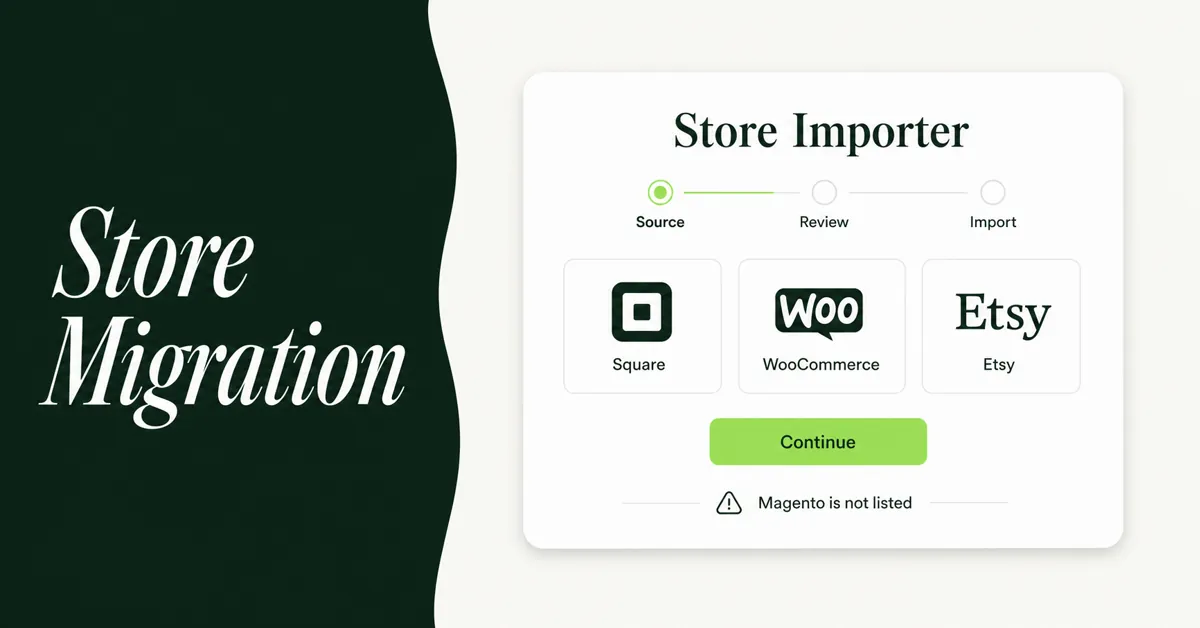
That second point catches people out constantly. Shopify's free Store Migration app handles Square, WooCommerce, Etsy, Wix, Amazon, eBay, Clover, and Lightspeed R/X. BigCommerce is not on that list. Plenty of migration guides still tell you to install it anyway.
So your realistic options are a plain CSV import, or a third-party tool.
The plain CSV route is lossy in ways you don't notice until launch. Image URLs pointing at BigCommerce's CDN break when the account closes, SEO fields sit in columns Shopify's importer ignores, and modifiers vanish. You end up with products that look imported and are quietly missing a chunk of their data.
That gap is what dedicated tools exist to close. Migratify handles BigCommerce among 100-plus supported platforms, pulling titles, prices, images, variants, and collections, with a preview step so you can check the mapping before anything writes to your catalog. Because it pulls product data through a direct connection rather than a hand-built spreadsheet, the fields a CSV export flattens or drops stay attached. There's a free tier for a limited number of products if you want to test the mapping on your own catalog before paying anything.
Other established options worth pricing up: Matrixify, which the Shopify Enterprise migration guide notes connects directly to the BigCommerce API and can move products, custom collections, customers, and URL redirects in one flow. Cart2Cart and LitExtension both offer more automated, concierge-style transfers if you'd rather not touch a spreadsheet. We've put the main contenders through their paces in our roundup of the best Shopify migration apps, tested and ranked.
The sequence that works
- Set up Shopify first. Currency, weight units, tax regions, and locations. Importing before configuring these produces products with wrong tax treatment across your whole catalog.
- Import collections before products. Products then attach to existing collections instead of orphaning.
- Run a 20-product pilot. Include your worst-case products: highest variant count, most images, longest description, any with modifiers.
- Audit the pilot field by field. Title, description HTML, price, compare-at price, SKU, barcode, weight, inventory, images and their alt text, SEO title, meta description, variant options, tags.
- Fix mappings, then run the full import.
- Import customers. Do not send activation emails yet.
- Import order history via your migration tool or the Admin API.
- Reconcile counts. Products, variants, customers, and collections should match your BigCommerce totals. Investigate every discrepancy, however small.
How Do You Protect Your SEO Rankings After Launch?
Upload redirects before DNS changes, keep your page titles and meta descriptions identical for the first month, and check Search Console daily for the first two weeks. Rankings usually wobble for a few weeks after any replatform, and your job is making sure a wobble doesn't become a slide.
Launch day, in order:
- Confirm the redirect CSV is fully uploaded and Shopify shows the expected redirect count.
- Remove the password page and switch DNS.
- Spot-check 20 old URLs manually. Every one should 301 to a relevant page, not a homepage and not a 404.
- Submit your new sitemap in Google Search Console.
- Send customer account activation emails, in batches rather than all at once, to protect deliverability.
Then watch for the specific problems that follow BigCommerce moves. Shopify generates collection-filtered URLs and product URLs nested under collections, both of which can produce duplicate versions of the same page competing with each other. Our guide to finding and fixing Shopify duplicate content covers the canonical fixes. Once rankings settle, work back through your templates with a Shopify product page SEO checklist to recover anything the move flattened.
Resist the urge to redesign and rewrite while you migrate. Changing platform, URLs, templates, and copy simultaneously means that when traffic drops you have no way to isolate the cause. Move first, optimize in month two.
What Should You Do First If You're Migrating This Quarter?
Audit your modifiers and your option counts, in that order, before you commit to a budget or a timeline. Those two things determine whether this is a straightforward data move or a project that needs a product options app and custom theme work.
Then treat post-launch catalog cleanup as a real phase with real hours attached, not a rounding error. Migrations reliably produce duplicate products from partial re-runs, orphaned variants from failed option mapping, and tag structures that made sense in BigCommerce's taxonomy and mean nothing in Shopify's. A bulk editor like Edify makes that pass survivable, with preview before applying, activity logs showing old and new values, and one-click undo when a filter catches more products than you meant.
Work through our process for cleaning up product data after a Shopify migration, then handle stock separately, because inventory drift between export and launch is guaranteed and our guide to reconciling inventory counts after migrating exists precisely because so many stores discover the problem through oversells.
Keep your BigCommerce subscription running for at least 30 days past launch. It's a cheap insurance policy against the one export you forgot, and everyone forgets one.

Migratify: Copy Products + AI
SponsoredProduct import made easier! Effortlessly migrate products from 100+ platforms.
Related Articles

Shopify vs BigCommerce (2026): An Honest Comparison for Store Owners Who Actually Have to Choose
Shopify vs BigCommerce compared side-by-side: pricing, fees, SEO, apps, and who each platform actually suits in 2026. Make the right call for your store.

How to Migrate to Shopify: The Complete Step-by-Step Guide for Online Stores
Planning to migrate to Shopify? Avoid data loss, broken SEO rankings, and costly downtime with this complete step-by-step migration guide for merchants.

Shopify Store Migration Apps Compared in 2026: Free App vs LitExtension, Cart2Cart, Matrixify, Migratify
Shopify store migration apps compared in 2026: free Store Migration vs LitExtension, Cart2Cart, Matrixify, and Migratify. Pick by what each actually moves.

Shopify Migration Checklist: Everything to Move Before You Switch Platforms
Use this complete Shopify migration checklist to move products, customers, orders, SEO data, and apps without losing sales when you switch platforms today.
Migration traffic drops start with missed URLs. Learn how to set up 301 redirects after a Shopify migration, from redirect mapping to bulk CSV uploads.
Shopify Store Migration App: What It Does Not Move in 2026
The Shopify Store Migration app imports products and customers only. See what it does not move in 2026, plus how to run the official importer correctly.