
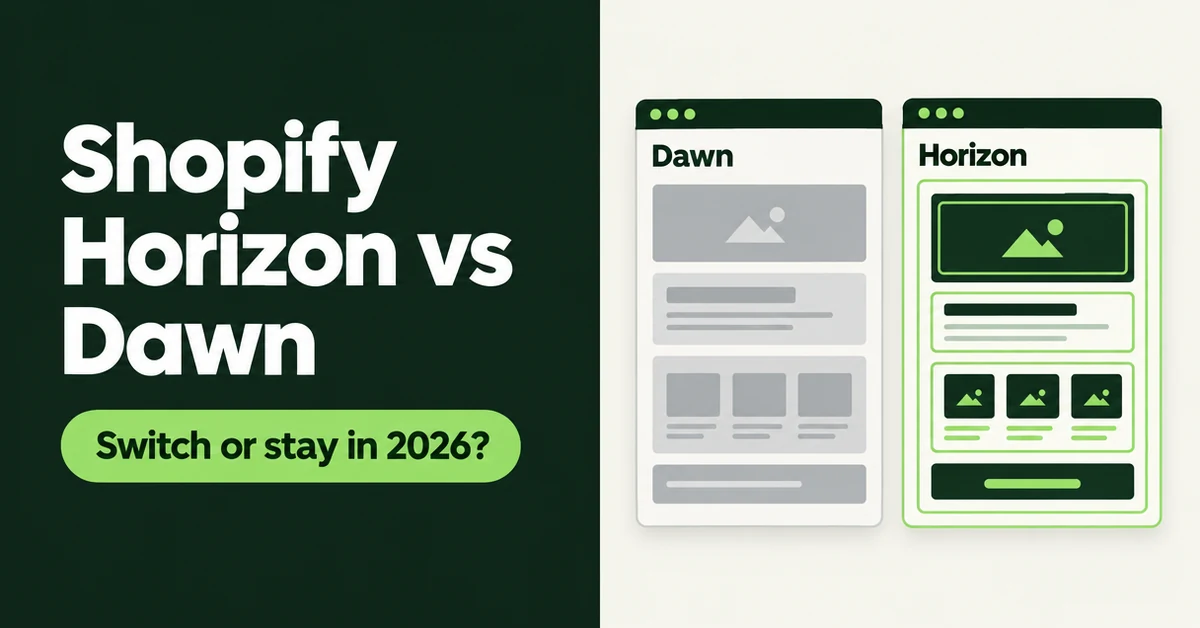
If your store runs on Dawn, you have probably noticed Horizon themes all over the Shopify Theme Store and wondered whether you are falling behind. The short answer on Shopify Horizon vs Dawn in 2026: start a new store on a Horizon theme, but keep a working Dawn store where it is unless you were already planning a redesign. This guide compares the two on architecture, features, speed, and real-world adoption, then shows you how to test Horizon without touching your live store.
Both themes are free, both are built by Shopify, and both are still getting updates. The difference is where Shopify is putting its new ideas, and how much work it takes to move a store that already sells.
What Is the Difference Between Shopify Horizon and Dawn?
Horizon is built on theme blocks, while Dawn is built on the older Online Store 2.0 section model. Shopify's Help Center describes themes that support theme blocks, including the Horizon family, as the latest theme architecture version.
In practice, that changes how you edit pages. In Dawn, a section holds a single layer of blocks, so a product section can contain a title, price, and buy buttons, but you cannot put a group of blocks inside another block. In Horizon, blocks can hold other blocks. Shopify's developer docs set the theme block nesting limit at 8 levels, not counting the section itself. That is how you build a card with an image, a badge, a heading, and a button inside a row, without asking a developer for a custom section.
Horizon is also a family, not a single theme. The Horizon themes collection lists 10 free themes, including Horizon itself, Savor, Tinker, Fabric, and Heritage. They share the same block system with different starting designs, so picking Savor or Fabric instead of Horizon itself still puts you on the same architecture.
Is Shopify Discontinuing Dawn in 2026?
No. Dawn is still maintained, and it shipped a major version in 2026. Shopify released Dawn 16.0.0 on August 10, 2026, and the Dawn Theme Store listing shows version 16.1.0 dated October 9, 2026.
Dawn 16.0.0 does come with one catch worth knowing before you update. It removed the legacy customer account templates and sections, so stores still on legacy customer accounts must upgrade to new customer accounts before publishing that version. If you plan to stay on Dawn, check your customer account setting first.
Dawn also still has a huge install base. Store Leads' October 2026 report ranks Dawn second among all the themes it tracks, with 277,654 stores on Dawn, or 8.8% of the Shopify stores in its data. But add up three Horizon-family themes from the same list (Savor at 174,406, Horizon at 172,708, and Tinker at 151,572) and you get roughly 499,000 stores. Dawn on its own still outnumbers any single Horizon-family theme on that list, but a large share of Shopify stores already runs on the Horizon family.
So the honest framing is this: Dawn is maintained, and Horizon is where Shopify's newer theme architecture lives.
Which Features Does Horizon Have That Dawn Doesn't?
Horizon's Theme Store listing tags more built-in conversion and merchandising features than Dawn's. The biggest practical difference is that several things Dawn stores usually add with an app or custom code are part of the theme in Horizon.
Comparing the two feature lists on the Theme Store, the Horizon listing includes these features that the Dawn listing does not:
- Selling: pre-order, slide-out cart, Sign in with Shop, stock counter, and back-in-stock alert
- Merchandising: product badges, quick view, recently viewed products, in-menu promos, and animation
- Navigation and discovery: infinite scroll on collections
- International: EU translations (English, French, Italian, German, and Spanish)
- Accounts: a customer account menu in the header
Horizon also gets more out of Shopify's newest editor tool. Sidekick can generate a custom theme block from a text prompt in any Theme Store theme, but a generated block can only be added to sections that accept theme blocks, and Horizon is built around theme blocks. Read the fine print, though: per Shopify's Help Center, block generation is not available on the Starter plan or on vintage themes, and Shopify Support does not troubleshoot the code inside AI-generated blocks. Treat generated blocks like code from a freelancer you have never met. Preview them on mobile before you publish.
One data point to keep expectations grounded: neither theme is loved by its reviewers. On the Theme Store in October 2026, Horizon sits at 36% positive across 210 reviews, and Dawn sits at 36% positive across 290 reviews. A newer architecture does not automatically mean fewer headaches. Recent reviews on both listings call out specific problems with menus, variants, and search, which is exactly the kind of thing you only find by testing with your own catalog.
Is Horizon Faster Than Dawn?
Not in a way you can count on for your store. Both are free Shopify themes that have to clear the same Theme Store performance bar, and your apps, scripts, and images will move your speed more than the base theme does.
Shopify requires Theme Store themes to hold a minimum average Lighthouse performance score of 60 across the home, product, and collection pages, measured on a benchmark store with standard test products. The same Shopify page warns that Lighthouse lab scores can differ significantly from real-user data. That is why theme-versus-theme speed charts you find online rarely predict what happens on a store with 14 apps and 400 product photos.
The only speed comparison that matters is your own store on both themes, measured the same way. We cover how to run that test below, and our guide to keeping a Shopify store fast under heavy traffic covers the app and image cleanup that usually matters more.
What Breaks When You Switch From Dawn to Horizon?
Your store data stays, but your theme work does not. Shopify's Help Center confirms that products, collections, menus, pages, and blog posts aren't changed or deleted when you switch themes, because they live in the admin, not in the theme.
Everything managed in the theme editor or code editor is tied to that one theme. When you move from Dawn to Horizon, you rebuild:
- Section and block settings: every homepage banner, featured collection, and product page layout you set up in Dawn
- Global theme settings: colors, fonts, buttons, and spacing
- Text and wording: anything you edited in the theme content editor, like cart messages or button labels
- Code customizations: including code an app added to your Dawn theme files
- Templates: alternate product or page templates you created, such as a separate template for bundles
Your SEO foundations mostly survive the move. Product, collection, and page URLs come from the admin, so they do not change when you publish a new theme, and you do not need redirects for a theme switch alone. What can change is how each page renders: heading tags, where your product description sits, and any text you placed in a theme section instead of in the product or collection description field. Before you publish, open your top five landing pages in the Horizon preview and confirm the page title, main heading, and description text are all still there. Our Shopify product page SEO checklist is a good list to run against the new layout.
Apps need attention too. Shopify notes that if you change your published theme, you will need to re-activate your apps in the new theme, because they won't be active by default. App blocks also have to be placed again in the new layout. Apps that use app embeds and app blocks usually move over with a few clicks. Apps that pasted code into Dawn's files will not come along, and you may need the developer's help to set them up again.
For example, a product options app like Optionize runs through an app embed plus an optional app block, and its docs note that the app embed is enabled per theme, so you switch it on again in the new theme. The same check applies to your reviews, upsell, and chat apps. If you are changing review apps during the same project, our guide to switching Shopify review apps without losing star ratings covers that move separately.
Shopify Horizon vs Dawn: Should You Switch or Stay?
Switch if you are starting a store or already planning a redesign; stay if your Dawn store is fast, converting, and not blocking you. The decision comes down to whether the rebuild buys you something you actually need.
Hot take: switching a working Dawn store to Horizon is a redesign project dressed up as an upgrade. There is no button that carries your Dawn setup across, so you are paying for a rebuild either way. If you would not budget for a redesign this quarter, you are not ready to switch themes this quarter.
Stay on Dawn if
- Your store converts well and your team is not waiting on a developer for every layout change.
- Your Dawn theme has custom code you depend on, like a custom product page or cart logic.
- A business-critical app has no app embed or app block support and was installed into theme code.
- You have a big sales event in the next six to eight weeks. Do not change themes before Black Friday.
Move to a Horizon theme if
- You are launching a new store in 2026. There is no Dawn setup to protect, so start on the current architecture.
- You are already redesigning your homepage, product, and collection pages.
- Your Dawn theme is buried under years of app leftovers and custom code that nobody on your team understands.
- You want built-in features from the list above, like pre-order or product badges, and would rather not add another app for each.
- You edit your storefront yourself often and nested blocks would save you developer hours.
If you are weighing paid themes too, our Shopify themes comparison of Studio, Impact, Dawn, and Sense covers when a paid theme is worth it, and our 2026 checklist for choosing a Shopify theme walks through shortlisting before you commit.
How Do You Test Horizon Without Risking Your Live Store?
Add Horizon as a draft theme, rebuild your key pages there, and only publish once it matches or beats Dawn on your own numbers. Your live Dawn theme stays untouched the whole time, and it moves to your draft themes when you publish Horizon, so you can switch back.
- Write down what Dawn does today. List every app, every custom template, and any code edits. Your theme name and version are shown under Online Store, then Themes, and our free Shopify theme detector is handy for checking competitors' themes while you plan.
- Add Horizon (or another Horizon-family theme) to your draft themes from the Theme Store. It does not affect your live store.
- Rebuild four pages first: home, one product page, one collection page, and the cart. Get the pages that sell right before you polish the rest.
- Turn on app embeds and place app blocks in the draft theme for every app on your list. Check reviews, product options, upsells, and tracking scripts one by one.
- Check customer accounts and translations if you sell in more than one language or market.
- Measure both themes the same way. Run Lighthouse or PageSpeed Insights on the same product and collection pages in Dawn and in the Horizon preview, three times each, and compare the middle result.
- Test on your phone. Add to cart, open the cart drawer, apply a discount, and go to checkout.
- Publish in a quiet hour, then watch your conversion rate and add-to-cart rate for two weeks. If something breaks, publish Dawn again from your draft themes.
Plan for a few working days on a lightly customized store, and longer if your Dawn theme has custom code. If your store is new and still small, our list of the only Shopify apps you need when setting up a new store pairs well with a fresh Horizon build, since you can skip apps for features the theme already includes.
The bottom line on Horizon vs Dawn: Horizon is the better starting point, Dawn is a perfectly good place to stay, and the switch only pays off when you were going to rebuild anyway. Decide based on what your store needs this year, not on which theme is newer.
Related Articles
Shopify Themes Comparison: Studio vs Impact vs Dawn vs Sense (Which One Fits Your Store?)
Shopify themes studio impact dawn sense comparison: real-world speed data, features, pricing, and which theme fits your store in 2026.
How to Choose a Shopify Theme in 2026 (Speed, Apps, and Conversion Checklist)
How to choose a Shopify theme in 2026: follow this speed, apps, and conversion checklist so you shortlist demos, audit apps, and protect mobile sales.
Shopify Theme Detector: Find Out What Theme Any Store Is Using (Instantly and Free)
Use GoTinker's free Shopify theme detector to instantly find what theme any store is using. Paste a URL and get the answer in seconds. No login needed.
Learn how to build a Shopify store that handles 10x more traffic without crashing. Covers speed optimization, app audits, checkout, and scale readiness.
The Only Shopify Apps You Need When Setting Up a New Store in 2026
Looking for the right apps for setting up a new Shopify store? These four handle product migration, bulk editing, reviews, and custom options so you launch ready.
Most Shopify product pages are missing at least three core SEO elements. This 2026 checklist covers title tags, schema markup, images, and more.