
How to Set Up Live Chat and AI Customer Support for a New Shopify Store (2026 Checklist)
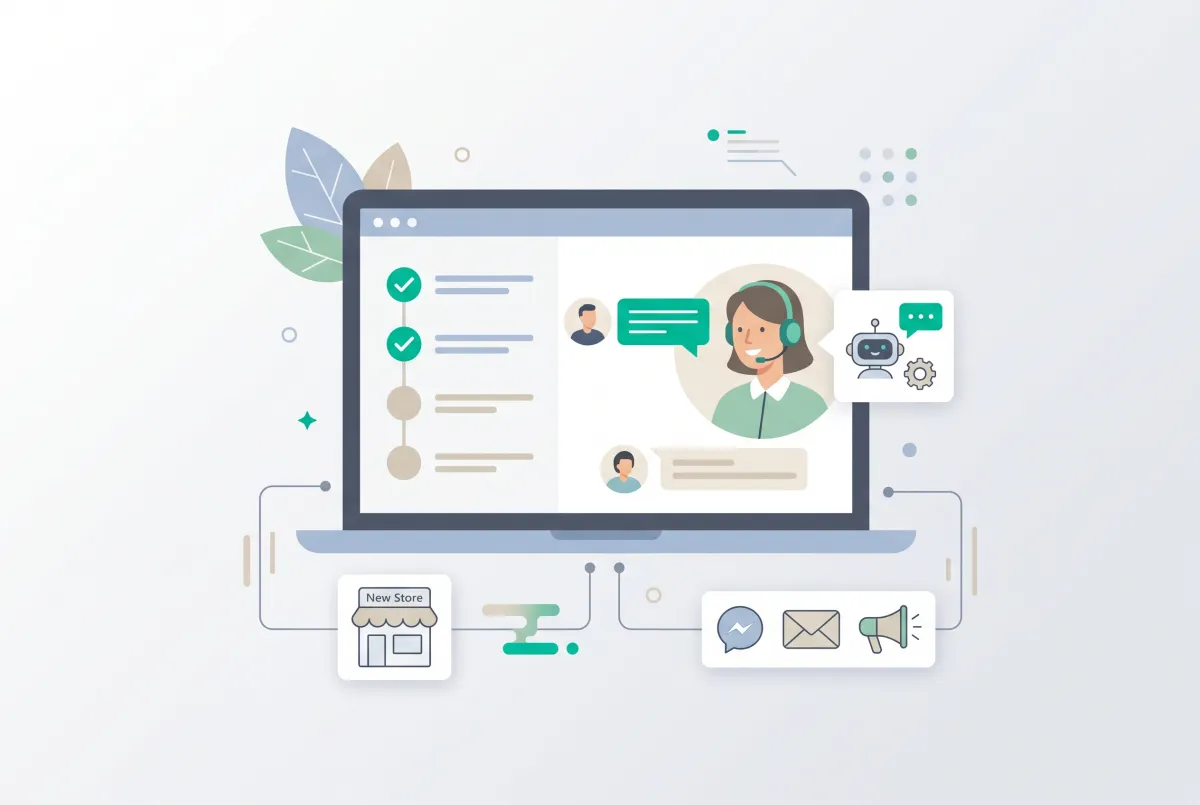
Setting up live chat and AI customer support for a new Shopify store is not a "phase two" job you get to after launch. It belongs on the same checklist as your domain, your theme, and your payment gateway. A brand-new store has no reviews, no reputation, and no track record, so the first shopper who lands on a product page at 11pm is deciding whether to trust you based on almost nothing. If nobody answers their question in that moment, they leave, and they rarely come back.
This guide walks through where support fits inside the full launch sequence, how to train an AI chatbot when you have zero sales history, and how a solo founder can offer 24/7 coverage without staying awake for it. If you already followed our walkthrough on how to set up a Shopify store in a day using AI, think of this as the missing step most launch checklists skip.
Why should live chat and AI customer support for a new Shopify store be a setup priority, not an afterthought?
Because speed of reply directly decides whether a first-time visitor becomes a customer or a bounce. Stores that reply inside one hour see 71% customer retention versus 48% for stores that take 24 hours, and that gap is brutal for a store with no other trust signals working in its favor.
The expectations are even tighter on chat itself. Shoppers who open a live chat window expect a response in under a minute, against an industry average of roughly 1.5 minutes. Miss that window and you are not just losing one sale. You are teaching that person your brand is slow.
The cost of silence is measurable. 73% of buyers say they will switch to a competitor if a brand ignores them on social media, and that same impatience carries over to live chat and email. 59% of consumers say excellent customer service matters more to them than price. A new store cannot out-price Amazon, but it can out-respond them.
Here is the hot take. Most "add live chat later" advice treats chat like an optional plugin you bolt on once you get tired of answering DMs. That is backwards.
If you are comfortable launching without live chat and AI support, you are really saying you are comfortable losing every sale that happens outside your waking hours, and for a store with zero reviews, that is the worst possible moment to make someone wait 12 hours for an email. Install support before you install a "coming soon" countdown timer, not after.
When during Shopify store setup should you install live chat and AI support?
Install it after your products, collections, and policy pages exist, but before you flip the store from password-protected to public. The reason is practical: an AI chatbot for a new store learns from your catalog and pages, so those need to be in place first, but the widget needs to be live the second real traffic arrives.
Think of the launch sequence in a natural order. Domain and theme come first, then products, collections, shipping, and payments, followed by your trust and policy pages. Support tooling slots in right here, alongside the rest of your essential new-store app stack, not as a bolt-on weeks later.
A simple decision framework for "before or after launch" covers most cases:
- Install before launch if you are running any paid ads, doing an influencer drop, or expecting a burst of launch-day traffic. Cold traffic asks the most questions.
- Install before launch if you sell anything with sizing, compatibility, or configuration questions. Those are the buyers most likely to abandon without an answer.
- Install right after soft launch only if you are launching quietly to friends and family first and genuinely expect near-zero traffic for a week.
Notice that "install after" almost never wins. If you are building stores for clients, bake chat into the handoff. Our guide on the best Shopify apps for developers to set up client stores fast covers how agencies template this so every store ships with support already configured.
There is a timing detail worth calling out. Because an AI bot needs your catalog and pages to exist before it can learn from them, you cannot leave support until the very last minute if you want the AI trained well. Add your products and policy pages, install the chat app, let it index everything, then spend twenty minutes testing before you remove the store password. That order gives the bot a full store to learn from and gives you a chance to catch bad answers while the audience is still zero.
Shopify Inbox vs. a dedicated AI chatbot app: which is right for a brand-new store?
Shopify Inbox is a solid free live chat tool, but it is human-first, which is exactly the wrong shape for a solo founder who cannot sit in the inbox all day. A dedicated AI chatbot app answers autonomously from your store data, which is what a one-person operation actually needs on day one.
Shopify Inbox does have real strengths worth respecting. 70% of Shopify Inbox conversations happen with customers who are actively making a purchase decision, and its product cards lifted live chat conversion from 21% to 23.5%. That tells you chat is a sales surface, not just a complaints desk.
But the core difference is who answers. With plain live chat, if you are asleep, nobody answers. With an AI chatbot, the bot answers instantly, at 3am, in whatever language the shopper typed. Chatbots can resolve roughly 80% of routine customer questions without human escalation, per IBM research, which means the AI handles the "where's my order" and "does this ship to Canada" volume while you sleep or ship product.
The economics back this up too. A human-handled routine ticket costs somewhere around $8 to $12 each, against $0.50 to $1.05 for a chatbot-handled one, with small businesses hitting payback in three to five months. For a founder whose time is the scarcest resource on the planet, automating the repetitive 80% is not a luxury.
The honest answer for most new stores is "both." Run an AI chatbot that also gives you a human live chat inbox to jump into when needed. That combination is what makes an app like RagChat a natural fit here: its AI answers from your real products, collections, and pages, and it hands off to a shared human-and-AI inbox when a shopper needs a person. You get the autonomy of a bot and the fallback of live chat in one widget.
How do you train an AI chatbot when your store has zero sales history?
You train it on the data you already have: your product catalog, your collections, and your policy pages. The "cold start" problem is real because most AI support tools assume you have months of past tickets to learn from, and a launch-day store has none. The fix is to feed the bot your storefront content instead of ticket history.
Work through these sources in order before you go live:
- Product feed. Titles, descriptions, variants, and prices. This is how the bot answers "does this come in blue" or "what's the difference between the two models" accurately instead of guessing.
- Collections. So the bot understands how your catalog is grouped and can recommend the right set of products when someone describes a need rather than a SKU.
- Policy and info pages. Shipping, returns, refunds, and FAQ. These cover the highest-volume routine questions a new store gets.
- A handful of hand-written Q&As. Ten to twenty pairs covering the specific things you already know shoppers will ask: sizing quirks, restock timing, care instructions, whatever is unique to your product.
That last step matters more than founders expect. You know your product better than any dataset does. Writing twenty good Q&A pairs before launch closes the gap between "the AI can read my catalog" and "the AI sounds like it actually works here."
This is where the accuracy of a store-data-trained bot pays off. RagChat's free plan lets the AI learn from up to 200 products plus your collections and policies, with unlimited custom Q&A, so a new store can cover its whole catalog without paying a cent. Because answers come from your real pages rather than a generic model, replies stay accurate instead of confidently wrong. Getting the answers right early also feeds your knowledge base, and a good one deflects 25 to 35% of incoming tickets on its own.
Once your store has real traffic, you keep refining the bot from actual conversations. If you want a deeper walkthrough of that ongoing loop, our guide on how to automate customer support and increase sales with an AI chatbot covers post-launch optimization in detail.
How do you set up RagChat on a new Shopify store, step by step?
You install it from the Shopify App Store, point it at your store data, customize the widget, and publish. The whole thing takes minutes because the bot builds its knowledge from content that already exists in your store. Here is the practical sequence.
Step 1: Install and connect
Add RagChat from the Shopify App Store and grant it access to your store. On install it starts learning from your products, collections, and pages automatically. On the free plan it covers up to 200 products, which is plenty for most launch catalogs.
Step 2: Add your knowledge
Confirm the AI has learned your collections and policy pages, then add your hand-written Q&A pairs. This is where you paste in the sizing quirks and restock answers you know shoppers will ask. On the paid tiers you can also add external sources and files, but a new store usually does not need that yet.
Step 3: Set the bot's name, tone, and hours
Give the bot a name and a tone that matches your brand voice, then set the widget colors, fonts, and greeting so it looks native to your theme. Set business hours so shoppers know when a human is around, even though the AI answers around the clock. A greeting that fits the store beats a generic "How can I help you?" every time.
Step 4: Turn on selling features
Enable product recommendation cards so the bot can surface items inside the chat, and turn on lead capture so it collects names and emails. On the Standard plan and up, the AI can also share discount codes, which is a clean way to convert a hesitant first-time visitor.
Step 5: Test, then publish
Before you make the store public, ask the bot the ten questions a real shopper would ask. Check that it pulls the right product, quotes the right policy, and hands off to your inbox when you type something it should not answer alone. Fix anything off, then publish the widget and go live.
That is the full loop. The reason RagChat works well for the cold-start scenario specifically is that every one of these steps draws on data you already built during store setup, so there is no "gather six months of tickets first" prerequisite blocking your launch.
What should your chat widget say before you've made a single sale?
Your greeting should invite a question and quietly signal that a real answer is coming fast, not park a generic "Hi, how can I help?" in the corner. A pre-sales store has to work harder to earn the first message, so the copy should lower the friction of asking.
Lead with something specific to what you sell. "Questions about sizing or shipping? Ask away, I answer instantly" tells the visitor two things: what is safe to ask, and that they will not wait. That beats a vague prompt because it removes the "will anyone even see this" hesitation that kills first messages.
A few things worth putting in front of shoppers through the widget on a new store:
- Shipping timelines and destinations. The number one pre-purchase question, especially for a brand nobody knows yet.
- Return and refund policy in plain language. With no reviews to vouch for you, a clear returns answer is a trust substitute.
- A gentle nudge toward the bestseller. Let the bot recommend a product card when a shopper describes what they want.
Keep the greeting short and human. A wall of text in the chat bubble reads like a terms-of-service page and gets ignored. One line that names a common question and promises a fast answer is enough to earn the first message, and once the shopper types, the AI does the rest.
Remember that chat on a new store is doing double duty. It answers questions and it acts as a live trust signal, proof that a real, responsive business is behind the storefront. That matters because 70% of consumers say they will switch to a different company after poor service, and a shopper judging a no-review store will read slow or absent chat as a red flag. Reviews and responsive chat reinforce each other: an importer like WiseReviews can seed early social proof while your chat widget carries the real-time trust load until those reviews stack up.
How do you hand off chats from AI to a human agent when you're a solo founder?
You use a shared human-and-AI inbox where the bot handles everything until you choose to jump in, then takes over again when you step away. As a one-person store, the goal is not to be always available. It is to let the AI cover the routine 80% so you only touch the conversations that actually need you.
Set clear handoff triggers. The AI should escalate on things like refund disputes, damaged-item claims, wholesale inquiries, or any message where a shopper explicitly asks for a person. Everything else, the order-status and product-detail volume, the bot resolves on its own.
For the messages that arrive while you are genuinely offline, the fallback is email continuity. A shopper starts a chat, the AI answers what it can, captures their email, and the conversation continues by email when you are back. Nobody hits a dead end. RagChat handles exactly this: offline questions continue over email, and every chat can capture a name and email as a lead, so a late-night conversation becomes a follow-up opportunity instead of a lost visitor.
One privacy point solo founders skip and should not. The moment you capture names and emails through chat, you are handling personal data, so treat a short compliance pass as part of setup:
- Confirm your privacy policy mentions live chat and any data the widget collects.
- Do not ask for more personal information in chat than you actually need. Never request full card numbers or passwords in a chat window.
- Check that your chat provider stores data in line with GDPR if you sell to EU shoppers, and that you can delete a customer's chat data on request.
- Add a brief line to the widget or greeting linking to your privacy policy when you collect an email.
None of this takes long, and getting it right at setup is far easier than retrofitting it after your first data-deletion request lands.
How do you know your live chat and AI setup is actually working after launch?
You watch a small set of numbers: first-response time, resolution rate, chat-assisted conversion, and lead capture. If the AI is answering fast and resolving most questions without you, and if chats are turning into carts and captured emails, the setup is working. If not, the fix is almost always the knowledge base, not the tool.
Track these four from week one:
- First-response time. With an AI bot this should be near-instant. Anything a shopper perceives as slow undercuts the whole point, since expectations sit at under a minute for chat and one hour for email.
- AI resolution rate. What share of chats the bot closes without you. Aim toward that 80% routine-question benchmark. A low rate usually means missing Q&As, not a broken bot.
- Chat-assisted conversion. Are shoppers who chat buying more often than those who do not? This is the metric that justifies the whole exercise.
- Leads captured. Names and emails collected through chat feed your email list, and 60% of buyers say quick replies are the top factor in whether they buy again.
When resolution rate lags, go back and add the questions the bot fumbled. This is the same feedback loop that turns a decent bot into a great one over a few weeks. Support is one leg of launch trust, so pair it with the others: chase your first reviews, since product reviews lift Shopify conversion rates and cover the credibility gap chat alone cannot, and keep an eye on performance so a launch-day traffic spike does not break the experience. Our guide on building a Shopify store that handles 10x more traffic without crashing covers that side.
Do not over-engineer the measurement. Four numbers, checked weekly for the first month, tell you everything you need. The stores that win here are not the ones with the fanciest dashboards. They are the ones that answer fast, resolve most questions automatically, and treat every chat as a chance to make a first sale and a first impression at the same time.
Where does support fit in the bigger launch picture?
Right alongside every other trust-building task, not off in its own corner. A new store wins its first customers on responsiveness and credibility, and live chat with AI support is one of the few tools that delivers both at once, instantly and around the clock.
The takeaway is simple. Build your catalog and pages, feed them to an AI chatbot that can answer from that data, wire up a human fallback for the messages that need you, and turn it all on before your first visitor arrives. A capable, well-featured app on a free tier, like RagChat, makes that reachable for a solo founder on launch day with no budget and no support history.
The worst time to make a shopper wait is the moment they are deciding whether to trust a store they have never heard of. Do not make them wait.

RagChat: AI Chatbot & Livechat
SponsoredAI chat that answers from your real products. Unlimited AI replies on the free plan.
Related Articles
AI Chatbot for Shopify: How to Automate Customer Support and Increase Sales
Learn how an AI chatbot for Shopify automates customer support, recovers abandoned carts, and boosts sales with 24/7 replies and smart product upsells.

AI chat support for solo Shopify founders handles repetitive questions 24/7, so you can skip hiring, dodge burnout, and keep sounding like yourself daily.
Shoppers with sizing, spec, or fit questions bounce without answers. See how AI product Q&A chat lifts Shopify conversion rates on complex catalogs now.

Multilingual Shopify Customer Support: How AI Chat Serves International Customers Without Hiring Translators
Shopify Markets translates your storefront, not your chat. Here's how AI chat delivers multilingual Shopify customer support without hiring translators.
Most Shopify cart abandonment isn't price shock, it's an unanswered question. See how real-time AI chat answers objections before shoppers leave.
The Only Shopify Apps You Need When Setting Up a New Store in 2026
Looking for the right apps for setting up a new Shopify store? These four handle product migration, bulk editing, reviews, and custom options so you launch ready.