
Shopify Replatforming Apps: The Stack to Install After You Switch (2026)
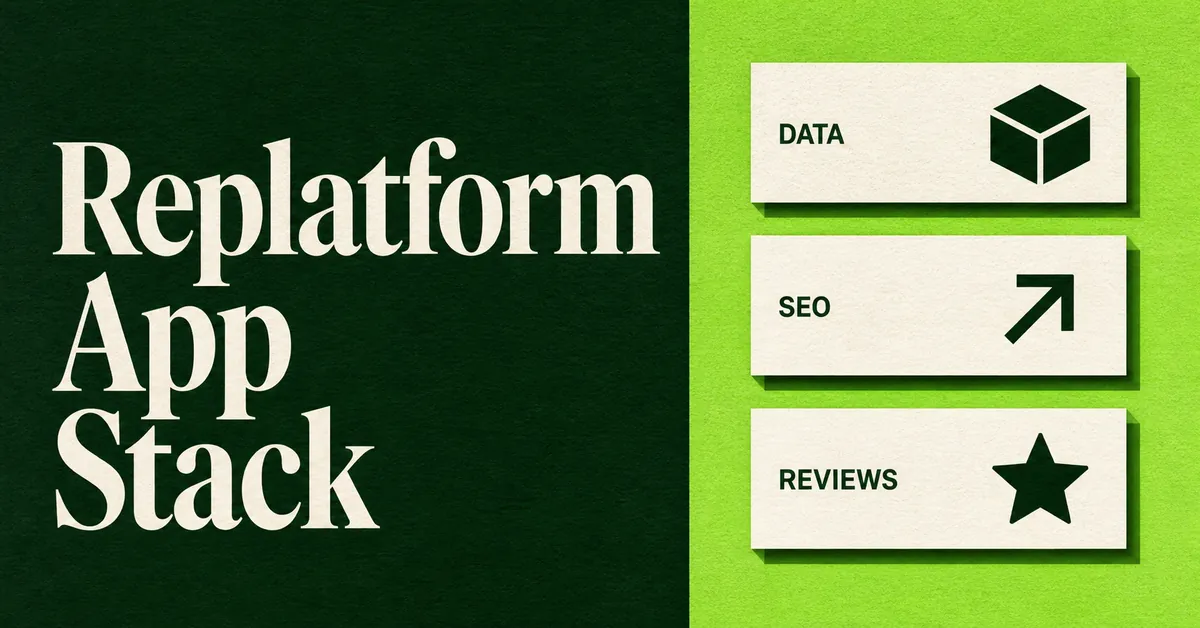
Shopify replatforming apps are the tools that cover the jobs a platform switch actually creates: catalog data, 301 redirects, reviews, sales channels, and checkout. They are not a substitute for the full move, and they are not one ranked list of importers.
Shopify already grouped those jobs on Shopify's replatforming app collection (dated 28 February 2024). This guide uses that live collection as the spine, then tells you what to install, in what order, after you switch. For the broader process, use the complete step-by-step Shopify migration process. For a head-to-head of importers, use the ranked comparison of store migration apps.
What Is a Shopify Replatforming App Stack?
A Shopify replatforming app stack is the set of apps that cover five jobs: import data, keep rank, expand reach, keep reviews, and customize checkout. Shopify's own collection is a curated list of those jobs, not a step-by-step migration playbook.
That distinction matters. A store migration app moves entities. A replatform still leaves you with empty review widgets, old URLs that 404, sales channels that are not connected, and a checkout that does not match what you had on the last platform.
Shopify's migrate to Shopify help guide still starts with content and data, then product cleanup, theme, shipping, taxes, payments, test orders, staff, domain, and SEO. Apps sit inside those steps. They do not replace them.
Here's the hot take: Shopify already published the jobs. Most merchants still buy one import app, call the replatform done, then spend three months chasing 404s and empty product pages.
Treat the collection as a job board. Install one tool per job (two at most for SEO), then prove each job before you point the domain.
Which Shopify Replatforming Apps Cover Each Job on the Collection?
They sit in five buckets on the live collection: Import it all, Maintain rank, Expand your reach, Keep your cred, and Check it out. Pick coverage per job, not five importers that all do the same catalog pull.
Ratings below were transcribed from that collection on 3 September 2026. They move. Recheck the listing before you buy.
Import it all
- Matrixify: 4.9 from 1,453 reviews. Free plan. Bulk import, export, and update across products, customers, orders, pages, blogs, and redirects.
- LitExtension Store Migration: 4.8 from 289 reviews. Free to install. Full-store bulk import with a no-downtime pitch.
- MigrationPro: Store Migration: 5.0 from 175 reviews. Free to install. Full-store bulk import.
- Next-Cart Store Migration: 4.8 from 18 reviews. Free plan. Automated store-data migrate.
- Cart2Cart Migration/Replatform: 4.1 from 162 reviews. Free to install. Import from WooCommerce, Magento, Wix, and more.
Maintain rank
- Smart SEO AI and Image Optimizer: 4.9 from 852 reviews.
- 404/301 SC Easy URL Redirects: 4.6 from 255 reviews.
- Tapita AI SEO Optimizer, Speed: 5.0 from 2,475 reviews.
- Avada AI SEO Image Optimizer: 4.9 from 4,372 reviews.
- SEOWILL 404 Link Redirect: 4.8 from 157 reviews. Formerly SEOAnt.
Expand your reach
- Facebook and Instagram: 3.8 from 5,380 reviews. Free to install.
- TikTok: 4.8 from 15,517 reviews. Free to install.
- Pinterest: 4.2 from 1,628 reviews. Free to install.
- Shop: 4.8 from 9,002 reviews. Free.
- Shopify Marketplace Connect: 4.2 from 1,968 reviews. Amazon, Target Plus, Walmart, and eBay.
Keep your cred
- Okendo: Reviews and Loyalty: 4.9 from 1,333 reviews.
- Google Reviews by Reputon: 4.9 from 1,447 reviews.
- WiseReviews Reviews Importer: 4.8 from 157 reviews.
- Yotpo: Product Reviews App: 4.8 from 4,392 reviews.
- Stamped Reviews and Loyalty: 4.7 from 3,396 reviews. From $23/month on the collection card.
Check it out (Shopify Plus)
- Checkout Plus: 5.0 from 96 reviews. Checkout and thank-you page, upsells, free gifts.
- Shopify Checkout Blocks: 4.2 from 212 reviews. Free. Checkout, thank you, and order status.
- Checkout Components: 5.0 from 60 reviews. Segmented checkouts and upsells.
None of those cards is "best overall." Match the job, the source platform, and the plan you actually pay for.
How Do You Import Store Data Without Treating One App as the Whole Move?
You pick an importer that matches the entities you must move, then you run a small test before the full cutover. Products, customers, orders, discounts, and pages do not all travel in the same tool.
The five apps Shopify listed under Import it all are built for bulk store data. Matrixify is the spreadsheet-style option: Excel, Google Sheets, or CSV, plus redirects, metafields, and menus. LitExtension, MigrationPro, Next-Cart, and Cart2Cart pitch wizard-style, platform-to-platform transfers. Use a demo or a 10 to 20 product test first, then compare variants, images, and SKUs against the source.
Choose the importer by entity list, not by star rating. If you need customers, orders, discounts, and a redirect file in one spreadsheet, Matrixify fits. If you want a wizard that talks to WooCommerce or Magento over an API, LitExtension, MigrationPro, Next-Cart, or Cart2Cart fit. If you only need product copy and images, a product-only importer is enough and cheaper.
A product-only importer can still sit in this job if catalog copy is the bottleneck. Migratify is one of those options. It is not on Shopify's collection. It pulls titles, descriptions, images, variants, prices, SKUs, tags, vendor, and product type from a product URL across 100+ platforms. It does not import customers, orders, reviews, gift cards, or store settings. Collections are not copied either, though you can drop imported products into one existing manual collection.
Customer passwords never move, on any of these tools. Plan a reset email. Gift-card balances and custom checkout scripts from the old platform also stay behind.
Whatever you install, read what a store migration app does not move before you assume passwords, gift-card balances, or custom checkout logic came along. They did not.
How Do You Keep Search Rank After You Replatform to Shopify?
You map every old URL to a Shopify path, load 301s before DNS, then watch 404s after launch. Shopify's SEO team says most well-run moves see traffic declines of 10% or less, with recovery in weeks for small sites and months for large ones, in its Shopify SEO migration guide.
Shopify URL shapes are fixed: products at /products/, categories at /collections/, posts at /blogs/. Your old /categories/fuzzy-stickers path will 404 unless you 301 it to /collections/fuzzy-stickers. Build that map from a crawl, Search Console, and the old sitemap. Then load it in admin under Content, Menus, URL Redirects, which is the path in Shopify's migrate guide. You can also import a CSV.
Plan limits are not a rumor. Standard plans cap at 100,000 URL redirects. Shopify Plus goes to 20 million. Shopify also tells you to keep redirects live for at least one year, ideally indefinitely. If you are over the cap, rank URLs by organic revenue and load the head of the list first.
Native redirects only fire for broken URLs. If the old path still renders a page, the redirect will not run. Shopify also reserves some paths that cannot be redirected, including cart and the fixed /products and /collections roots. That is when a 404 and 301 app from the Maintain rank row earns its keep: automatic broken-link capture after launch, not a replacement for the map you should have built first.
Preserve title tags and H1s while you are in this job. Shopify's SEO guide flags auto-generated titles as a common ranking leak. Export the old titles in the same crawl you use for the redirect map, then paste them into Shopify SEO fields before go-live.
Walk the clicks in how to set up 301 redirects after a Shopify migration, then keep the wider watchlist from how to prevent SEO traffic loss when migrating to Shopify.
How Do You Reconnect Sales Channels After the Catalog Lands?
You reconnect channels after the catalog is clean, not during the first import. Dirty titles, missing images, and wrong prices will publish to Facebook, TikTok, Pinterest, Shop, Amazon, Walmart, and eBay the moment you sync.
The collection's Expand your reach row is all first-party or Shopify-built connectors: Facebook and Instagram, TikTok, Pinterest, Shop, and Shopify Marketplace Connect (Amazon, Target Plus, Walmart, eBay). You do not need Shopify Plus to install them. You do need accurate products, collections, and shipping, plus each channel's own catalog rules.
Sequence it like this:
- Finish the product import and spot-check 10% of SKUs.
- Fix handles, images, and compare-at prices.
- Connect Shop and the social channels you already sold on.
- Turn on Marketplace Connect last, and only for marketplaces you will actually fulfill.
Do not treat a new TikTok Shop as a launch-day requirement. Reopening an existing channel is a launch-day requirement if that is where your buyers already are.
How Do You Bring Existing Reviews Onto the New Store?
You import reviews in a dedicated reviews app, because store importers usually skip them. Launching with bare product pages is how a replatform quietly loses conversion while you wait for new orders to write new reviews.
Shopify listed five review tools on the official collection under Keep your cred: Okendo, Google Reviews by Reputon, WiseReviews, Yotpo, and Stamped. They are not interchangeable. Okendo, Yotpo, and Stamped are full reviews-and-loyalty suites. Reputon is built around Google reviews. WiseReviews is the importer Shopify put on that list (4.8 from 157 reviews on the live collection).
WiseReviews Reviews Importer pulls photo and video reviews from marketplaces such as Shopee, Lazada, Shein, Tokopedia, Etsy, Amazon, eBay, and AliExpress. You pick a Shopify product, paste the source URL, and set filters. Amazon, Shopee, Shein, and Temu need the Chrome extension because those pages are CAPTCHA-protected. If you are leaving another review app, import a CSV instead (up to 3,000 rows per file, with product handle, rating, review date, and reviewer name required).
Import reviews after the products exist, not before. The CSV path keys off the Shopify product handle. If the handle is still a draft slug from the importer, the reviews land on the wrong product or fail. Tick the permission box only for reviews you have the right to display.
That is one job. It does not make WiseReviews the right suite for loyalty or quizzes, and it does not make Okendo the right importer for AliExpress photos. Match the source of the reviews you already have.
Which Checkout Apps Matter If You Are on Shopify Plus?
Plus merchants can place app blocks on the information, shipping, and payment steps. Everyone else can still brand checkout and add apps on the thank you and order status pages.
That split is in Shopify's 2026 checkout customization guide. Customization now runs on Checkout Extensibility (apps, branding, Functions, pixels), not a theme file. Open Settings, Checkout, then Customize. Basic styling is on Basic plans and up. App blocks on the core checkout steps, plus the CheckoutBranding API, are Plus.
The collection's Check it out row is Plus-oriented: Checkout Plus, Shopify Checkout Blocks, and Checkout Components. Use them for gift messages, trust badges, upsells, and extra fields you lost when you left the old platform. Thank you and order status blocks are available on Basic and higher, so a non-Plus store can still recover post-purchase upsells without faking a Plus checkout.
Do not install three checkout apps that all inject banners. Pick the surfaces you will actually edit, place one app in the checkout editor, and run a test order before launch.
How Do You Sequence the Stack So Launch Day Is Not Half Done?
Install in this order: data, reviews, redirects, channels, then checkout. Do not point the domain until sample products, sample redirects, and a test order all pass.
Reviews wait on product handles. Redirects wait on final URLs. Channels wait on clean titles and images. Checkout waits on a cart that actually contains those products. Reverse that order and you publish junk to Shop, or you 301 into a handle you later rename.
Use this as the go-live gate. Tick every line against the Shopify migration checklist as well, because apps will not set shipping, taxes, or your password page.
- Run a 10 to 20 item import. Check variants, images, SKUs, and compare-at prices before the full catalog.
- Import reviews onto those same products and confirm the widget renders on the theme.
- Load 301s for your top organic URLs in Content, Menus, URL Redirects. Crawl them. Fix anything that 404s or chains.
- Place a test order (Shopify's Bogus Gateway is enough). Confirm email, tax, and shipping.
- Connect only the sales channels you already used. Leave new marketplaces for week two.
- If you are on Plus, add one checkout app and retest Shop Pay plus guest checkout.
- Remove the store password, switch DNS, submit the new sitemap in Search Console, then watch 404s daily for two weeks.
Keep the old store reachable for at least 30 days. If a high-revenue URL still 404s on day two, you can still patch the redirect. If you already killed hosting, you are guessing.
A replatform is finished when the five jobs on Shopify's collection all return a yes: data is in, rank paths 301, reviews show, channels sync, and checkout takes money. Until then you have a staging store with extra apps installed.
Related Articles

How to Migrate to Shopify: The Complete Step-by-Step Guide for Online Stores
Planning to migrate to Shopify? Avoid data loss, broken SEO rankings, and costly downtime with this complete step-by-step migration guide for merchants.
Best Shopify Store Migration App in 2026: 5 Options Compared
Pick the right Shopify store migration app in 2026. Shopify's free Store Migration app vs LitExtension, Cart2Cart, Matrixify, and Migratify, by what moves.

Shopify Migration Checklist: Everything to Move Before You Switch Platforms
Use this complete Shopify migration checklist to move products, customers, orders, SEO data, and apps without losing sales when you switch platforms today.
Shopify Store Migration App: What It Does Not Move in 2026
The Shopify Store Migration app imports products and customers only. See what it does not move in 2026, plus how to run the official importer correctly.
How to Prevent SEO Traffic Loss Migrating to Shopify
Moving to Shopify? Learn how to prevent SEO traffic loss migrating to Shopify with a 301 redirect, sitemap, and Search Console checklist that protects rankings.
Migration traffic drops start with missed URLs. Learn how to set up 301 redirects after a Shopify migration, from redirect mapping to bulk CSV uploads.