
Shopify Reviews Not Showing? 8 Fixes for Widgets and Stars (2026)

Shopify reviews not showing on your store? The cause is almost always a setup step, not a broken app. The usual suspects are an app embed that was never switched on, a review block that was never added to the product template, or edits made to a theme that is not live. This guide walks through each check in the order that solves problems fastest, for product pages, collection grids, page builders and older themes.
It matters because a blank review section costs sales. Northwestern's Spiegel Research Center found that a product with five reviews is 270% more likely to be bought than one with none, so reviews that exist in your app but not on the page are wasted proof.
Why are my Shopify reviews not showing?
Shopify reviews usually fail to show because the app's code is not active on your live theme or because no widget block was placed on the product template. Both are off by default: Shopify's developer docs say app embed blocks are deactivated after an app is installed, and themes don't include app blocks until the merchant adds them.
Work through these checks in order. The first three solve most cases:
- The review app embed is off.
- The review block is missing from the product template.
- You edited a draft theme, not the live one.
- The reviews are unpublished, or the block is locked to one product.
- Stars are missing only on collection pages.
- The theme is vintage, built with a page builder, or made in Canvas.
- You relied on Shopify's retired Product Reviews app.
- Your browser or a cache is showing an old page.
Is the review app embed turned on in your live theme?
Check this first, because no review widget can load without it. The app embed is the switch that loads the review app's script and styles on every page, and Shopify leaves it off after install.
- In Shopify admin, go to Online Store, then Themes, and click Customize on your current theme.
- Click the App embeds icon in the theme editor sidebar.
- Switch your review app on and click Save.
Shopify's help center confirms that app embeds can be activated and deactivated in the theme editor and work with any theme version. Some apps flag a missing embed for you. Judge.me, for example, shows the warning "App embeds missing from live theme" until you turn it on.
Did you add the review block to the product template?
The embed only loads the code; you still have to place a review block where reviews should appear. If the embed is on and the page is still empty, the block is the next thing to check.
- In the theme editor, open the template menu and choose Products, then Default product.
- Click Add block or Add section, open the Apps tab, and pick your review app's reviews block.
- Add the star rating block near the product title if you want stars above the fold, then click Save.
Two traps catch people here. Shopify notes that some theme sections don't support app blocks, so the Apps tab may be empty inside one section and full inside another. And if you have more than one product template, each one needs its own block. A product assigned to a custom template will show nothing even when the default template is set up.
Seeing reviews twice is the reverse problem: two review blocks on the same template. Delete the extra one and save.
Did you edit the theme that is actually live?
App embeds and blocks are saved per theme, so setting them up on a draft or duplicated theme does nothing for the live store. In Online Store, then Themes, confirm the theme you edited is the one marked as your current theme.
This bites hardest after a redesign. You publish a new theme, and the reviews vanish, because the embed and blocks lived on the old one. Repeat both steps on the new theme before you publish it. If you are weighing a theme change, our Horizon vs Dawn comparison covers what else moves with the switch.
Are the reviews published and linked to the right product?
Only published reviews appear on the storefront, so a widget can load correctly and still look empty. Open your review app, filter by the product, and check the status. Imported reviews and reviews held by moderation can sit as unpublished until you approve them.
Three related problems look like bugs but are settings:
- Same reviews on every product. The review or star block has a specific product picked in its settings. Clear it on the product template so each page uses the product being viewed.
- Widget hidden on products with no reviews. Some apps let you hide the whole widget until a product has a review. WiseReviews' troubleshooting guide notes that in that mode the widget won't render at all until the first review exists, so check your no-reviews display setting before assuming a bug.
- Reviews attached to the wrong product. After an import or a product re-creation, reviews can point to an old product. Re-link them in the app, or re-import them against the current product.
Why do stars show on product pages but not collection pages?
Collection grids use a separate product card, and many themes don't let apps place blocks inside it. A star block on the product template does nothing for the grid.
How you fix it depends on the theme. WiseReviews' collection page guide describes both paths, and other review apps follow the same pattern:
- Horizon and themes with product card blocks: add the star rating block inside the product card in the theme editor, and set its product to the closest product so each card shows its own rating. A block left on a fixed or empty product shows 0 stars on every card.
- Dawn and themes without product card blocks: add the app's star snippet to the card file, usually snippets/card-product.liquid, just below the product title. Duplicate the theme first so you have a backup.
Stars in the grid are not the same as stars in Google results. If your rating shows on the site but not in search, that is a structured data question, covered in how to show star ratings in Google search results on Shopify.
Are you on a vintage theme, a page builder or a Canvas theme?
Each of these blocks the normal theme editor path, so the widget needs a different install method.
Vintage themes
Shopify's theme versions page lists app blocks as an Online Store 2.0 feature that vintage themes lack. If the Apps tab never shows your review block, you are probably on a vintage theme. Keep the app embed on, then paste the app's Liquid snippet into the product template by hand, or ask the app's support team to do it.
Page builders
Templates built in PageFly, GemPages, Shogun or Replo often hide app blocks from the theme editor. Add the app's HTML or Liquid snippet through the builder's custom code element instead. Many builder previews don't run app scripts, so judge the result on the live page, not in the builder.
Shopify Canvas
WiseReviews' install documentation and troubleshooting guide state that themes created in Shopify Canvas do not support app embeds or app blocks yet, so review widgets that rely on them cannot load there. Check your own app's docs before you move a live store onto a Canvas theme. Our Shopify Canvas explainer covers what Canvas is for.
What if you used Shopify's old Product Reviews app?
Shopify's own free reviews app is gone, and its App Store page now says it is not currently available. If your theme still contains code for it, that code has nothing to load, so the section stays blank.
The fix is to install a current review app, import any reviews you exported, and remove the old review section from the template so it does not leave an empty gap. Our guide on switching Shopify review apps without losing star ratings covers the export and import order.
Hot take: Most "the review app is broken" support tickets are one unsaved toggle. Before you uninstall anything, open the theme editor, check App embeds, and click Save. Reinstalling an app to fix a setting you never changed wastes an afternoon.
Could a cache or speed setting be hiding the reviews?
Yes, your browser may be showing an old copy of the page. Hard refresh with Ctrl+Shift+R on Windows or Cmd+Shift+R on Mac, or open the product in a private window, before you change anything else.
Speed tweaks can also break widgets. Apps load their storefront files through the embed, and tools like PageSpeed Insights may flag them as render-blocking. Deferring or deleting those files in theme code often stops the widget from rendering. Use the app's own lazy loading setting if it has one, and leave its embed files alone.
Which review apps make this easier to troubleshoot?
Look for an app that tells you which install step is missing instead of leaving you to guess. Checked on November 9, 2026:
- Judge.me warns in its admin when the app embed is missing from the live theme, and its help center has a separate path for vintage themes.
- WiseReviews has a widget installer that shows an Active or Inactive badge for the app embed and the widget blocks, read from the published theme, per its install guide. Its free plan holds up to 100 reviews at a time with a lifetime limit of 300 marketplace imports; paid plans start at $9.95 a month, per its plans page. It has a 4.8 rating from 183 reviews on the Shopify App Store.
Neither is the right pick for every store. If you are choosing from scratch, compare collection, photo reviews and price in our Judge.me vs Loox vs Yotpo vs Okendo comparison. If your problem is an empty product page rather than a broken widget, importing reviews from Amazon, AliExpress and other marketplaces fills it faster than waiting for orders.
What should you check before contacting support?
Gather four facts first, so support can fix it in one reply instead of three:
- Your theme name and whether it is Online Store 2.0, vintage, Canvas or a page builder template.
- A screenshot of the App embeds panel showing the review app switched on.
- The URL of one product that should show reviews, plus the number of published reviews it has.
- Whether the problem is on product pages, collection pages, or both.
With those in hand, most review display problems take minutes, not days.

WiseReviews ‑ Reviews Importer
SponsoredImport Photo & Video Reviews from your favorite e-commerce platforms easily!
Related Articles

Show star ratings in Google search results on Shopify with AggregateRating Liquid. Fix missing stars, verify in Rich Results Test, skip Shopping mix-ups.
Switch Shopify review apps without losing star ratings or photos. Export CSV, map handles, test-import, then cut over widgets and schema in one clean pass.
Finding the best Shopify review apps? We compare Judge.me, Loox, Yotpo, Okendo, and Stamped on actual pricing, page speed, features, and hidden costs.

Learn how to import product reviews to Shopify from Amazon, AliExpress, Etsy, and more. Step-by-step guide with app recommendations and best practices.
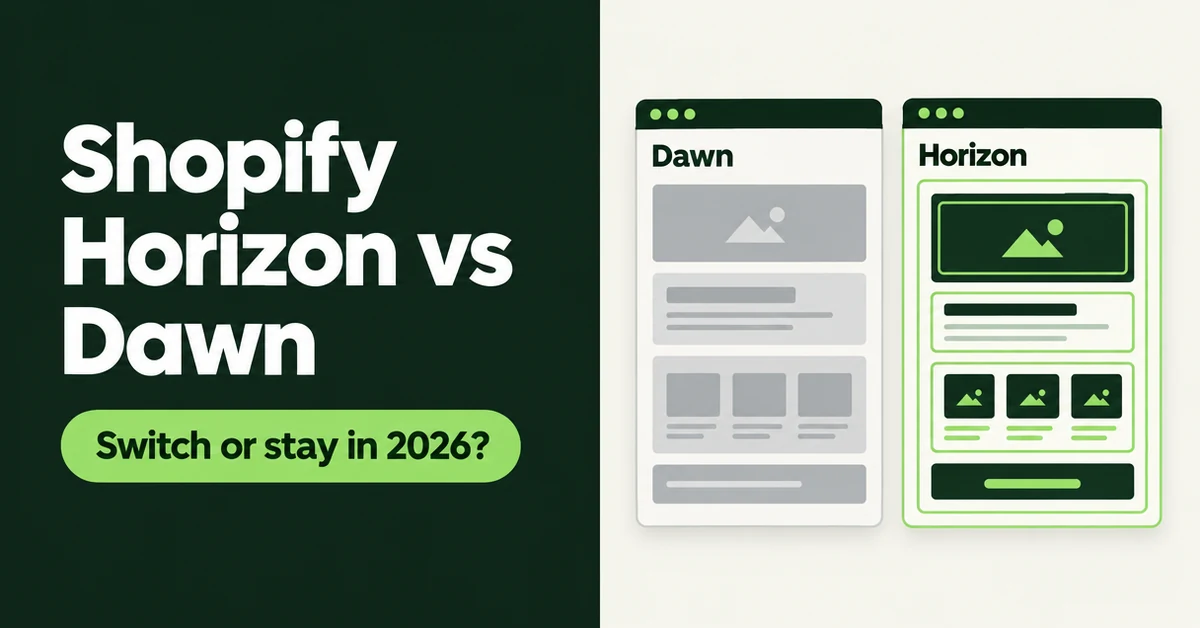
Shopify Horizon vs Dawn in 2026: Should You Switch Themes?
Shopify Horizon vs Dawn in 2026: compare blocks, features, speed, and store counts, then use our checklist to decide whether to switch or stay on Dawn.

Shopify Canvas Explained: What Merchants Get From Sidekick's New Design Surface (2026)
Shopify Canvas explained for SMB merchants: what Sidekick's new design surface is, how it differs from the theme editor, and careful 2026 adoption tips.