
PrestaShop to Shopify Migration: The Complete Step-by-Step Guide (2026)
A PrestaShop to Shopify migration is really five smaller moves under one name: products, customers, order history, reviews, and URLs. Each one needs a different tool, and Shopify's own free migration app does not cover PrestaShop at all. This guide walks through the full move in the order that protects your rankings and customer accounts, with the exact Shopify limits that trip people up.
PrestaShop says more than 230,000 stores run on its software, generating €22 billion in GMV, and version 9.2 shipped in September 2026 with a unified one page checkout. So most merchants are not fleeing a dying platform. They are leaving the module upkeep, hosting bills, and developer dependency that come with self-hosting. If you only need the catalog, our narrower guide on importing products from PrestaShop to Shopify covers three product methods in depth. This page covers everything around them.
What Does a PrestaShop to Shopify Migration Actually Move?
It moves your data, not your store. Products, customers, historical orders, reviews, and URL redirects can all come across, while your theme, modules, and checkout settings get rebuilt in Shopify instead of transferred.
Here is how each piece travels:
- Products and combinations: a Shopify product CSV, a product importer app, or a full-store migration service. Combinations become variants.
- Customers: Shopify's native customer CSV import. Passwords never travel.
- Order history: no native Shopify import. You need a third-party importer or a full-store migration service.
- Reviews: exported from PrestaShop's database, then imported into a Shopify review app by CSV.
- URLs: a redirect CSV you build yourself and import into Shopify.
- Theme, modules, payments, shipping, and taxes: rebuilt by hand. PrestaShop themes are Smarty templates and Shopify themes are Liquid, so nothing ports over.
Treat each line as its own mini project with its own test. That framing is the difference between a migration that lands in a weekend and one that leaks orders for a month.
Can Shopify's Free Store Migration App Import From PrestaShop?
No. Shopify's free Store Migration app supports Square, WooCommerce, Etsy, Wix, Amazon, eBay, Clover, and Lightspeed R/X, and PrestaShop is not on that list, according to Shopify's own Store Migration guide.
Even for supported platforms, Shopify notes the app imports products and customers only. Orders, collections, navigation menus, SEO data, blog posts, pages, and reviews need separate tools. That leaves PrestaShop merchants three realistic routes:
- DIY with CSV files: free, slowest, and the most control. It suits catalogs of a few hundred to a few thousand SKUs when someone on the team is comfortable in spreadsheets.
- Mix and match: a product importer for the catalog, Shopify's customer CSV for contacts, an order importer for history, and your review app's CSV import for reviews.
- A full-store migration service: tools like LitExtension or Cart2Cart connect to PrestaShop and push several record types in one run. Get a quote on your real record counts before you commit.
We compared the trade-offs between these tools in our Shopify store migration apps comparison. The rest of this guide assumes the first two routes, because that is where most SMB stores land and where most mistakes happen.
How Should You Prepare PrestaShop Before Exporting Anything?
Start with a backup, a URL crawl, and a traffic baseline, then freeze catalog changes. Every later step checks its work against those files.
- Back up the database and the image folder. PrestaShop is self-hosted, so the backup is yours to make. A full SQL dump plus the
/imgdirectory is your rollback plan. - Crawl every live URL. Export product, category, CMS, and brand URLs with a crawler or from your sitemap. This list becomes your redirect map later.
- Record a 90-day baseline. Shopify recommends exporting top landing pages, top revenue pages, conversion rate by device, organic sessions, and keyword positions over a 90-day window, then comparing again 30 and 90 days after launch.
- Prune before you move. Disabled products, empty categories, and dead customer accounts are cheaper to delete now than to clean up in Shopify.
- Pick one shop if you run multistore. Each PrestaShop shop maps to its own Shopify store or to a market on one store. Decide before exporting, because the exports differ.
- Announce a change freeze. Shopify's migration guide recommends no new products, no price edits, and no active discount codes in the run-up to launch, and using that window for the final export.
How Do You Move PrestaShop Products and Combinations to Shopify?
Export the catalog, remap it to Shopify's product CSV or run it through an importer, and then fix combinations by hand where Shopify's limits bite. Products are the biggest file but usually the most predictable part of the move.
The structural mapping looks like this:
- PrestaShop combinations become Shopify variants. Shopify allows up to 2,048 variants per product, but only three option names, so a product with four attribute groups needs splitting.
- PrestaShop features (material, origin, care) become Shopify metafields. Create the metafield definitions before you import.
- PrestaShop categories become Shopify collections. Deep category trees flatten, so plan smart collections by tag or product type instead of rebuilding every level.
- PrestaShop brands usually map to Shopify's Vendor field.
Shopify's product CSV has a 15 MB file limit, and every variant row must share its parent's Handle. PrestaShop exports often store weights in kilograms and prices excluding tax, while Shopify's CSV expects grams and the price you actually charge, so check both columns before upload.
For public product pages, Migratify can import products by URL from many public websites. PrestaShop is not a named source in its URL import docs, so test one product page first. The Free plan covers 5 products in total, paid plans have no import limit, and Migratify moves products only, not customers, orders, or reviews. The product guide linked above walks through the CSV column mapping line by line.
How Do You Migrate PrestaShop Customers Without Their Passwords?
Export customers from PrestaShop, reshape the file to Shopify's customer CSV template, and import it from Customers in your Shopify admin. Passwords stay behind, and in 2026 that matters far less than many migration vendors suggest.
Shopify's customer import rules are short but strict:
- The file must be a UTF-8 CSV of 15 MB or smaller. Split bigger lists into several files.
- The Email column must exist, even if some values are blank.
- Duplicate emails or phone numbers are skipped, and only the last matching profile is imported. Dedupe in the spreadsheet first.
- Total Spent and Total Orders don't import, so lifetime value from PrestaShop won't show on the profile.
- Accepts Email Marketing takes only yes or no. Mark yes only for customers who opted in on PrestaShop.
Map PrestaShop's first name, last name, email, and newsletter flag across, and pull default addresses from the address export. During import, Shopify lets you tag the batch and build a segment from it, so use a tag like prestashop-import and you can email that group separately at launch.
Hot take: paying extra to "migrate customer passwords" is money spent on a problem Shopify already removed. Shopify customer accounts sign in with a one-time code, so an imported customer has a working account the moment their email lands.
Shopify's customer accounts use passwordless sign-in: the shopper enters their email, receives a 6-digit code, and stays signed in for up to 365 days. If their email matches an imported profile, they already have an account. Send one launch email explaining the new sign-in and skip the password reset campaign.
Can You Bring PrestaShop Order History Into Shopify?
Yes, but not with Shopify's built-in tools. The customer CSV can't carry order information, and Shopify says order imports need a separate third-party app, so historical orders go through an importer or a full-store migration service.
The common DIY route is Matrixify's order import. You export PrestaShop orders and order lines, reshape them into Matrixify's Orders template, and import with the NEW command. Its Processed At column sets the original order date, which is the date Shopify shows on the order and uses in reports. Link each order to its customer by email so the history appears on the profile.
Before you spend a day on it, ask whether you need order history inside Shopify at all. It matters if customers expect to see past orders in their account, if you run reorder or win-back flows, or if your returns window spans the cutover. If none of those apply, export orders to a CSV archive for accounting and start Shopify with a clean order log. Either way, import a handful of test orders first and confirm no confirmation emails fire for old orders.
How Do You Move PrestaShop Product Reviews to Shopify?
Export reviews from PrestaShop's database, map them to your Shopify review app's CSV template, and import them after products exist. Reviews attach to products by handle, so they always go last.
PrestaShop's free Product Comments module stores reviews in its own table, usually ps_product_comment, with the product ID, reviewer name, title, text, star grade, approval flag, deleted flag, and date. You can pull them with a SELECT query in Advanced Parameters > Database > SQL Manager and export the result as CSV. Keep only approved, non-deleted rows.
Then swap each PrestaShop product ID for the new Shopify handle. If you use Wise Reviews, its CSV import needs Product handle, Rating, Review date, and Reviewer name, takes up to 3,000 rows per file, and accepts photo and video URLs. CSV uploads don't spend the Free plan's lifetime 300 marketplace imports, but imported reviews still count toward the hold limit of 100 at a time on Free. Our guide to switching review apps without losing star ratings covers the same mapping for other sources.
How Do You Map PrestaShop URLs to Shopify 301 Redirects?
Build a two-column sheet of old PrestaShop paths and new Shopify paths, then import it under Content > Menus > View URL redirects. This is the step that decides whether your Google traffic survives the move.
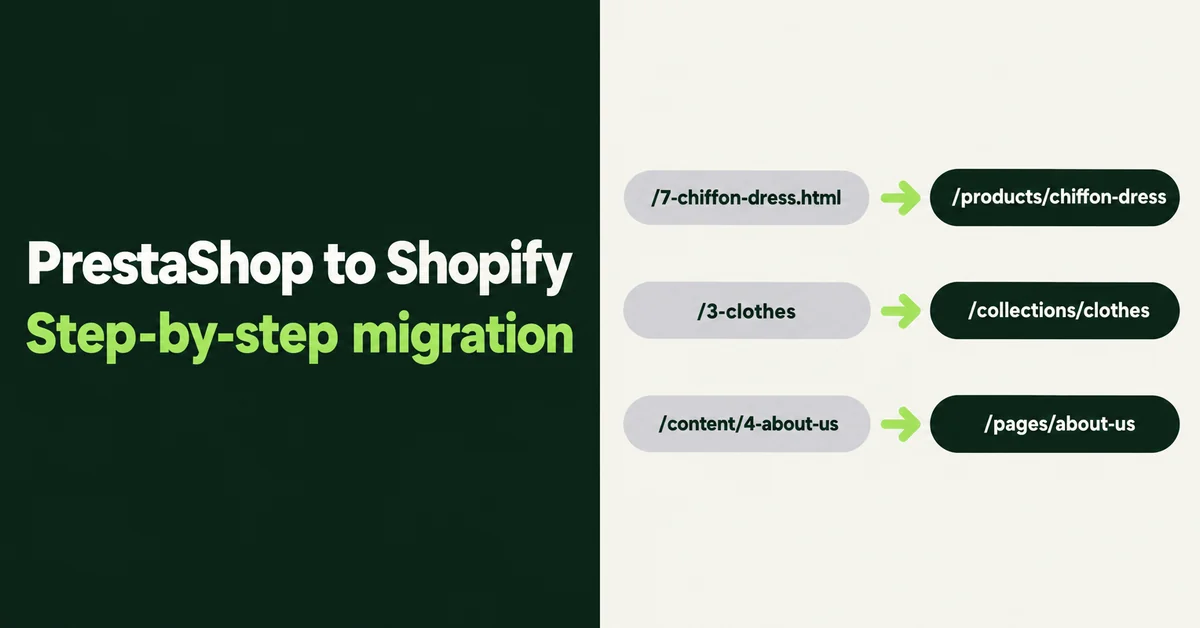
PrestaShop's default product route is {category:/}{id}-{rewrite}{-:ean13}.html, which produces URLs like /summer-dresses/7-printed-chiffon-dress.html, per the PrestaShop SEO and URLs docs. Shopify products always live at /products/handle, collections at /collections/handle, and pages at /pages/handle. Every old URL changes, so every indexed URL needs a row.
The number inside each PrestaShop URL is your join key. Match it to the ID column in your export, look up the new Shopify handle, and write the redirect. Do the same for category URLs like /3-clothes, CMS pages like /content/4-about-us, and brand pages.
Shopify's URL redirect rules add a few traps:
- Redirects only fire from broken URLs. If an old path still loads a page on Shopify, the redirect won't work.
- Stores can hold up to 100,000 redirects, or 20 million on Shopify Plus.
- Old URLs with query strings, like PrestaShop's non-friendly
product.php?id_product=27, might not redirect as expected. Map what you can and accept that some legacy query URLs will fade. - Language prefixes such as
/en/or/fr/from a multilingual PrestaShop need their own rows.
Import the CSV, then spot-check 20 old URLs from your crawl. Our step-by-step on setting up 301 redirects after a Shopify migration covers bulk testing and redirect chains.
What Should Happen During Cutover Week?
Cutover is a short, scheduled event: freeze, final sync, redirects, domain, and test orders, ideally on your quietest trading day. Keep PrestaShop's files and database archived once the domain moves, in case you need to look something up.
- Freeze PrestaShop. Tell staff to stop editing products and prices, and end running promotions.
- Run the delta. Re-export customers and orders created since your test migration and import only the new rows.
- Import redirects first. Do it before you point the domain, so the first crawl after cutover gets 301s, not 404s.
- Connect the domain in Shopify and update DNS. Leave your email records alone.
- Place real test orders with each payment method, a discount code, and your busiest shipping zone.
- Submit the Shopify sitemap at
/sitemap.xmlin Google Search Console and check the Pages report for new 404s daily for two weeks. - Email customers about the new store and the new code-based sign-in.
How Long Does a PrestaShop to Shopify Migration Take?
Most stores finish inside a quarter, and simple catalogs in a few weeks. Shopify says most businesses complete their migration in less than three months, and it cites heritage retailer Le Chameau finishing in five weeks after originally forecasting 19.
For a typical SMB catalog, a rough plan looks like this. Week one is audit, backup, crawl, and Shopify setup. Weeks two and three cover products, combinations, and the theme rebuild. Customers, reviews, and the redirect sheet usually fit in a few days after that, followed by a cutover weekend. Orders and custom modules are where timelines stretch, so scope them early.
Our Shopify migration timeline breakdown shows where projects usually stall, and the Shopify migration checklist is worth printing and ticking off as you go. Move products first, protect URLs second, and let everything else follow the plan.

Migratify: Copy Products + AI
SponsoredProduct import made easier! Effortlessly migrate products from 100+ platforms.
Related Articles
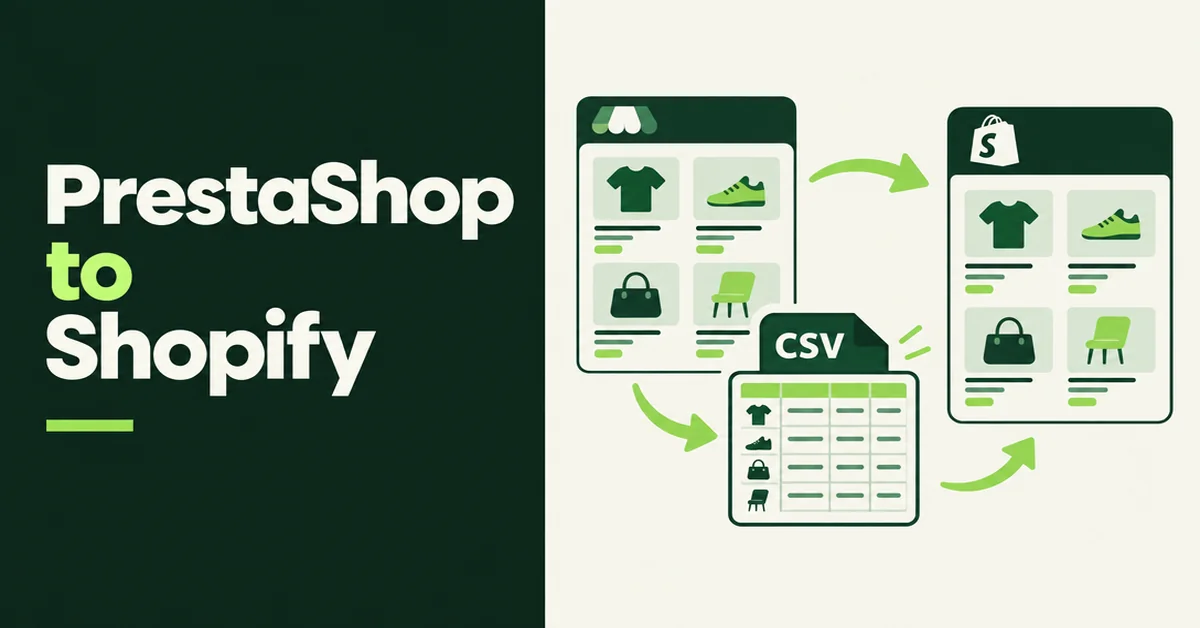
How to Import Products from PrestaShop to Shopify (3 Methods That Work)
Import products from PrestaShop to Shopify with 3 methods that work: remapped CSV, public URL import, or manual. Fix combinations, handles, and weights.
Migration traffic drops start with missed URLs. Learn how to set up 301 redirects after a Shopify migration, from redirect mapping to bulk CSV uploads.

Shopify Migration Checklist: Everything to Move Before You Switch Platforms
Use this complete Shopify migration checklist to move products, customers, orders, SEO data, and apps without losing sales when you switch platforms today.

Shopify Store Migration Apps Compared in 2026: Free App vs LitExtension, Cart2Cart, Matrixify, Migratify
Shopify store migration apps compared in 2026: free Store Migration vs LitExtension, Cart2Cart, Matrixify, and Migratify. Pick by what each actually moves.

Shopify Migration Timeline: How Long Does It Actually Take (And How to Speed It Up)
Wondering how long a move takes? See a realistic Shopify migration timeline by store size, the biggest causes of delay, and how to launch weeks faster.

How to Clean Up Product Data After a Shopify Migration (Duplicates, Variants, Tags, and More)
Duplicate products, broken variants, orphaned metafields? Here's how to clean up product data after a Shopify migration, fast and without wrecking SEO.