
How to Migrate Magento Configurable Products to Shopify Variants (4 Methods)
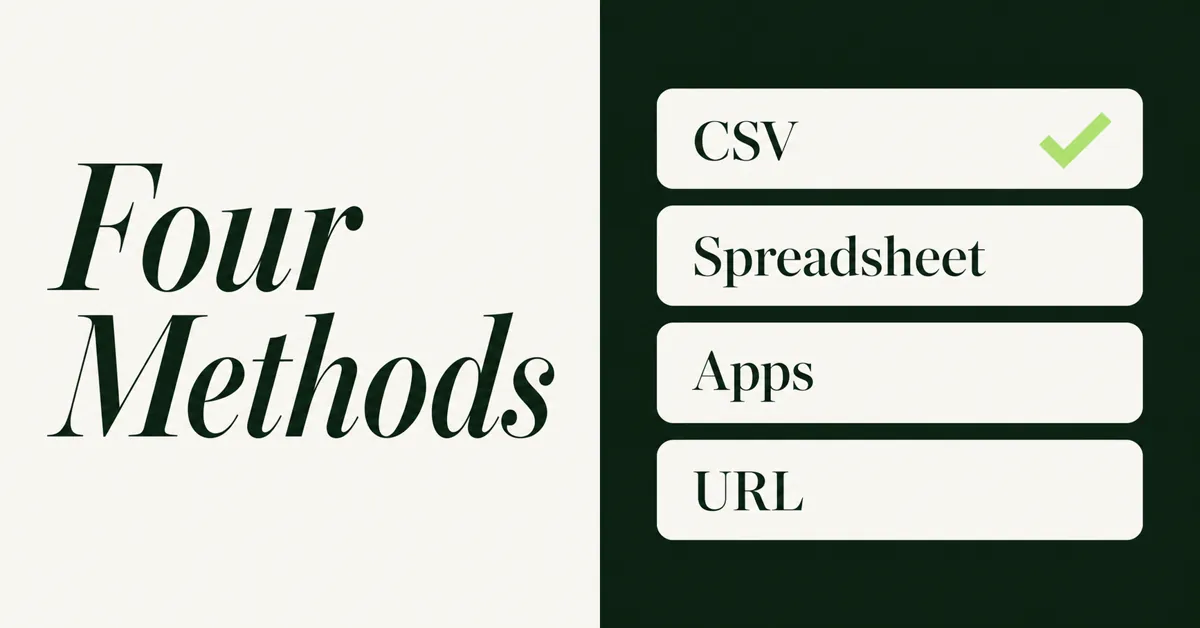
To migrate Magento configurable products to Shopify variants, you flatten Magento's parent-plus-child SKUs into one Shopify product with up to three option types. Skip the grouping step and every Magento simple becomes its own Shopify listing.
Adobe treats a configurable as a parent of multiple simple products. Shopify stores those combinations as variants on one product. That mapping is the job of this page. For customers, passwords, reviews, and 301s, use the complete Magento to Shopify migration guide.
StoreLeads counted 103,381 live Magento stores on 28 Aug 2026, and Magento lost 1,603 merchants to other platforms in the prior 90 days. Adobe Commerce 2.4.6 standard support ended on 11 Aug 2026, and 2.4.5 extended support ended the same week. Catalog mapping is no longer a side task.
Why Do Magento Configurable Products Break on a Naive Shopify Import?
They break because Magento and Shopify store the same offer in different shapes. Magento keeps a parent SKU plus separate simple children. Shopify wants one product and a row of variants.
Adobe's tutorial is blunt: the buyer must pick one or more choices (size and color on a shirt) to select a specific simple. Those simples often sit at Not Visible Individually so shoppers never land on the child PDP. A raw Magento product export still lists each simple as its own row. Shopify's CSV importer does not guess Magento parent links. If each child has a unique Handle, Shopify creates a unique product.
That is the silent failure. You thought you moved one configurable. You actually published 24 shirts that all look like the parent, none of which share inventory or reviews. Historical Magento order lines that pointed at child SKUs also stop matching unless those SKUs land on Shopify variants, not on 24 separate products.
Magento custom options are a second trap. Engraving, gift wrap, and file upload were never child SKUs. They will not become Shopify variants. Flag them in the audit, then rebuild them as leftover options after the catalog lands.
What Are Shopify Variant and Option Limits in 2026?
Shopify lets you create up to 2,048 variants per product, and each product still stops at three options. The option ceiling did not rise with the variant ceiling.
Shopify Help Center states both caps on the same page: 2,048 variants, three options such as size, color, and style. The 2,048 limit went live for all merchants on 15 October 2025, replacing the old 100-variant cap. Guides that still say 100 are stale. Trust Help Center, not a 2024 agency post.
Shopify's 15 Oct 2025 announcement also notes more than 6,500 app partners migrated to the GraphQL product APIs, admin creation at the 2,048 limit improved 10 times during the project, and single-variant products became 33% faster in admin. Apps still on REST can look broken above 100 variants. Check your theme and your migrate tool before you import a 400-combination configurable.
Two more caps matter on large catalogs:
- You can attach up to 250 media items per product, and each variant can use one of those items.
- Stores with 500,000 or more variants (Shopify Plus exempt) can create only 10,000 new variants per 24 hours via CSV or API.
Most Magento to Shopify configurable failures are not the old 100-variant cap. That ceiling moved to 2,048 in October 2025. The silent killer is still three option axes plus ungrouped child SKUs. If your CSV leaves every Magento simple as its own Shopify product, you did not migrate a catalog. You exploded it.
How Should You Audit Magento Configurables Before You Export?
Count variation attributes on each configurable, not just SKU count. Three axes or fewer can map 1:1. Four or more need a split, a dropped axis, or an options app.
Export products from Magento at System > Data Transfer > Export (Adobe's data export docs). Then build a one-afternoon spreadsheet with one row per configurable:
- Parent SKU and name
- Number of variation attributes (the axes shoppers must pick)
- Child SKU count and whether it exceeds 2,048 combinations
- Custom options sitting beside the configurable (engraving, gift wrap, file upload)
- Price deltas on children vs parent
- Whether children are Not Visible Individually
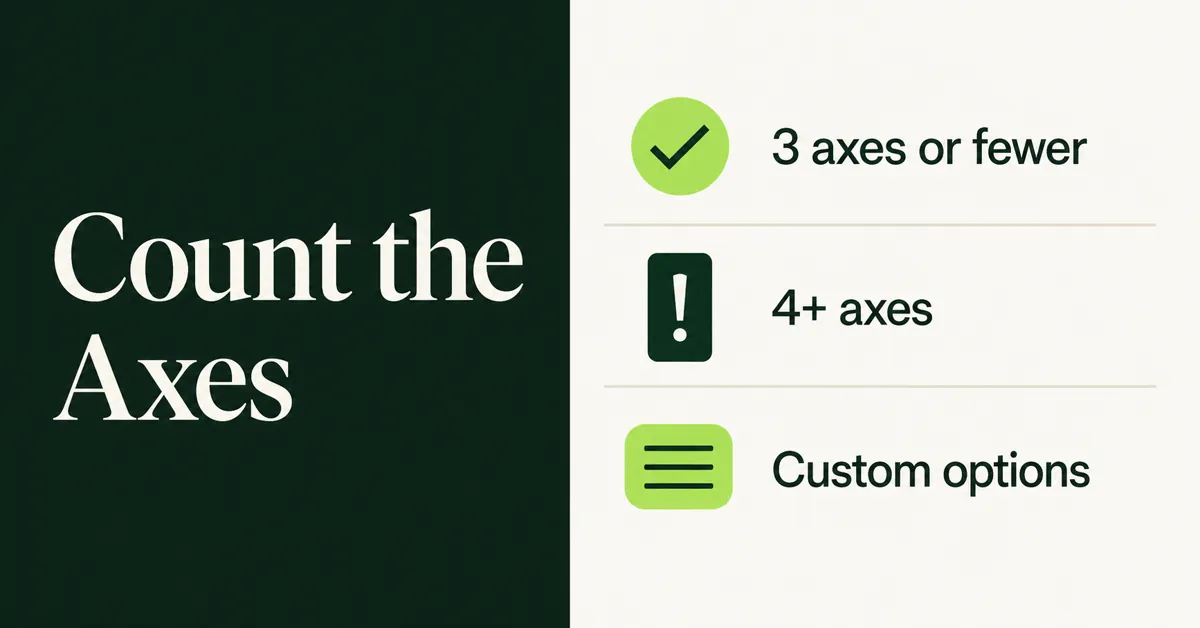
Flag anything with more than three axes, more than 2,048 combinations, or Magento custom options that were never variants. Those extra fields will not become Shopify options. Use the Shopify migration checklist for the rest of the project, but finish this axis count before you pick a method.
A 20-product test set is the other audit output. Pick a 2-axis winner, a 3-axis winner, a 4-axis problem child, and one configurable with custom options. Import those first. Do not learn the mapping on 2,000 SKUs.
How Do You Migrate Magento Configurable Products to Shopify Variants With a CSV?
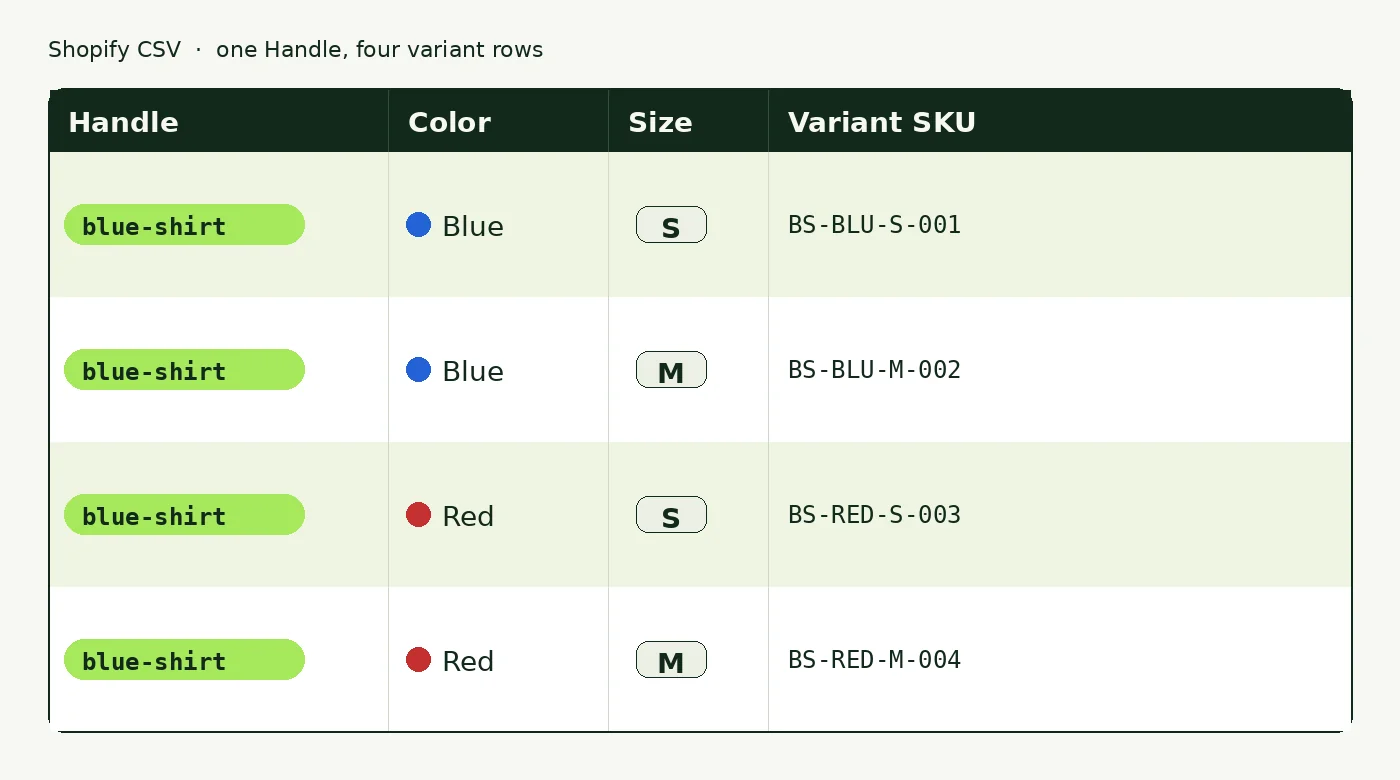
You export Magento products, drop standalone child rows as separate products, and write every child as a Shopify variant row that shares one Handle. Shopify groups rows into one product when the Handle matches.
Shopify's product CSV needs a Title for new products. When you add variants, the Handle is required too. Option1 Name and Option1 Value are required once you start writing variant rows. A product can have up to three options. If it has only one, Option1 Name should be Default Title.
Do the transform in this order:
- Export Magento products. Keep parent and child SKUs in the file.
- Identify each configurable parent and its simple children.
- Pick one Handle from the parent URL key (hyphens, no spaces). Reuse that Handle on every child row.
- Put Magento attribute 1 in Option1 Name/Value, attribute 2 in Option2, attribute 3 in Option3.
- Put each Magento child SKU in Variant SKU. Keep those SKUs so inventory and old orders still match.
- Put child price, qty, weight, and barcode on the variant row, not only on the parent.
- Put variant images in Variant Image. Product gallery images go in Image Src on extra rows that repeat the Handle.
- Do not import Magento child simples as their own Shopify products. If a child was visible on Magento and you still need that URL, 301 it to the parent Handle later.
Field mapping that actually matters:
- Magento child SKU to Variant SKU
- Magento parent name to Title (first row only)
- Magento description to Body (HTML) on the first row
- Magento price / special_price to Variant Price / Variant Compare At Price
- Magento qty to Variant Inventory Qty (single location) or a later inventory CSV
- Magento color / size / material to Option1, Option2, Option3 values
Save UTF-8 with LF line feeds. Duplicate option combinations fail with "options are not unique." Blank prices fail too. Encoding, Handle rules, and the rest of Shopify's CSV gotchas live in how to import products to Shopify from a CSV. Run the 20-product test. Then run the rest.
How Do You Use Matrixify for Magento Parent-Child Grouping?
Use Matrixify when you want Magento files turned into Excel you can inspect before Shopify writes anything. The app understands Magento export files, then you clean groupings in a spreadsheet instead of a blind import.
Matrixify's Magento migration page says you upload Magento files, adjust data in Excel, and import. Product migration can also create collections from Magento categories, write custom fields as Shopify metafields, and generate redirects from Magento URLs to Shopify product URLs. That is more than native CSV. It is still not a Magento admin connector that rebuilds bundle math.
Practical sequence:
- Set Shopify timezone, currency, and locations first. Matrixify reads those settings.
- Run a Matrixify dry-run on Magento product files so you get an Excel template without writing live products.
- Check that each Magento configurable became one product with variant rows, not a stack of simples.
- Fix Handles, option names, and child SKUs in Excel. Drop a fourth axis here, not after go-live.
- Import the 20-product test. Confirm variants, images, and inventory. Then import the rest.
Matrixify can migrate customers and orders too, but those jobs wait until products exist. This page stops at configurables. Use Matrixify for parent-child grouping when you need to see every combination before it hits the admin.
How Do Automated Migration Apps Handle Magento Configurables?
Automated Magento-to-Shopify services try to map configurables to variants for you. They still cannot invent a fourth native Shopify option, and they still miss custom options that were never child SKUs.
Entity-priced tools such as LitExtension and Cart2Cart are built for a full Magento data move: products, customers, orders, and often CMS. They will attempt configurable mapping automatically. Demo the store they produce. Open a 3-axis configurable and a 4-axis configurable. Count variants. Check that child SKUs survived. If the demo explodes children into separate products, the paid run will too.
Rules that save you a redo:
- Ask the vendor to show Magento configurables on a demo, not only simple products.
- Confirm they map Magento child SKUs to Shopify variant SKUs.
- Confirm they do not create a Shopify product per Magento simple.
- Do not expect a fourth Magento attribute to become a fourth Shopify option. That ceiling is Shopify's, not the app's.
- Keep a CSV backup of parent-child links so you can rebuild if the automated map is wrong.
For a wider field of migrate tools, see the best Shopify store migration apps in 2026. No app is best overall. A 400-SKU catalog is a different job from a 20,000-SKU Adobe Commerce store with custom options.
When Does a URL Product Import Make Sense for Magento Configurables?
A URL import makes sense when you need the public Magento product page copied as a Shopify product with its variants, not when you need Magento admin data, customers, or orders. Paste a live product URL. Preview the variants. Then import.
Migratify's App Store listing names Magento among platforms it works with, alongside WooCommerce, BigCommerce, Amazon, and others. The workflow is still a public URL, not a Magento connector. Migratify's URL import docs say you paste a product link, the app auto-detects the source, and it works for most public websites. Named sources in those docs are Shopify, Amazon, Etsy, Lazada, Daraz, BigCommerce, plus other public pages. A public Magento PDP can sit in that last bucket. Captcha-protected sites need the Chrome extension. Magento admin behind a login will not validate.
What actually copies, per Migratify's data FAQ: title, description, images (a variant image is matched when the source provides one), variants and options, price, compare-at price, SKU, barcode, tags (up to 30), vendor, and product type. Videos are skipped. Amazon and Etsy imports are capped at 100 variants each. That Amazon/Etsy cap is not a Magento cap, but Shopify's own daily new-variant limit still applies. Migratify does not import customers, orders, or reviews.
Use a URL import for:
- A leftover Magento configurable that a CSV pass missed
- A small Magento catalog you can paste as product URLs
- A public Magento PDP whose variant picker already shows the combinations you sell
Do not use it as your only Magento migrate. Passwords, orders, reviews, and redirects still need other tools. That boundary matches what a store migration app does not move. Free Migratify is 5 products total, not 5 per month. Paid plans drop the import cap. Import as drafts on a large pass so you can spot-check variants before they go live.
What If Your Magento Product Has Four or More Attribute Axes?
Shopify will not store a fourth option type on one product, on any plan including Plus. You split the product, drop an axis, or move leftover choices into an options app.
Three honest paths:
- Split the product. Turn "Blue Shirt, Cotton" and "Blue Shirt, Polyester" into two Shopify products, each with Size and Color. Simple. Reviews and SEO then split across URLs. Combined Listings on Shopify Plus can group split products on one page. That is merchandising, not a fourth native option.
- Keep three axes as variants, move leftovers to an options app. Magento custom options (text, file upload, gift wrap) belong here even on 2-axis products. Optionize documents that Shopify variants stop at 3 option types and that the app adds text boxes, dropdowns, swatches, file uploads, and date pickers on top. It is leftover Magento custom options, not a Magento migrate. See Shopify product options limits for the destination constraint.
- Drop an axis shoppers never used. If Length plus Fit plus Material plus Color plus Size produced combinations nobody bought, migration is a good time to stop selling them. Collapse the weak axis into a metafield or product description.
Count combinations before you split. 16 colors by 8 sizes by 16 lengths is 2,048 variants exactly, and it still uses only three options. That product maps. A fourth axis does not, even at 50 total SKUs.
How Do You Verify Variants After Import Without Rebuilding Twice?
Spot-check variant count, images, SKUs, prices, and inventory on the test set before you import the rest of the catalog. A 20-product pass is cheaper than a 2,000-SKU cleanup.
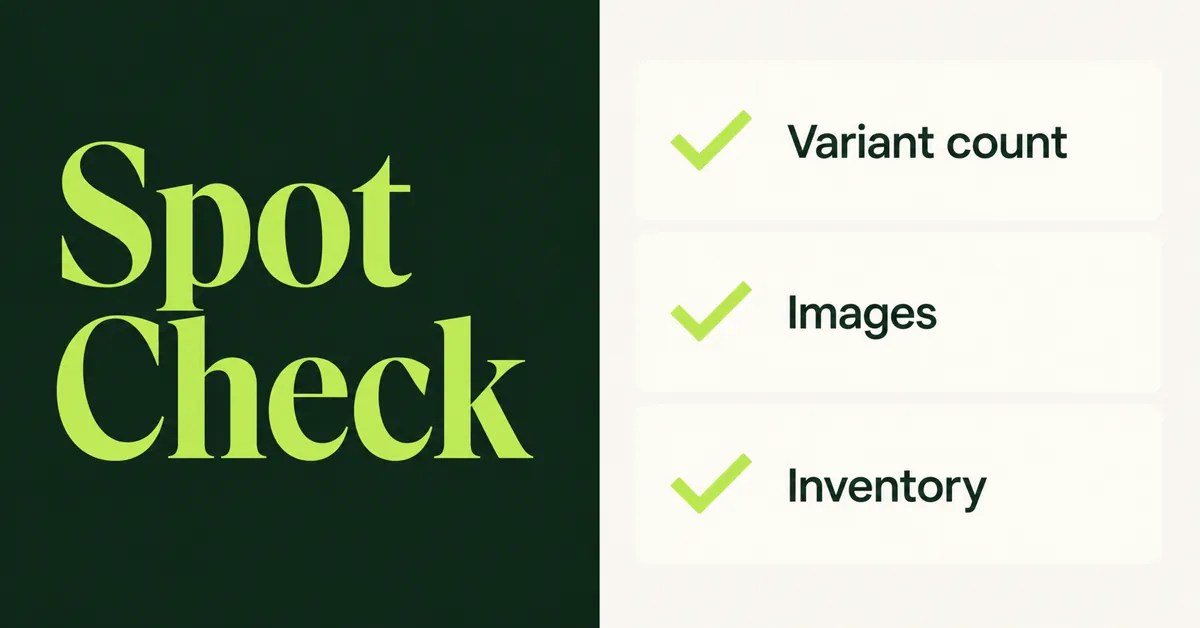
Open each test product in Shopify admin and confirm:
- Variant count matches Magento child count (or the reduced count you planned)
- Option names match Magento attributes, in the order shoppers expect
- Each Magento child SKU exists on the matching variant
- Prices and compare-at prices sit on the variant, not only on the product
- Inventory quantity is on the right location
- Variant images match color or size, not a random gallery shot
- No leftover Magento simples exist as duplicate Shopify products
Place a test order for a 2-axis SKU and a 3-axis SKU. If a combination 404s or shows the wrong image, fix the Handle grouping before the full import. Duplicate Handles, exploded children, and messy tags after a migrate get a dedicated cleanup in how to clean up product data after a Shopify migration.
You are done with this job when a shopper can pick the same Magento configurable they used to buy, see the same SKU on the order, and not land on 24 duplicate PDPs. The CSV landing in Shopify is the midpoint, not the finish.

Migratify: Copy Products + AI
SponsoredProduct import made easier! Effortlessly migrate products from 100+ platforms.
Related Articles

Magento to Shopify Migration: The Complete Step-by-Step Guide for 2026
A Magento to Shopify migration for 2026: compare tools, map configurables to variants, import reviews via CSV, reset passwords, and upload 301 redirects.

How to Import Products to Shopify from a CSV File (Without Errors)
Learn how to import products to Shopify from a CSV file without errors. Covers formatting, variants, images, and detailed fixes for every common issue.
Shopify Store Migration App: What It Does Not Move in 2026
The Shopify Store Migration app imports products and customers only. See what it does not move in 2026, plus how to run the official importer correctly.

Shopify Store Migration Apps Compared in 2026: Free App vs LitExtension, Cart2Cart, Matrixify, Migratify
Shopify store migration apps compared in 2026: free Store Migration vs LitExtension, Cart2Cart, Matrixify, and Migratify. Pick by what each actually moves.

How to Clean Up Product Data After a Shopify Migration (Duplicates, Variants, Tags, and More)
Duplicate products, broken variants, orphaned metafields? Here's how to clean up product data after a Shopify migration, fast and without wrecking SEO.

Shopify Migration Checklist: Everything to Move Before You Switch Platforms
Use this complete Shopify migration checklist to move products, customers, orders, SEO data, and apps without losing sales when you switch platforms today.