
How Shopify Agencies Migrate a Client Store (Products, Reviews, and Handoff)
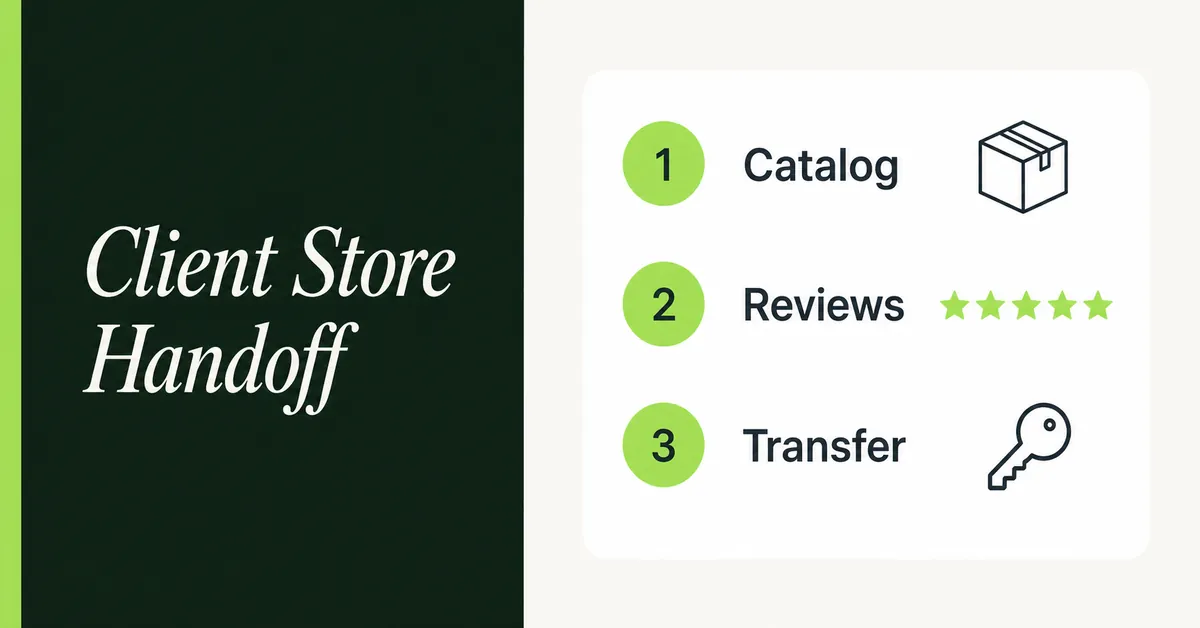
A Shopify agency client store migration is three jobs in order, not an app shopping list. You move the client's catalog onto Shopify, you import existing reviews so product pages are not empty on day one, then you transfer a client transfer store without breaking billing. The apps developers use to set up client stores fast already exist as a roundup. This page is the checklist you sell and repeat.
Agencies lose hours on the wrong store type, a catalog that never maps to reviews, and a transfer that expires because the client ignored the email. Build on a client transfer store. A Partner dev store cannot go to the merchant.
The money is not in installing 12 apps. The money is a repeatable migrate-then-import-reviews-then-transfer checklist you can run on every Partner build.
What Does a Shopify Agency Client Store Migration Include Before Handoff?
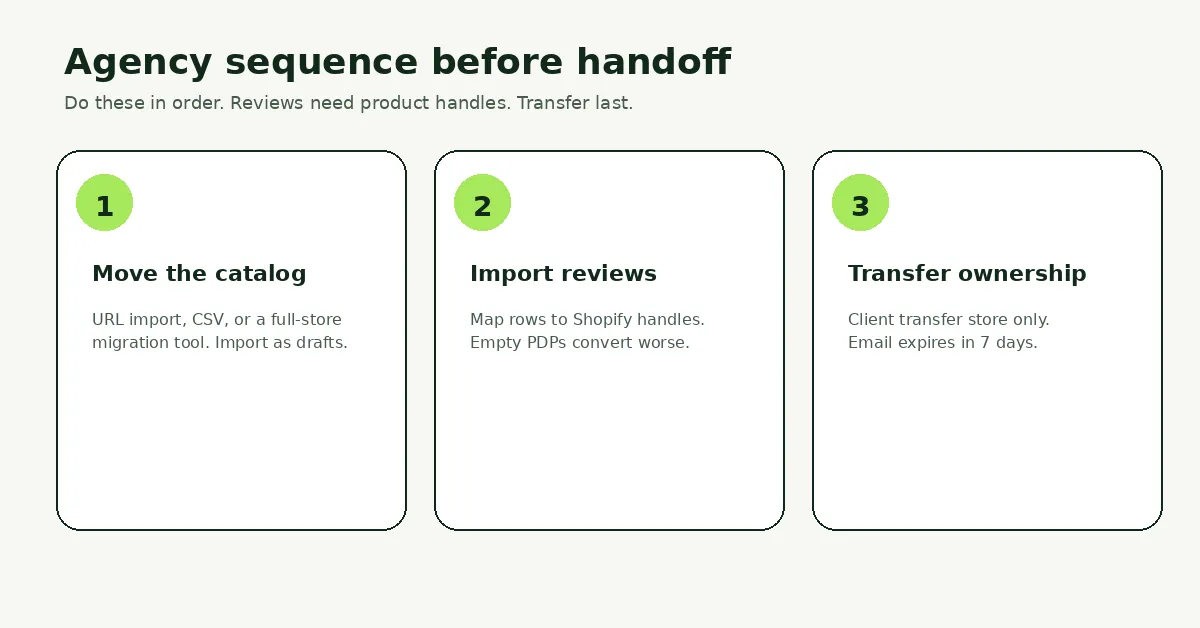
It includes intake, a client transfer store, catalog import, review import, then ownership transfer. Theme polish and 301s sit around that spine. They are not the spine.
Shopify's 2026 Partner docs split store types. A dev store is for app and theme testing. It is not transferable. A client transfer store is what you build and hand off. Collaborations are access on a store the merchant already owns. Pick the first one wrong and you rebuild.
Run the jobs in this order:
- Collect source access, SKU count, review sources, and the client's billing email.
- Create a client transfer store in the Dev Dashboard, not a dev store.
- Move products. Import as drafts until SKUs and handles look right.
- Import reviews onto those handles so the theme is not empty.
- Test checkout with Bogus Gateway, then send the transfer email.
For Magento catalogs, keep this page for the agency sequence and use the Magento to Shopify migration complete guide for platform-specific mapping. For WooCommerce, the product path lives in the WooCommerce to Shopify product transfer guide.
What Should You Collect in Intake Before You Touch Shopify Admin?
Collect source URLs, admin access, SKU count, where reviews live, brand files, and the email that will accept the transfer. Do not start the build on a half-filled form.
The fastest agencies front-load decisions. Waiting on a logo or a review export is what turns a five-day job into three weeks. Write the intake as a ticket the client signs off, then freeze it.
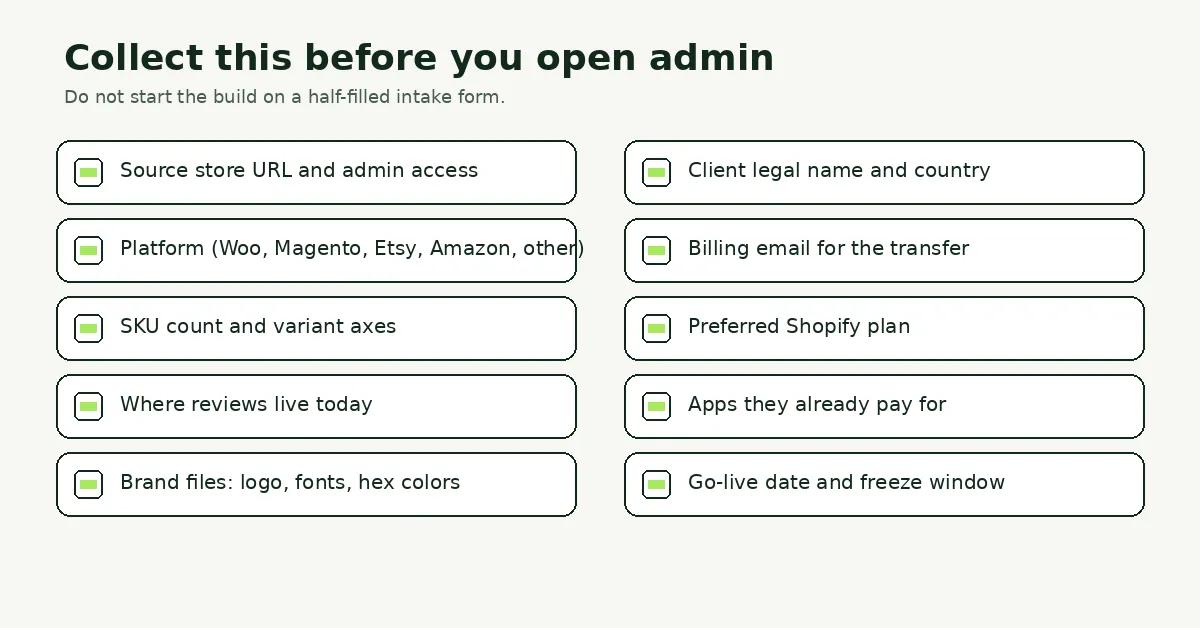
Minimum fields:
- Source storefront URL and a staff login (or a CSV dump if admin is locked).
- Platform name: WooCommerce, Magento, Etsy, Amazon, Shopee, Shopify-to-Shopify, or other.
- SKU count and how many option axes sit on the largest product.
- Where reviews live: marketplace pages, Magento tables, Judge.me, Loox, or a CSV.
- Client legal name, country, and the email that will own Shopify billing.
- Apps they already pay for and want kept after handoff.
- Go-live date and a content freeze window on the old store.
If the catalog uses leftover custom options that are not variants (engraving, file upload), flag that in intake so you can rebuild them after products land with an options app such as Optionize, then document the setup for the client.
How Do You Create a Client Transfer Store Instead of a Dev Store?
You create a client transfer store from the Dev Dashboard, then you build and transfer that store. A 2026 dev store cannot be converted into a live merchant store.
Shopify's Partner help on client transfer stores is the source of truth. The old habit of "spin a development store and transfer it later" is how Partners now strand a finished theme. The July 2026 Partner forum thread is the same mistake, posted in public.
Create the store:
- Log in to the Dev Dashboard.
- Open Stores, then Create store, then Client transfer store.
- Set the name. That sets the myshopify.com URL and cannot change later.
- Set the client's country or region. Enable Plus only if the SOW actually needs Plus features.
- Create the store. It is password-protected while it sits in your organization.
Limits while you still own it, per Shopify's client transfer docs:
- You can install free apps and partner-friendly apps only. Custom and draft apps cannot be installed.
- Real transactions are off. Use Bogus Gateway or Shopify Payments test mode. Unlimited test orders are allowed.
- You cannot change the plan. The client picks a plan when they accept the transfer.
- The password page stays until the store leaves your organization.
That last pair matters for billing. Stores transferred on or after 10 August 2026 can earn 20 percent of the subscription fee plus 0.1 percent of eligible online GMV for four years. Collaborator access on a merchant-owned store does not qualify. Use the transferable store type if you want the commission.
How Do You Move the Client's Catalog Onto Shopify?
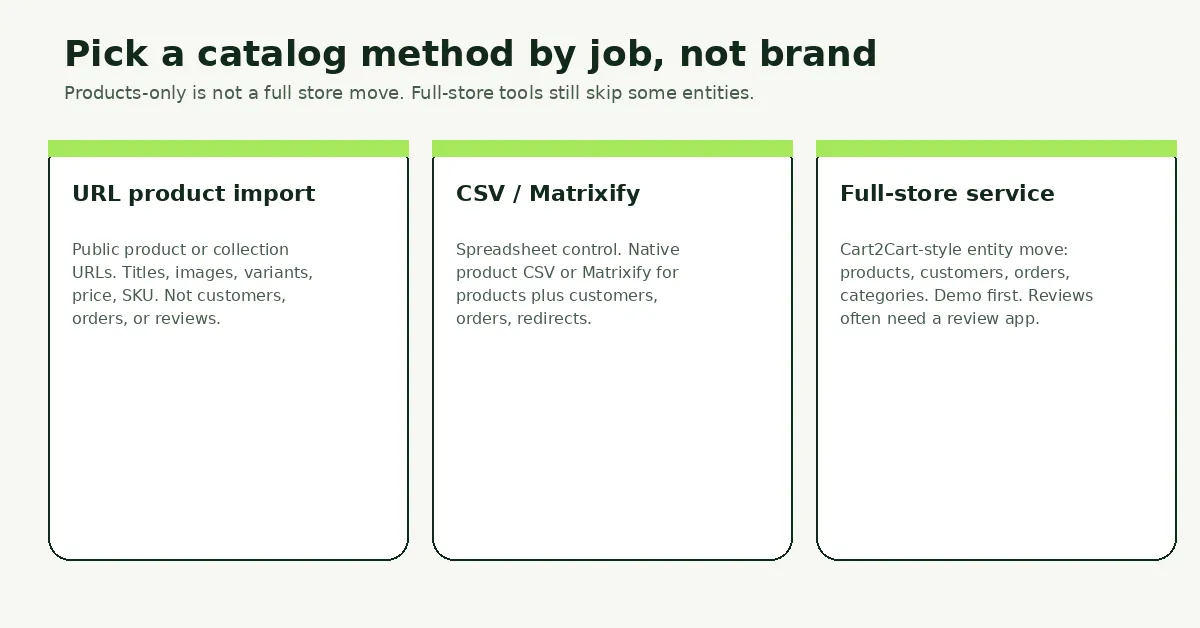
You pick a method by the job: URL product import for public listings, CSV or Matrixify for spreadsheet control, or a full-store service when customers and orders must move too. No single tool does every entity.
Import as drafts. Spot-check handles and variant SKUs before you publish. Reviews will key off those handles later. If you have never built a Shopify product file, use how to import products to Shopify from a CSV as the field reference.
URL product import
Paste a public product, collection, or storefront URL and copy listings into the client transfer store. Migratify's App Store listing describes URL import from Amazon, Etsy, eBay, WooCommerce, BigCommerce, Magento, and 100+ other sites, with a Chrome extension for Shopee, AliExpress, and other captcha-protected pages.
What actually lands, per Migratify's data FAQ: title, description, images, variants and options, price, compare-at price, SKU, barcode, tags (up to 30), vendor, and product type. Videos on the source page are skipped. Amazon and Etsy imports cap at 100 variants per product. A whole Shopify-store import caps at 10,000 products.
Migratify does not import customers, orders, or reviews. Collections are not copied either, though you can drop every product from an import into one existing manual collection. Free plan is 5 products total, not 5 per month. Standard is $14/month with unlimited imports. Plus is $29/month. Magic Edit can rewrite titles, descriptions, and tags during import (5 credits on Free, 25 on Standard, 5,000 on Plus). Import settings let you keep products as drafts, set a price multiplier, and turn on inventory tracking.
Use URL import when the source is a public catalog you have the right to copy, or when you need leftover SKUs a CSV pass missed. Do not sell it as a full Magento or WooCommerce replatform.
CSV or Matrixify
Use native product CSV when the client already has a clean spreadsheet. Use Matrixify when you need Excel dry-runs and more entities: products, collections, customers, orders, pages, redirects, and metafields. Matrixify documents dedicated Magento file handling and a WooCommerce API path. Product CSV still will not carry reviews. That is a later job.
Full-store migration service
When the SOW includes customers and historical orders, pick a service that prices by entity. Cart2Cart's Shopify listing covers products, customers, orders, and categories from WooCommerce, Magento, Wix, BigCommerce, and 80+ other platforms, with a demo migration before you pay. Reviews are listed as a supported entity. Still run a 20-product demo and confirm SKUs survived. LitExtension is the same category of paid, entity-based move. Compare the field of tools in the Shopify store migration apps comparison for 2026. None of them is best overall. Match the source platform and the entity list.
After any catalog pass, fix exploded variants, duplicate handles, and junk tags before you touch reviews. A review row with no matching handle is a skipped row.
How Do You Import Existing Reviews So Launch Is Not Empty?
You import reviews after products exist, then you map each row to a Shopify product handle. Shopify has no native review CSV. A dedicated review app does the last step.
Empty PDPs convert worse. Northwestern's Spiegel Research Center found that a product with five reviews has a 270 percent greater purchase likelihood than a product with none. That is the agency argument for doing this before handoff, not as a "phase two" after the client is already live.
Two source types:
- Marketplace URLs (Amazon, Etsy, Shopee, AliExpress, and similar). A review importer that accepts those URLs, or a Chrome extension when the source is captcha-protected.
- Platform CSVs (Magento, WooCommerce, another Shopify review app). Export, map SKU to handle, upload.
Marketplace URL import
Wise Reviews imports photo and video reviews from AliExpress, Amazon, CJdropshipping, eBay, Etsy, HktvMall, Lazada, Shein, Shopee, Temu, Tokopedia, and Wish, matching its App Store listing (4.8 stars from 157 reviews at the time of writing). Amazon, Shopee, Shein, and Temu need the Wise Reviews Chrome extension. Other sources use a product URL paste.
Agency steps that stay the same across tools:
- Confirm the Shopify product exists and note its handle.
- In the review app, pick that product, paste the marketplace URL, set star filters, and import.
- Keep original dates and names. Do not rewrite 1-star comments.
- Tick the permission checkbox only for reviews of products the client actually sold.
Wise Reviews plan caps, from its pricing docs: 100 published reviews on Free, 50,000 on Standard ($9.95/month), unlimited on Plus ($19.95/month). Auto-sync of new marketplace reviews is Standard and Plus. Count the client's review total against the plan before you promise a number in the SOW.
Judge.me and Loox are the usual alternatives when the client already lives there, or when they want collection widgets the agency already knows. Judge.me documents a CSV template. Neither is the winner. Pick the app the client will keep after you leave, then import into that app once.
Shopee-specific quirks (no native export, extension-first) are documented in how to import Shopee reviews to Shopify.
CSV import from Magento or another review app
Magento is not a URL source. Export approved reviews, look up Shopify handles from SKU, then upload. The column map and the three methods live in how to import Magento reviews to Shopify.
Wise Reviews CSV import (Reviews, More actions, Import via CSV) requires product handle, rating, review date, and reviewer name. Files cap at 3,000 rows. Split bigger Magento tables. Media URLs can be comma-separated image or video links.
Install widgets on the product template before you call the theme "done." Collection-page stars are a separate toggle. Test one product with reviews and one product that should stay empty.
How Do You Transfer Ownership and Billing Without Breaking Apps?
You send the transfer from the Dev Dashboard after catalog, reviews, and a test checkout are done. The client accepts by email. Pending invites expire in seven days.
Shopify's transfer steps:
- On the Client transfer tab, open the three-dot menu on the store row.
- Select Transfer store.
- Enter the client's email. That must be an address they can log into Shopify with.
- Select Transfer. Tell the client to watch spam and to accept inside seven days.
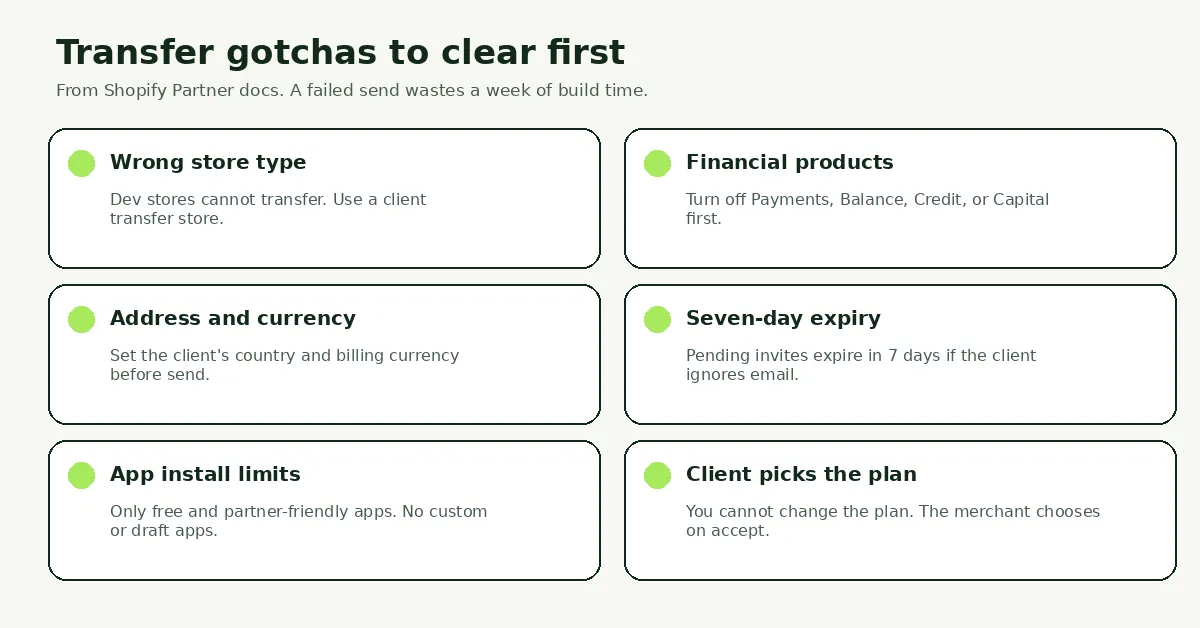
Clear these before you click Transfer, or the send fails:
- Financial products. Deactivate Shopify Payments, Shopify Balance, Shopify Credit, or Shopify Capital first. Active products block the transfer.
- Address and currency. Put the client's country on the store. Mismatched region creates tax problems after accept.
- POS. Set up POS before transfer if the client needs it. POS Pro becomes a per-location charge on a paid plan.
- App stack. Client transfer stores only accept free and partner-friendly apps. Confirm every app in the SOW actually installed during the build. After transfer, charges move onto the merchant's Shopify invoice. Some apps ask the new owner to approve a charge. Test that path on a throwaway client transfer store, not on launch day.
After accept, the merchant owns the store and it leaves your organization. Shopify says you keep collaborator access by default so you can still work the first week. Track status on the Client transfer tab: no status (still yours), Pending transfer (waiting, 7-day clock), Transferred.
Do not transfer until:
- Draft products you meant to launch are published.
- Review widgets render on desktop and mobile.
- A Bogus Gateway order completes.
- The client knows they pick the Shopify plan on accept, and that stores are not eligible for promotions or free trials after transfer.
What Should You Test Before the Client Accepts the Transfer?
Test catalog counts, review placement, checkout, and the transfer email on a store you still own. Fixing a missed handle after the client is the owner is a change-order, not a punch list.
Run this on the password-protected storefront:
- SKU count vs the source. Sample the 10 largest variant products.
- Twenty review-heavy PDPs: stars, oldest date, reviewer name, photos if you imported them.
- One PDP that should have zero reviews. Confirm it stayed empty.
- Collection-page stars if you enabled them.
- Checkout with Bogus Gateway: cart, shipping, tax, thank-you page.
- Theme app embeds still on after a theme publish.
- A Loom of admin: where products live, where reviews live, how to refund a test order.
Then send the transfer. Sit on a call while the client accepts. If the email is lost, you still have days on the 7-day clock to resend. If it expires, send a new invite. Do not "just add them as staff" and skip the ownership transfer. Staff is not a client transfer, and it does not start Partner commission.
Hand the client a one-page runbook: Shopify plan they chose, apps on the invoice, how to add a product, how to reply to a review, and your remaining collaborator hours. That is the end of the migration job. Retainer work is a different contract.
Related Articles

Best Shopify Apps for Developers to Set Up Client Stores Fast
Discover the best Shopify apps for developers who build client stores fast. Bulk editors, migration tools, review importers, and options apps covered.

Magento to Shopify Migration in 2026: Checklist, Data Map and Redirects
Magento to Shopify migration in 2026: Adobe support deadlines, what moves and what stays, which tool fits, a 301 redirect map, and a phased checklist.

Best Shopify Store Migration App in 2026: 5 Options Compared
Pick the right Shopify store migration app in 2026. Shopify's free Store Migration app vs LitExtension, Cart2Cart, Matrixify, and Migratify, by what moves.
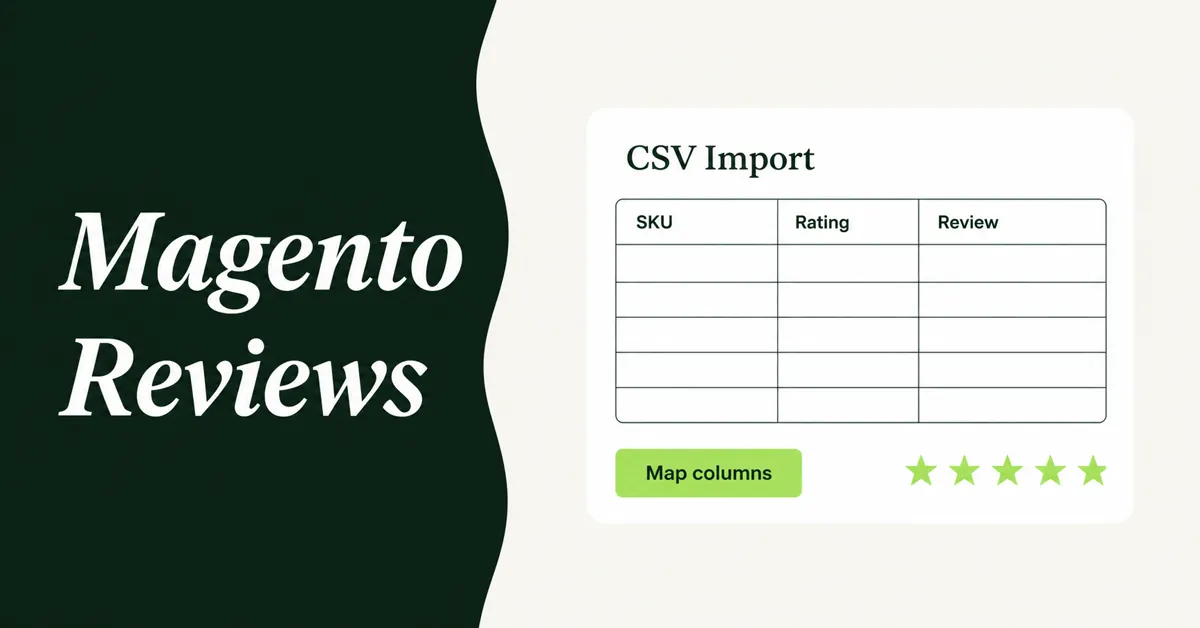
How to Import Magento Reviews to Shopify (3 Methods)
Leave Magento reviews behind and conversion drops. Export a CSV, map those columns, and import Magento reviews to Shopify using three working methods.
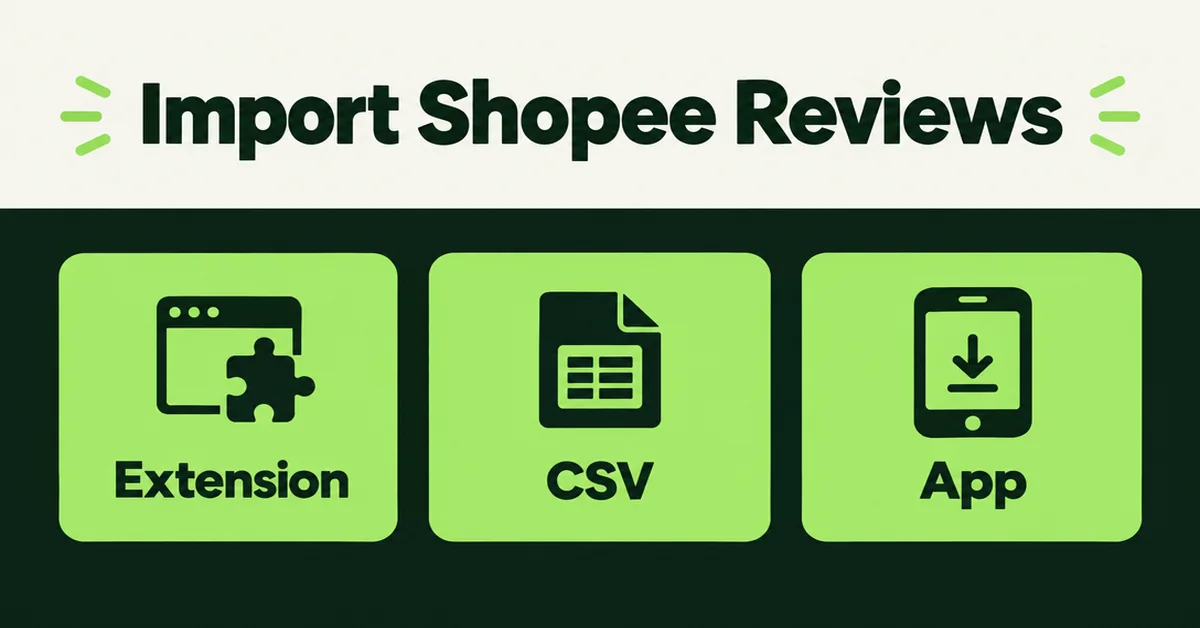
How to Import Reviews from Shopee to Shopify in 2026 (3 Methods)
Import reviews from Shopee to Shopify with a Chrome extension, CSV, or review app. Free options, CAPTCHA limits, and what data still transfers in 2026.

WooCommerce to Shopify Migration: Step-by-Step Product Transfer Guide
Planning a WooCommerce to Shopify migration? This step-by-step guide covers product transfer, CSV cleanup, SEO protection, and avoiding data loss.